Laravel Chat Widget
Real-time chat for Laravel applications
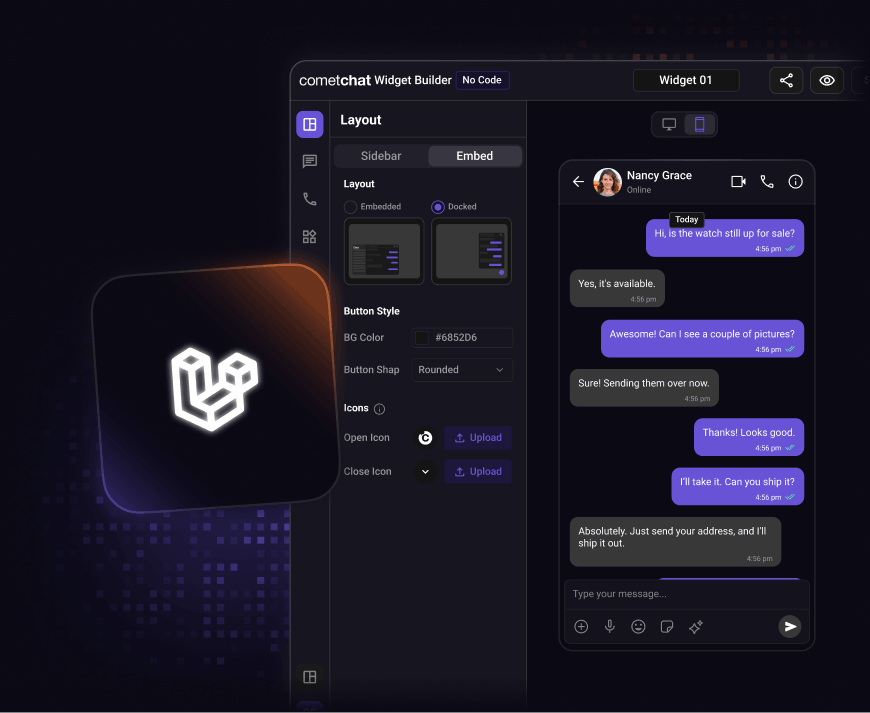


Step 1: Customize
Configure your chat experience visually
Start by designing your chat interface in the no-code Chat Widget Builder before adding it to your Laravel application.
-
Match the chat UI with your site’s colors, fonts, and layout.
-
Adjust widget placement, launcher icon, and behavior.
-
Enable or disable chat features with simple toggles.
-
Preview changes instantly before publishing

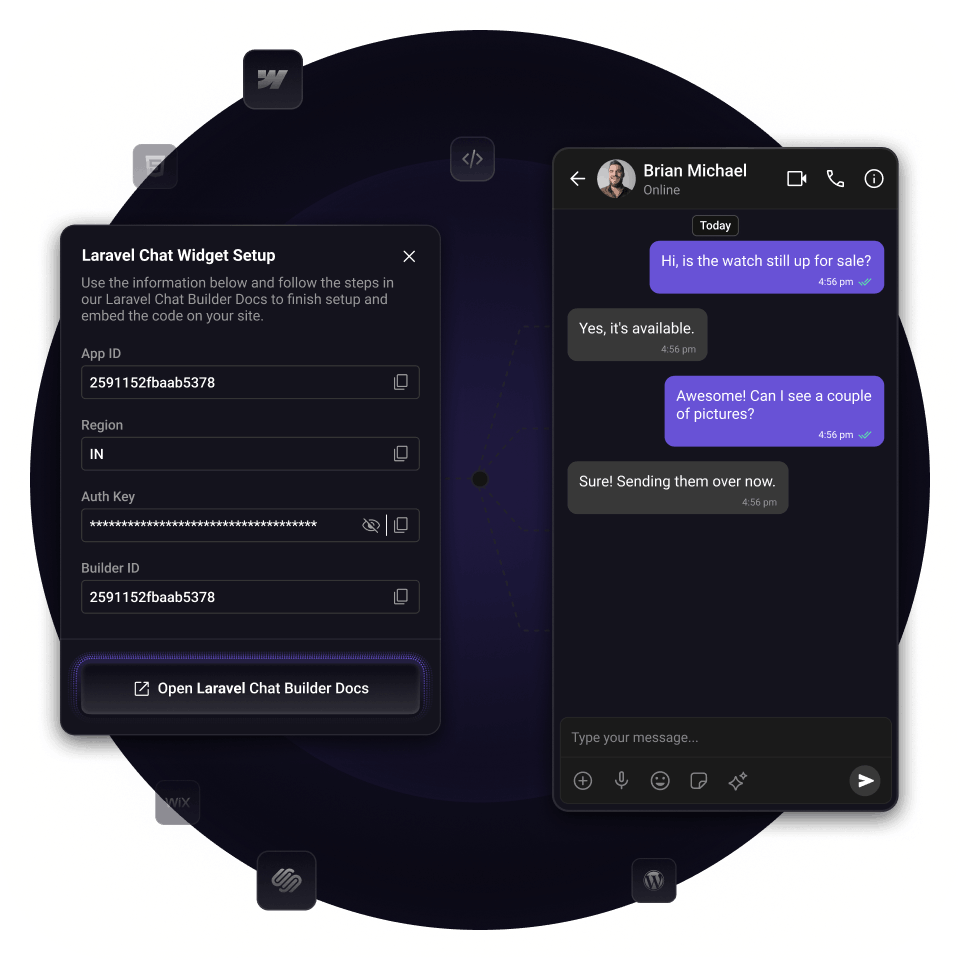
Step 2: Embed & Go Live
Launch chat on your Laravel site in minutes
Once your widget is ready, copy the embed snippet and place it inside your Laravel application.
-
Paste the snippet inside your Blade layout or frontend template
-
Deploy across your entire site or specific pages
-
No backend setup or server configuration required
-
Lightweight by design, no bulky chat plugin or library needed.
Integration Methods
Start with any integration method and scale to others as your needs evolve.
UI Kit Builder
A low-code chat builder that is fully customizable, easy to integrate, and scales with your product.

Chat UI Kits
Comprehensive UI kits with all the chat features you need, designed to plug in natively and grow with your app.
Chat SDKs
Open source SDKs and APIs for all popular frameworks to build bespoke chat experiences.
FAQ
Got questions? We’ve got answers.
A Laravel chat widget is a messaging interface added to a Laravel application that enables real-time conversations between users or visitors. It can appear as a floating chat button or as an embedded component within pages rendered by Blade, Livewire, or SPA frontends.
With CometChat, the widget connects to a managed messaging platform, allowing Laravel apps to support chat and calling without implementing real-time systems like WebSockets or message brokers.
The widget is loaded through a small JavaScript snippet included in your Laravel views or frontend bundle. When a page renders, the widget initializes and connects to the chat backend to establish real-time communication.
Typically, you would:
- Add the snippet to a Blade layout file (e.g.,
layouts/app.blade.php) - Conditionally load it based on routes or authentication state
- Initialize users using data from your Laravel application
Once deployed, conversations begin instantly without additional server processes.
To integrate chat into a Laravel project, you usually need:
Access to your Blade templates or frontend assets
A configured authentication system (optional but recommended)
Ability to deploy updated application code
If using CometChat, you’ll also need:
A CometChat account
A created app and widget configuration
App credentials (App ID, Region, Auth Key or Auth Token)
For logged-in experiences, your Laravel backend can generate secure tokens tied to your User model.
CometChat supports authentication flows that align naturally with Laravel’s auth system:
Guest mode - Anonymous visitors can chat without accounts
User-based login - Map chat identities to your Eloquent users
Secure token authentication - Generate tokens server-side after login
This works seamlessly with Laravel authentication tools such as Breeze, Jetstream, Sanctum, or Passport, allowing chat to reflect your existing user sessions.
Placement is controlled by where you include the widget in your Laravel views.
Common approaches include:
Adding it globally via the main layout file
Displaying it only on specific routes using Blade conditions
Showing it only to authenticated users via @auth directives
You can implement fine-grained control using middleware, route groups, or view logic.
Not necessarily. You can launch chat quickly using guest access or simple user identifiers without writing backend logic.
However, most Laravel applications integrate server-side authentication to ensure conversations are tied to verified users. In that setup, your backend generates auth tokens while CometChat handles message delivery and synchronization. No custom real-time infrastructure is required.
CometChat is designed to work across the full stack, not just Laravel.
Supported environments include:
Frontend frameworks like React, Vue, and Angular.
Mobile platforms such as iOS, Android, Flutter, and React Native.
Other backend ecosystems including Node.js, .NET, and PHP.
CMS and site builders like WordPress, Shopify, Webflow, Squarespace, and Wix.
Yes. Many Laravel teams begin with the widget to validate their use case quickly.
As requirements grow, you can move to our UI Kits or SDKs to build fully customized chat interfaces integrated with your application’s design system and workflows.
Let's map out how CometChat works for you.
30 minutes. Real answers. A plan you can actually act on.
Pick a time that works, talk to someone who knows the product.
Your use case shapes the call - no guessing, no repeating yourself.
No commitment. Just a straight conversation about how this fits - and if it doesn't, we'll say so.
Trusted by teams building conversations at scale.