Chat UI Kits
Ready-to-ship chat UI kits. Modular design and market-ready
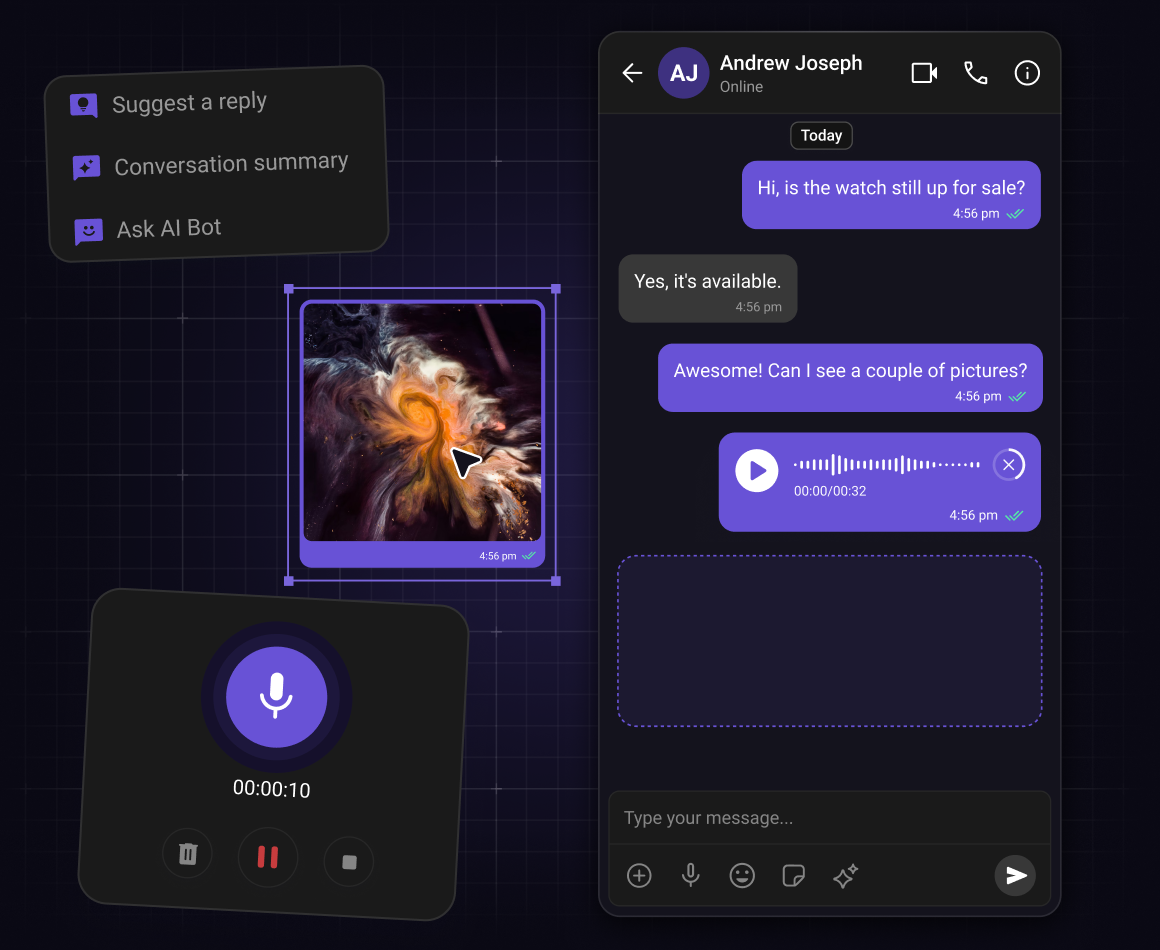


Step 1: Choose components
Choose your chat components from our UI Kits.
-
Pick the components you need for in-app chat from our comprehensive UI Kits.
-
Our UI Kits include everything you need and more to build a full scale chat experience, including conversation list, message list, message composer and more.
-
Each component of the UI Kit handles its own chat logic, your team doesn't need to wire the SDK calls.
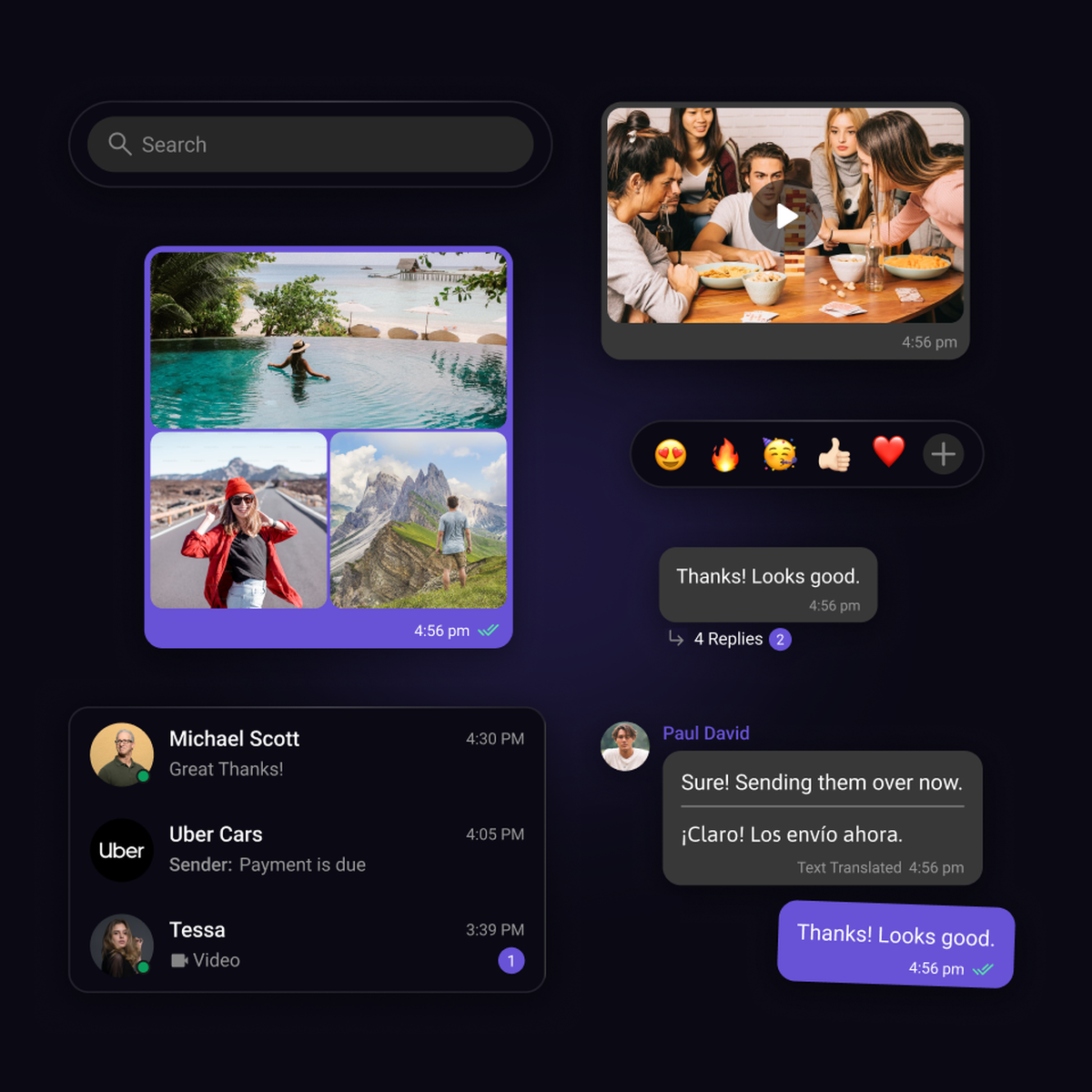
Step 2: Arrange in your desired layout
Customize your chat your way with selected components
-
Arrange the selected components in the style and layout of your choice for your in-app chat.
-
Apply styling, customization or layouts according to your need.
-
Works seamlessly across multiple frameworks.
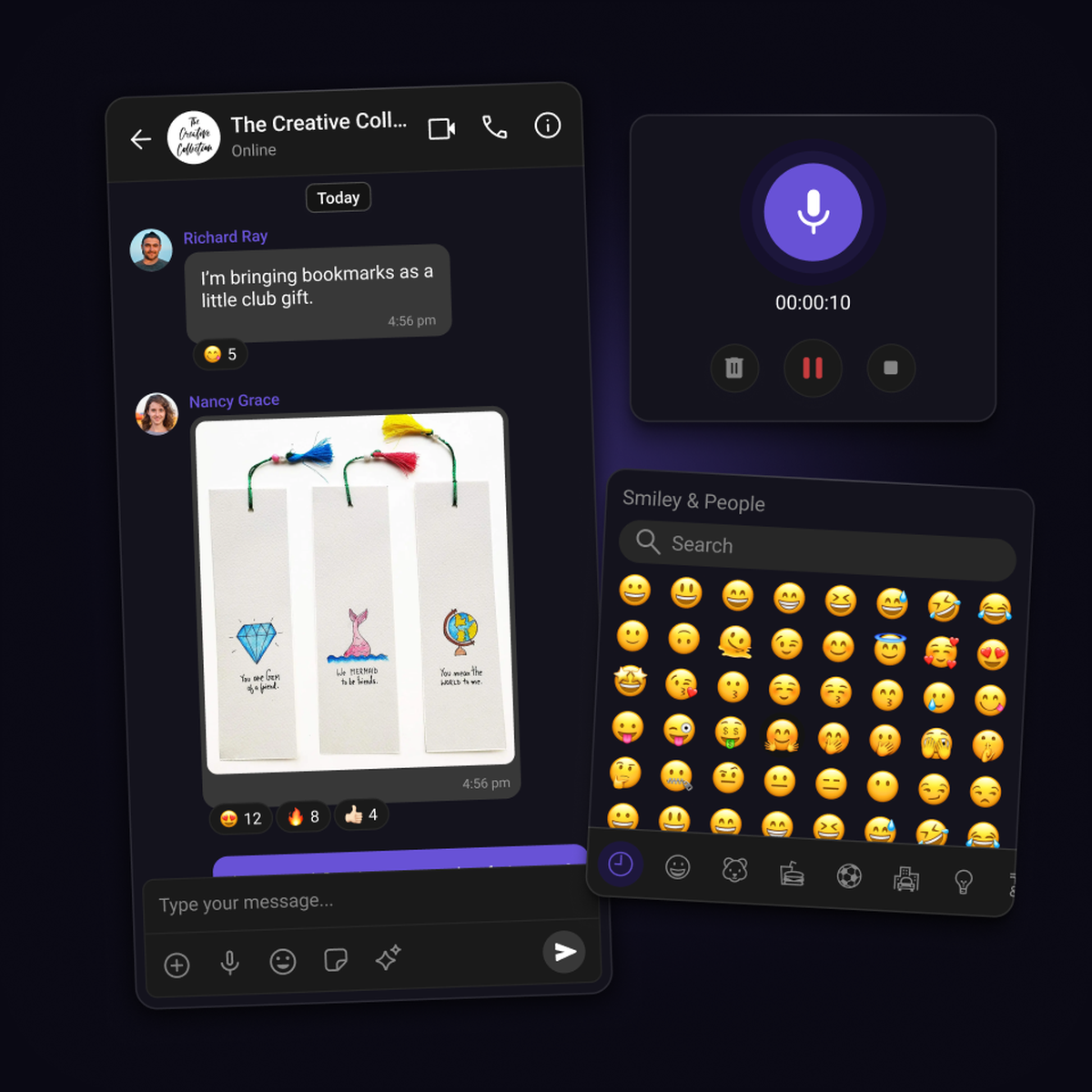
Step 3: Deploy
Your in-app chat is ready to be launched
-
Once you’ve arranged your components for in-app chat, export the code and deploy.
-
Flexibility at your fingertips; You control the final UI arrangement which you can customize anytime.
-
Sync your user base with CometChat and deploy without hassle.
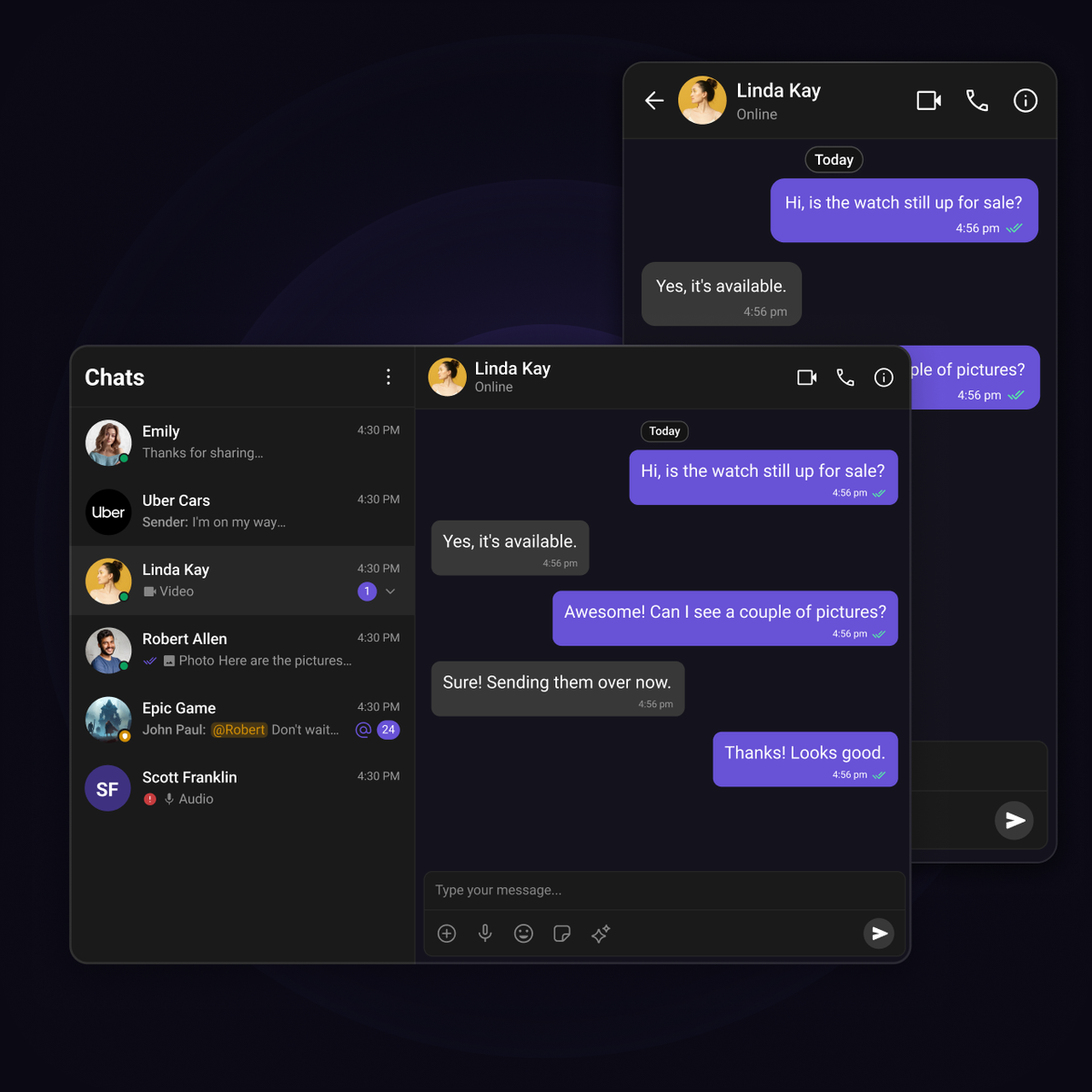
UI Kit Components
Build chat experiences that users love
Open source UI Kits with the chat functions and features your audience loves.

Reactions

Threaded messages

Message composer

Presence Indicators

Read Receipts

Message Information

Unread Message Counts

Audio Recorder

Avatars
Integration Methods
Start with any integration method and scale to others as your needs evolve.
Widget Builder
A no-code chat builder for any platform, built for high-impact use cases that need real chat fast and flexible.

UI Kit Builder
A low-code chat builder that is fully customizable, easy to integrate, and scales with your product.
Chat SDKs
Open source SDKs and APIs for all popular frameworks to build bespoke chat experiences.
FAQ
Got questions? We’ve got answers.
Get a fully functional chat interface up and running in minutes with our Chat UI Kits—no complex setup or manual component wiring needed. Designed for developers, the kits come with built-in support for user and group info, moderation, and more, so you can focus on your core logic instead of boilerplate. And since they’re powered by the same customizable UI components, you retain full control over the look, feel, and behavior of your chat experience.
Select the in-app chat components you need and configure your chat with the features that fit your app. Pick from our comprehensive list—conversation lists, message headers, composers, and more. Then create a layout and style your chat to match your brand. With everything set up, your in-app chat is ready to go live.
You'll need an active CometChat account with permissions to create and manage applications in the CometChat Dashboard.
CometChat offers SDKs and UI Kits across multiple platforms. For web development, we support React, Angular, and Vue. For mobile, we provide support for iOS (Swift), Android (Java/Kotlin), React Native, Flutter, and Widget.
Yes, CometChat's modular architecture allows you to begin with any integration method and transition to another as your application's requirements evolve. For instance, you can start with the widget builder for quick deployment and later switch to SDKs or UI Kits for more customization and control.
CometChat offers four integration methods. The no-code widget builder requires zero coding. The low-code UI Kit builder lets you configure prebuilt components visually, export one line of React code, and launch in minutes. Our UI Kits provide customizable components for React, iOS, Android, and Flutter for quick integration with minimal effort. For full control, our SDKs let you build custom UIs and workflows from the ground up.
Let's map out how CometChat works for you.
30 minutes. Real answers. A plan you can actually act on.
Pick a time that works, talk to someone who knows the product.
Your use case shapes the call - no guessing, no repeating yourself.
No commitment. Just a straight conversation about how this fits - and if it doesn't, we'll say so.
Trusted by teams building conversations at scale.