PHP Chat Widget
Add Real-time chat experience to your PHP website
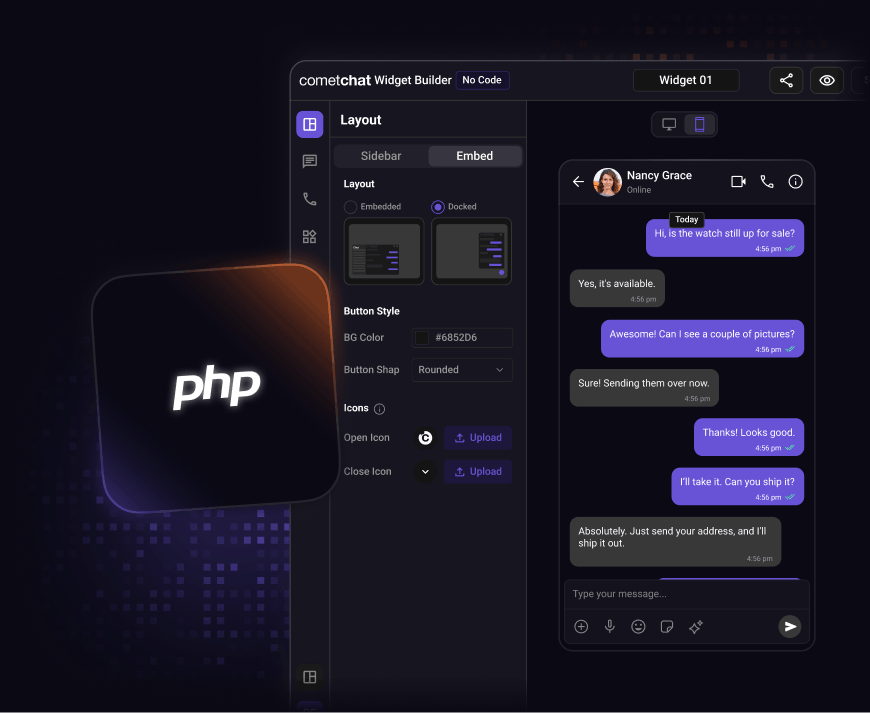


Step 1: Customize
Configure your chat experience visually
Start by designing your chat interface in the no-code Chat Widget Builder before adding it to your PHP application.
-
Match the chat UI with your site’s colors, fonts, and layout.
-
Adjust widget placement, launcher icon, and behavior.
-
Enable or disable chat features with simple toggles.
-
Preview changes instantly before publishing

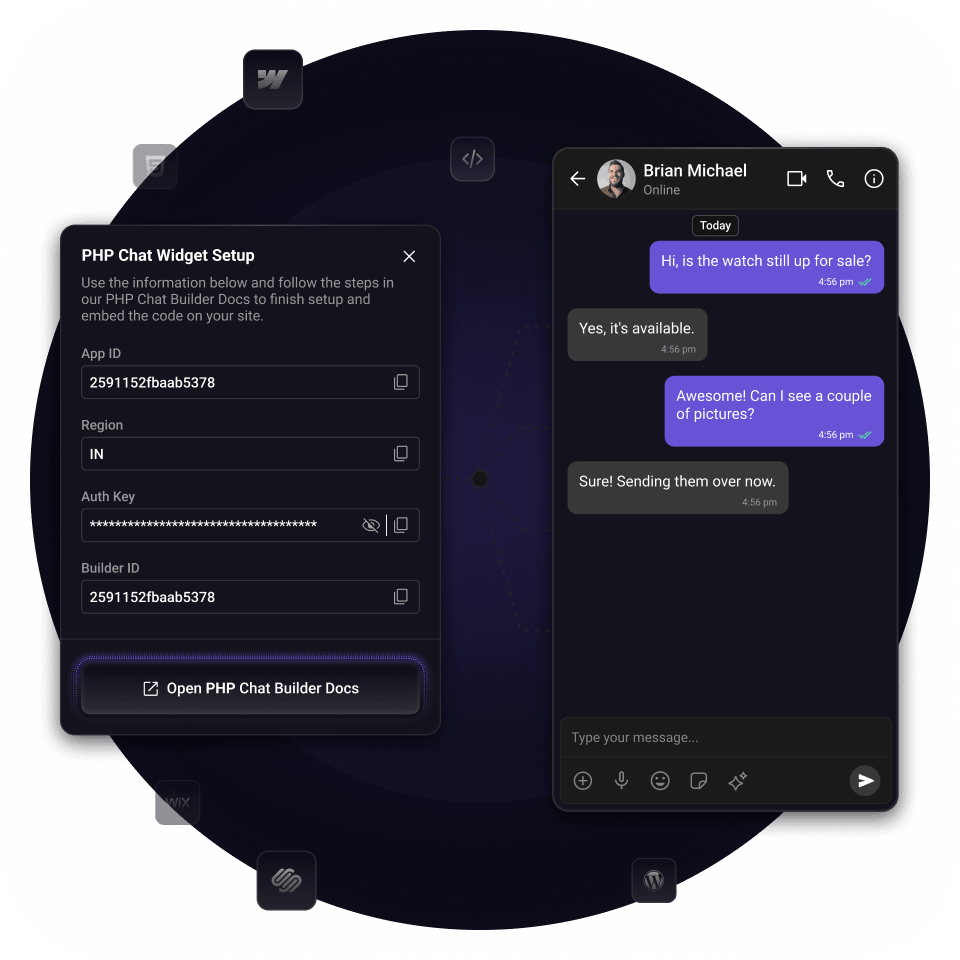
Step 2: Embed & Go Live
Launch chat on your PHP site in minutes
Once your widget is ready, copy the embed snippet and place it inside your PHP templates.
-
Paste the snippet into your PHP layout file or template.
-
Deploy across your entire site or specific pages
-
No backend setup or server configuration required
-
Lightweight by design, no bulky chat plugin or library needed.
Integration Methods
Start with any integration method and scale to others as your needs evolve.
UI Kit Builder
A low-code chat builder that is fully customizable, easy to integrate, and scales with your product.

Chat UI Kits
Comprehensive UI kits with all the chat features you need, designed to plug in natively and grow with your app.
Chat SDKs
Open source SDKs and APIs for all popular frameworks to build bespoke chat experiences.
FAQ
Got questions? We’ve got answers.
A PHP chat widget is a messaging interface embedded into a PHP-based website or web application that allows real-time conversations with visitors or users. It typically appears as a floating chat launcher or an embedded chat panel rendered within pages generated by your PHP templates.
A chat widget loads a messaging interface on your site through a small JavaScript snippet included in your PHP-generated pages. Once the page loads, the widget initializes and connects to the chat service’s backend to enable real-time communication.
With CometChat, you configure the widget using the chat builder, then add the generated code to your PHP layout files (for example, header or footer templates). After deployment, users can start conversations immediately.
To integrate chat into a PHP application, you typically need:
- Access to your website’s source code or template files
- Ability to insert JavaScript into your page layouts
If using CometChat, you’ll also need:
- A CometChat account
- A created app and widget configuration
- App credentials (App ID, Region, Auth Key or Auth Token)
For authenticated experiences, your PHP backend may also generate secure auth tokens for logged-in users.
CometChat supports multiple authentication approaches that align well with PHP applications:
Guest access - Visitors can start chatting without logging in
UID-based login - Use existing user IDs from your database
Secure token authentication - Your PHP server issues auth tokens after verifying user identity
You can control the widget placement by choosing where the code is included in your PHP templates.
Common options include:
Site-wide placement via header or footer files
Specific pages using conditional logic
Floating launcher positioned in a corner
No backend work is required for basic deployments using guest mode or simple user identifiers.
However, many PHP applications choose to integrate backend authentication for secure user-to-user messaging. In those cases, your server generates auth tokens while CometChat handles all real-time communication.
You never need to build or maintain messaging infrastructure yourself.
CometChat supports a wide range of platforms and technologies, including:
Web frameworks (React, Angular, Vue, HTML/JavaScript)
Mobile apps (iOS, Android, Flutter, React Native)
Backend-driven apps like PHP, Node.js, and .NET
CMS and site builders such as WordPress, Shopify, Webflow, Squarespace, and Wix
Yes. Many teams begin with the widget to launch quickly, then move to more customized integrations as their product evolves.
Let's map out how CometChat works for you.
30 minutes. Real answers. A plan you can actually act on.
Pick a time that works, talk to someone who knows the product.
Your use case shapes the call - no guessing, no repeating yourself.
No commitment. Just a straight conversation about how this fits - and if it doesn't, we'll say so.
Trusted by teams building conversations at scale.