

AI Integration Quick Reference
AI Integration Quick Reference
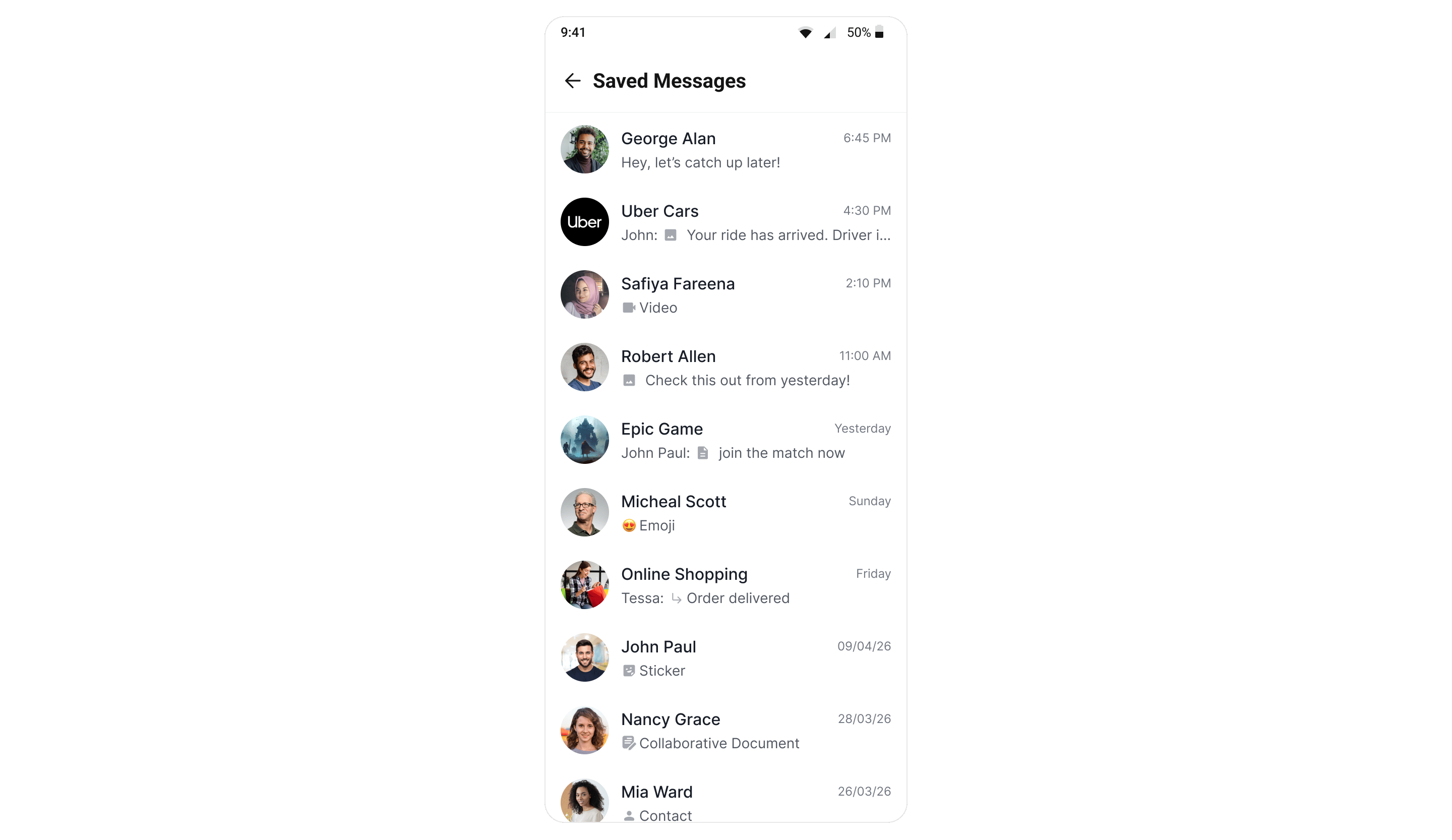
CometChatSavedMessages lists every message the logged-in user has saved, newest save first. Unlike a pin, a save is private and spans conversations — nobody else can see it, and the list is not scoped to a single chat.
Where It Fits
Because the list is account-wide, this screen belongs at app level — a navigation tab, a drawer entry, or a profile menu — not inside a single conversation. There is deliberately nosetUser/setGroup; scoping it to one conversation would defeat the point.
Messages are saved and unsaved from the Message List action sheet; this screen is the read view, plus a long-press Unsave action on each row.
Quick Start
- Kotlin (XML Views)
- Jetpack Compose
Add the component to your layout XML:Wire the callbacks:
activity_saved_messages.xml
SavedMessagesActivity.kt
Actions and Events
Callback Methods
SDK Events (Real-Time, Automatic)
The list keeps itself up to date on this device — saving or unsaving a message anywhere in the app adds or removes the row without a refetch, via theMessageSaved / MessageUnsaved events on the UI Kit event bus; see Events. Changes made on the user’s other devices appear when the list is next opened or refetched (server-side real-time delivery for save events is pending rollout).
Functionality
- Conversation-style rows — because saved messages come from many conversations, each row shows where the message lives: the peer’s or group’s avatar and name, a message preview with its type icon, and the sent date. This mirrors a conversation list row (without the unread badge).
- Unsave — long-press a row to get the Unsave action, which asks for confirmation before it is performed; a toast reports the result. This mirrors the Unpin flow on the Pinned Messages screen.
- Jump to message — tapping a row emits the message through the click callback. Use the message’s receiver type and receiver to resolve which conversation to open.
- Empty state — a built-in empty state (“No saved messages yet”) is shown when the user has not saved anything.
- Private and read-only — nobody else can see a user’s saved messages; the screen never marks messages as read and does not affect unread counts or receipts.
ViewModel
The screen is backed byCometChatSavedMessagesViewModel (in the shared core module), which fetches via MessagesRequestBuilder().setSaved(true), applies optimistic unsave with revert-on-error, and observes the event bus for live upkeep. In Compose you can inject your own instance through the viewModel parameter.
Next Steps
- Message List — where messages are saved and unsaved, and where the bubble saved indicator appears.
- Pinned Messages — the conversation-wide counterpart.
- Save A Message (SDK) — the underlying SDK APIs.