

AI Integration Quick Reference
AI Integration Quick Reference
Manual mode: Requires explicit connect/disconnect calls
Default SDK Behaviour on Login
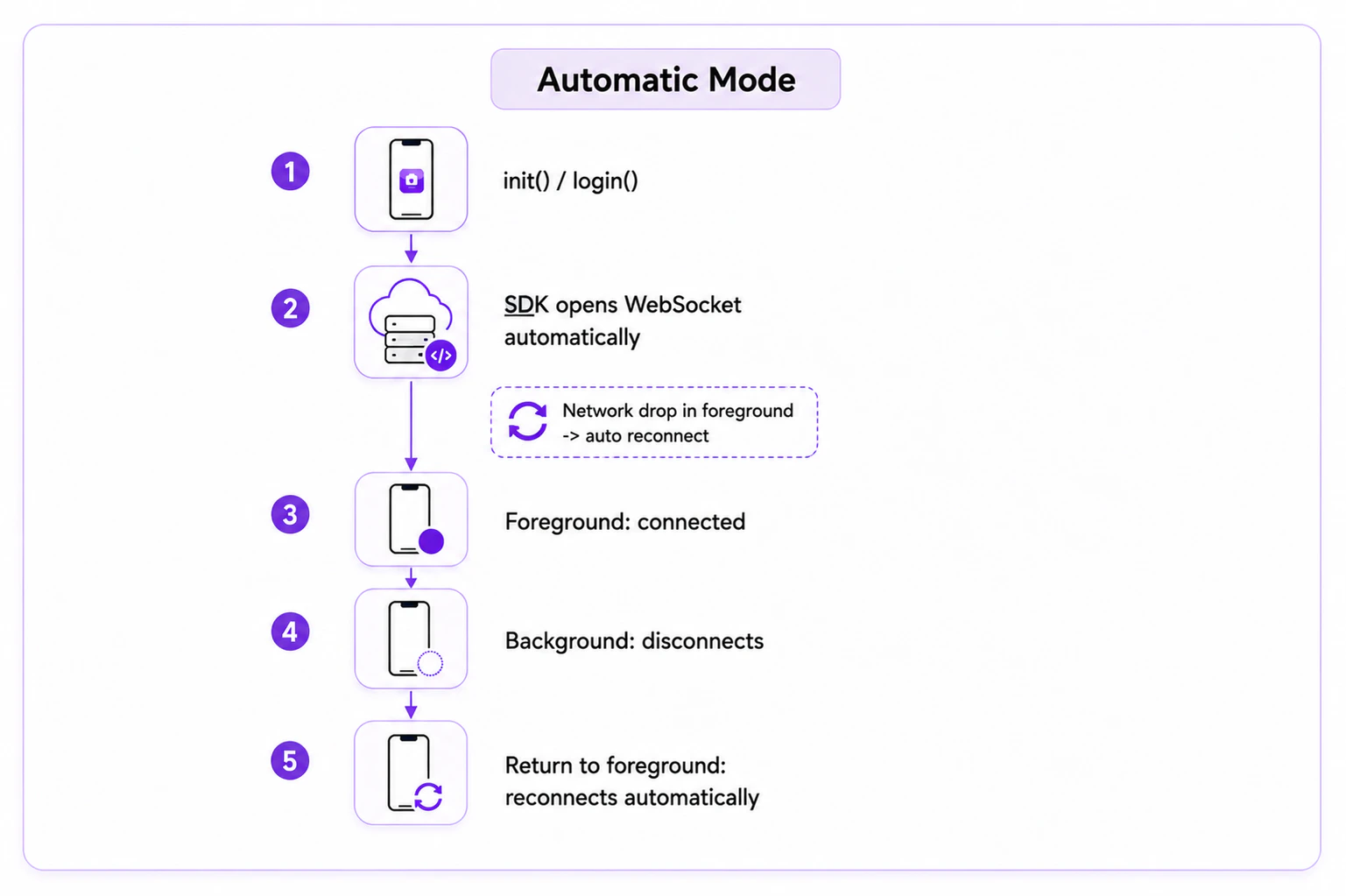
On login, the SDK logs the user in, saves their details locally, and creates a WebSocket connection. When the app is reopened andinit() is called, the WebSocket reconnects automatically.
Auto Mode
The default mode. The SDK automatically establishes and maintains the WebSocket connection. SetautoEstablishSocketConnection(true) (or omit it — auto mode is the default).
Reconnection
If the app is in the foreground and there is no internet connection, the SDK will handle the reconnection of the WebSocket in auto mode.Manual Mode
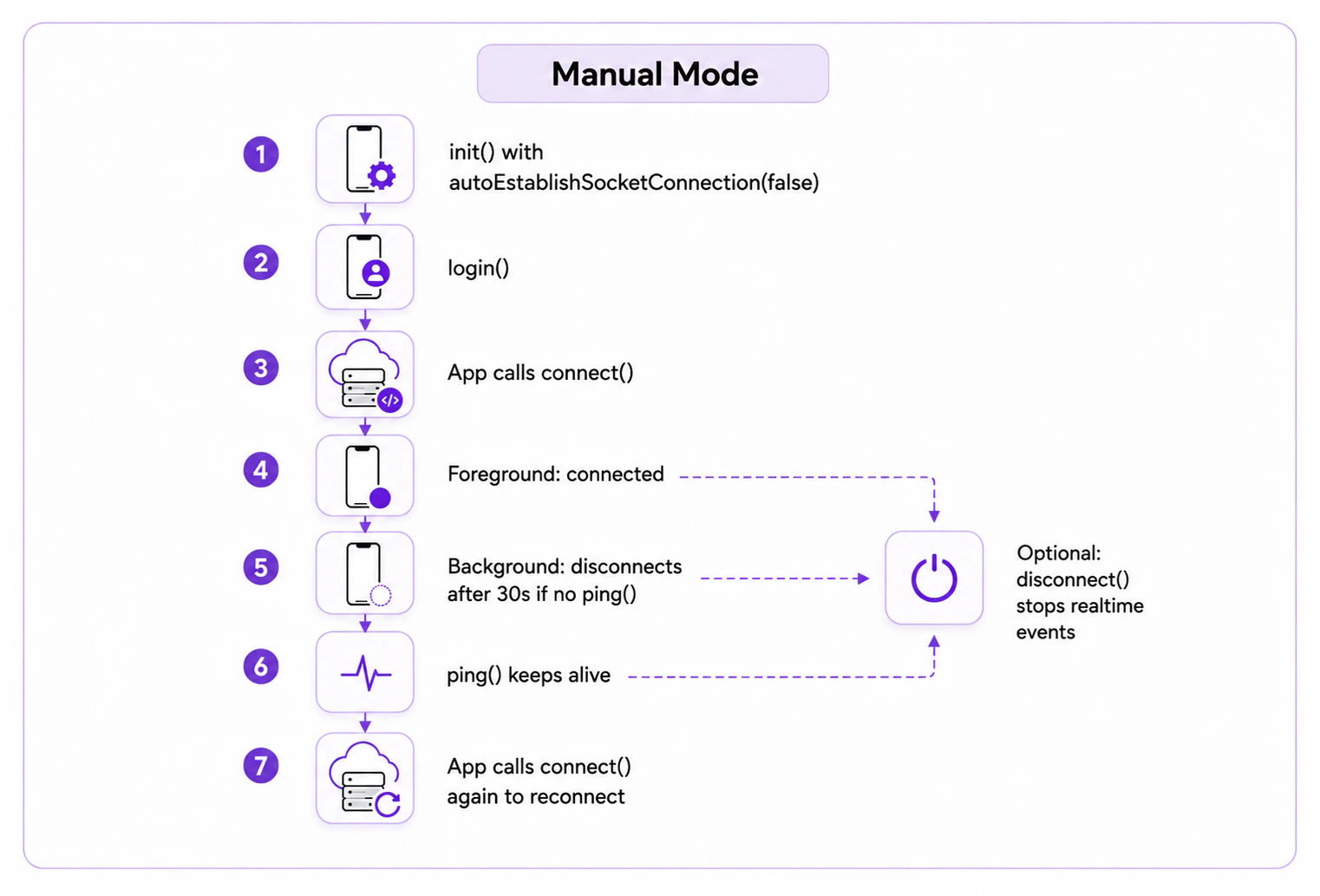
SetautoEstablishSocketConnection(false) to take control of the WebSocket connection. Call CometChat.connect() to establish and CometChat.disconnect() to break it.
By default in manual mode, the SDK disconnects after 30 seconds in the background if no pings are received. Call CometChat.ping() within 30 seconds to keep the connection alive.
Enable Manual Mode
SetautoEstablishSocketConnection(false) during init() to take control of the WebSocket connection. Error callbacks receive a CometChatException:
- Java
- Kotlin
connect(), disconnect(), and ping() methods provided by the SDK.
Connect to the WebSocket Server
Callconnect() to establish the connection. Ensure the user is logged in first (CometChat.getLoggedInUser()).
- Java
- Kotlin
Disconnect from the WebSocket Server
Calldisconnect() to break the connection. Real-time events stop until reconnected.
- Java
- Kotlin
Maintain Long-Standing Background Connection
CallCometChat.ping() within 30 seconds of the app entering the background to keep the connection alive.
- Java
- Kotlin
In manual mode with the app in the foreground, the SDK auto-reconnects if the internet drops. If the app is in the background and the connection was disconnected, call
CometChat.connect() to reconnect.Next Steps
Setup
Configure SDK initialization settings
Connection Status
Monitor SDK connection status changes
Login Listeners
Handle user authentication events
Real-Time Listeners
Receive real-time messages and events