

Instant Messaging
Real-time text messaging is at the heart of CometChat. Users can send and receive instant messages, enabling quick and efficient communication in both one-on-one and group conversations.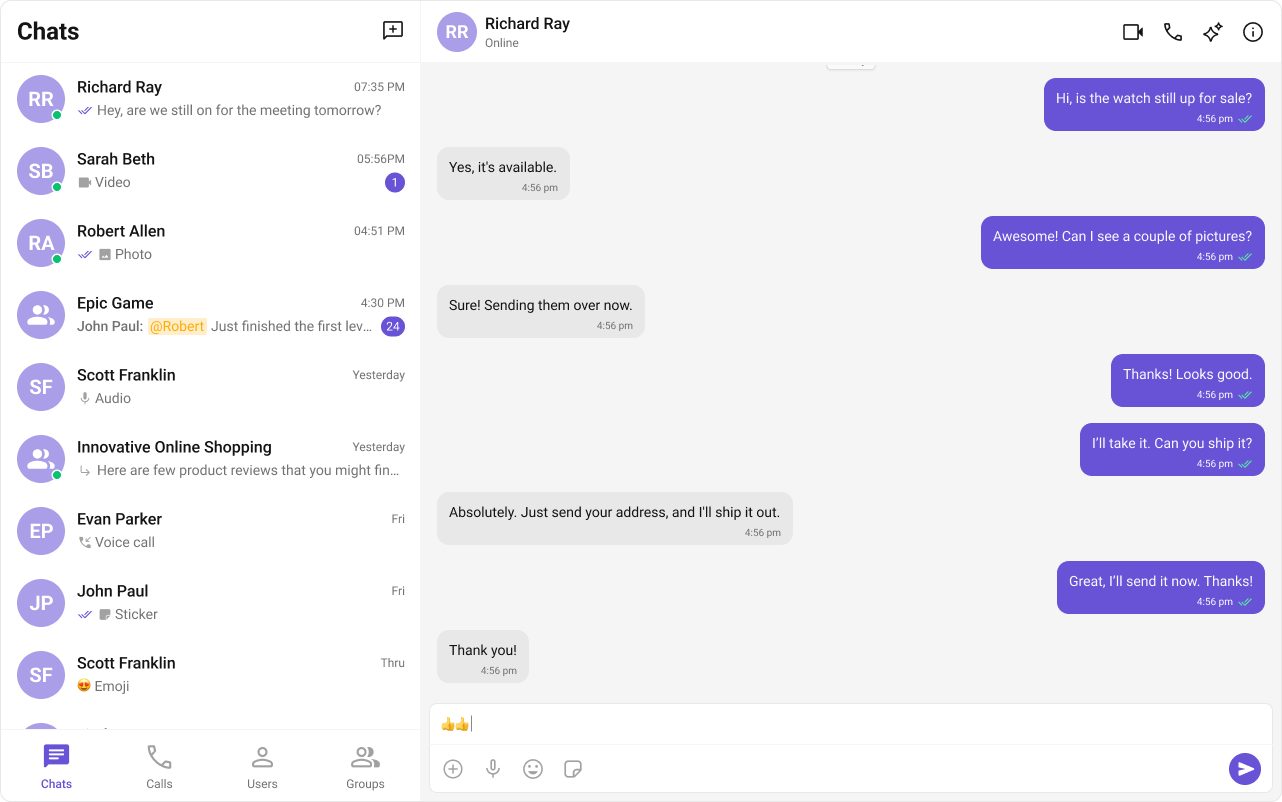
| Component | Functionality |
|---|---|
| cometchat-message-composer | Provides the input area where users write and send text messages. |
| cometchat-message-list | Renders the chronological list of sent and received messages using text bubbles. |
Media Sharing
CometChat supports sharing images, videos, audio files, and documents within conversations.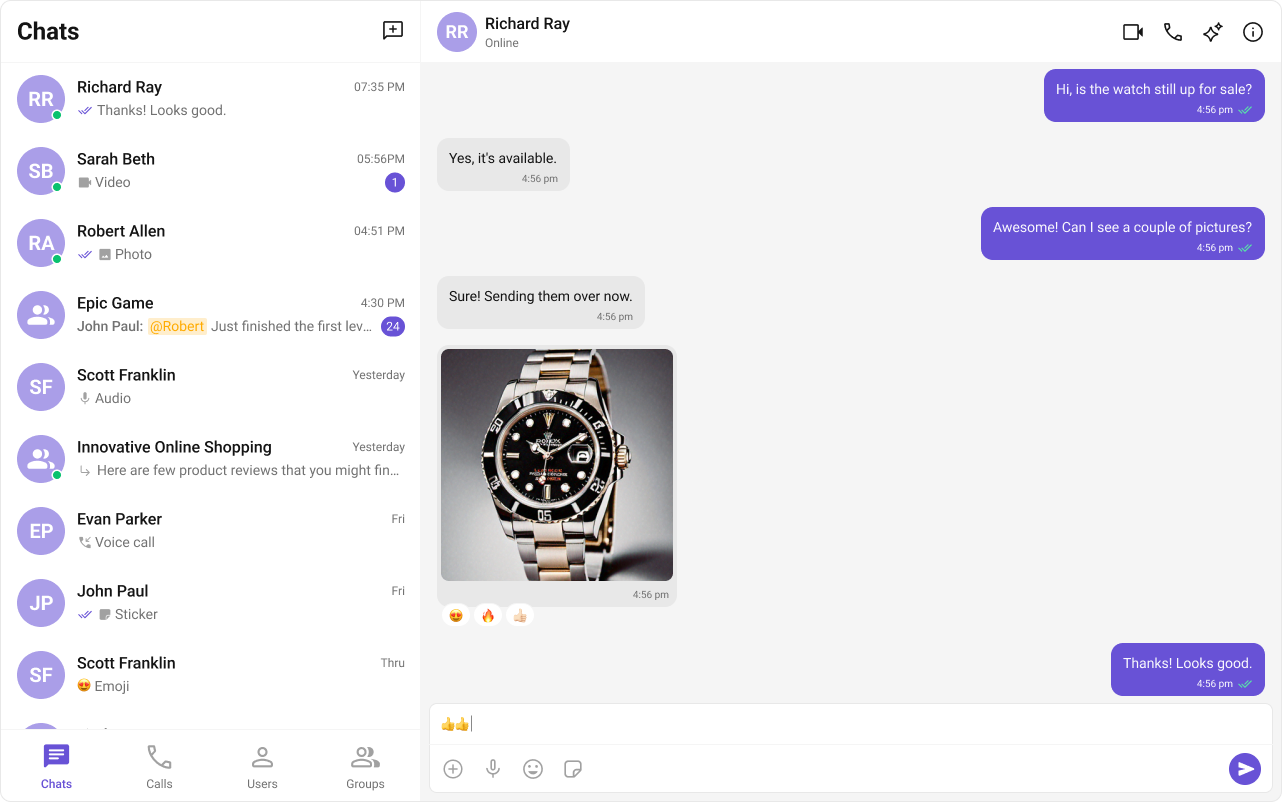
| Component | Functionality |
|---|---|
| cometchat-message-composer | Includes an ActionSheet that presents options for attaching and sharing media files. |
| cometchat-message-list | Renders media message bubbles including Image, File, Audio, and Video bubbles. |
Read Receipts
Read Receipts provide visibility into message status, letting users know when a message has been delivered and read. This brings clarity to communication and sets expectations about engagement.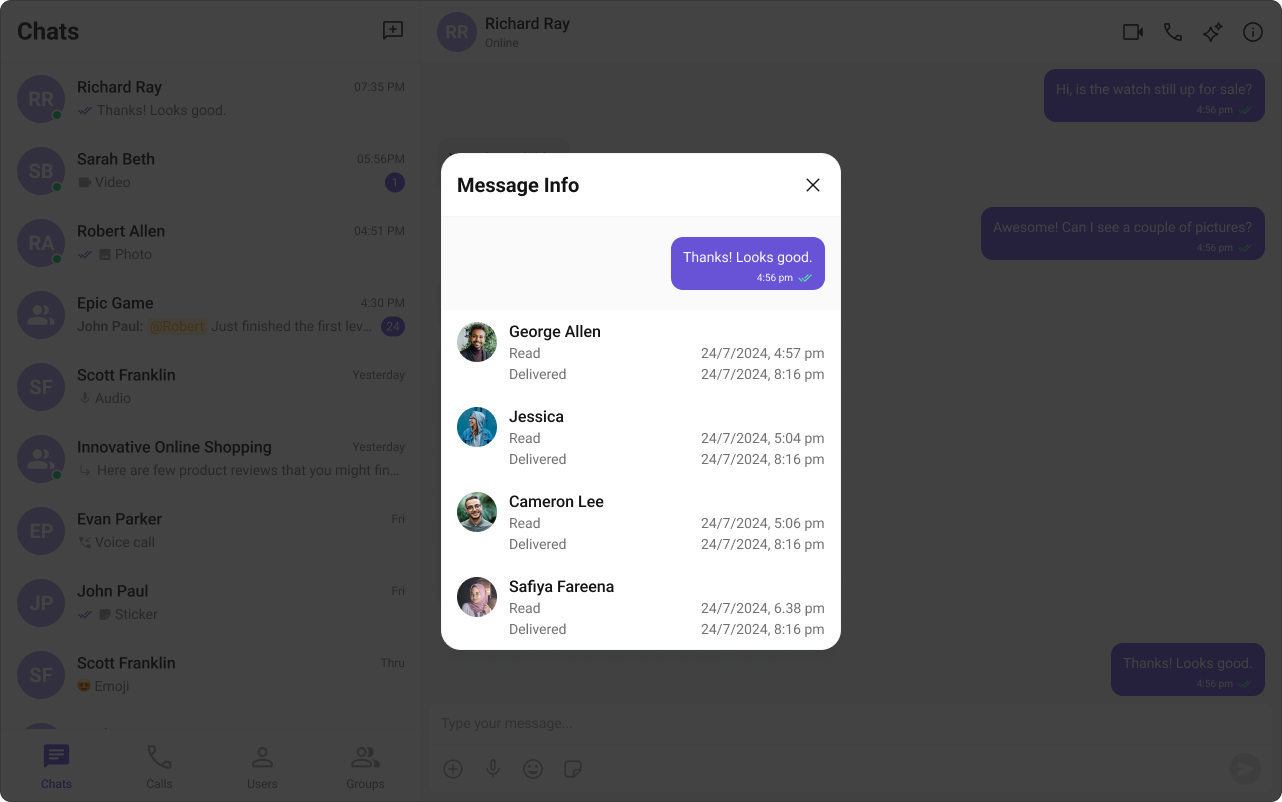
| Component | Functionality |
|---|---|
| cometchat-conversations | Displays the delivery and read status of the last message in each conversation list item. |
| cometchat-message-list | Shows read receipt indicators on every message bubble, providing real-time status updates. |
| cometchat-message-information | Gives the sender detailed insights into whether their message has been delivered and read. |
Typing Indicator
The Typing Indicator shows when a user is composing a response in real time, making conversations feel more natural and interactive.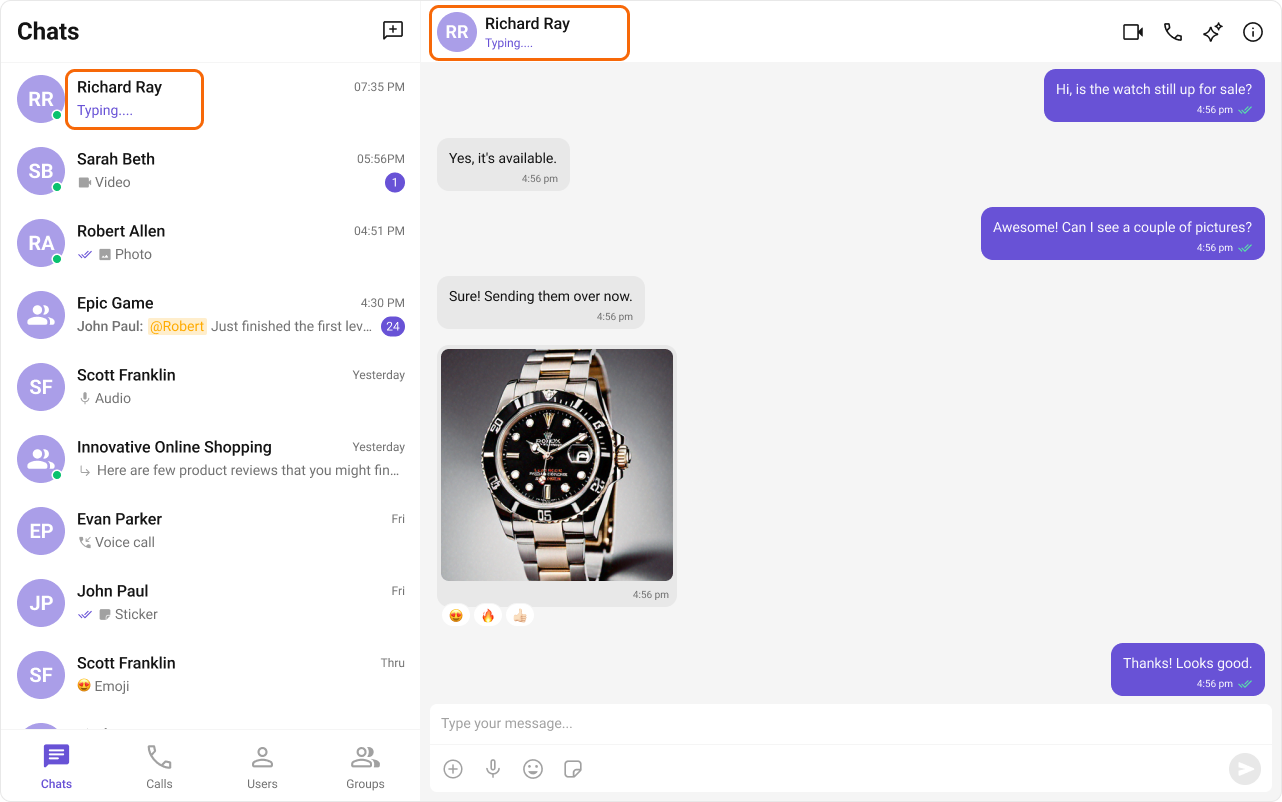
| Component | Functionality |
|---|---|
| cometchat-conversations | Shows real-time typing status indicators in conversation list items for both one-on-one and group chats. |
| cometchat-message-header | Dynamically updates to display a “typing…” status when a user or group member is composing a message. |
User Presence
User Presence lets users see whether their contacts are online or offline, helping them choose the best time to start a conversation.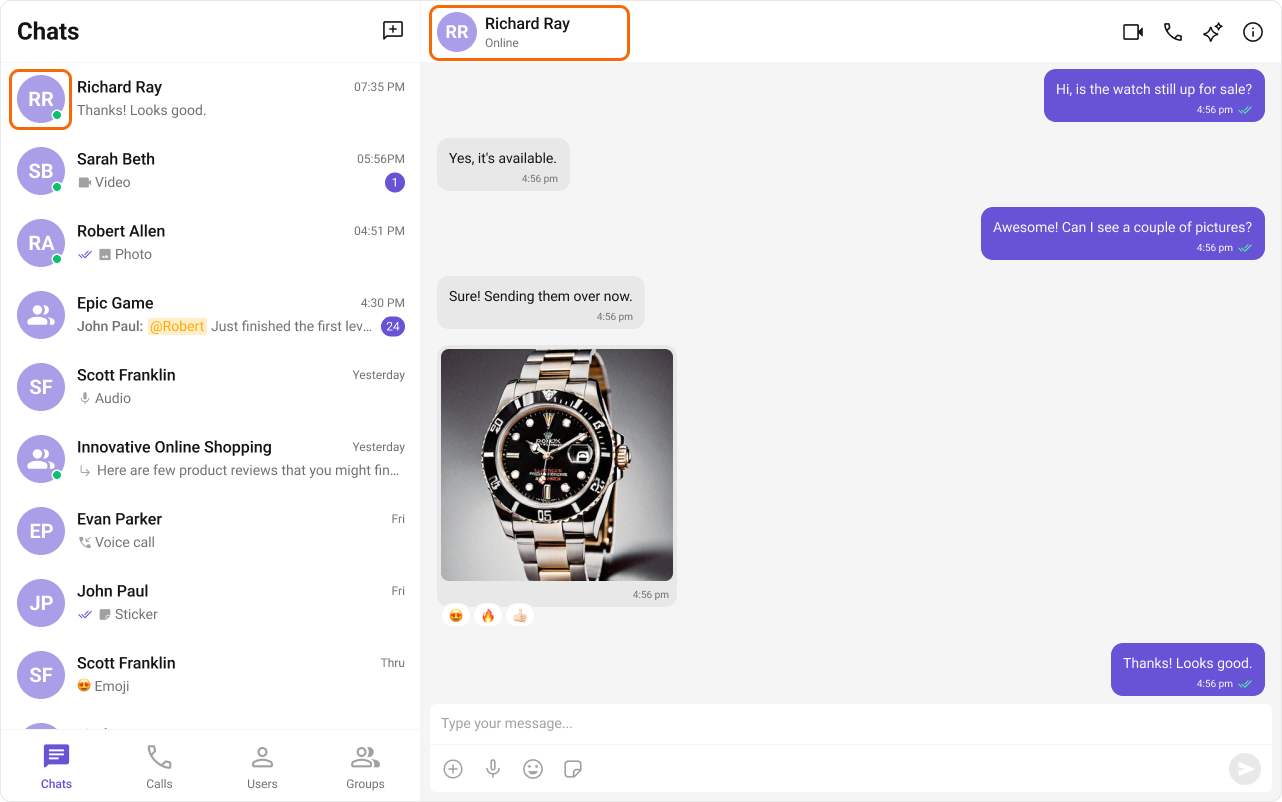
| Component | Functionality |
|---|---|
| cometchat-conversations | Displays user presence information alongside each conversation list item. |
| cometchat-message-header | Shows the online/offline status of the user or group in the message header toolbar. |
| cometchat-users | Renders the list of available users with their current presence status. |
| cometchat-group-members | Renders group member lists with presence information for each member. |
Reactions
Reactions let users express emotions or respond to messages without typing a full reply, adding expressiveness and boosting engagement.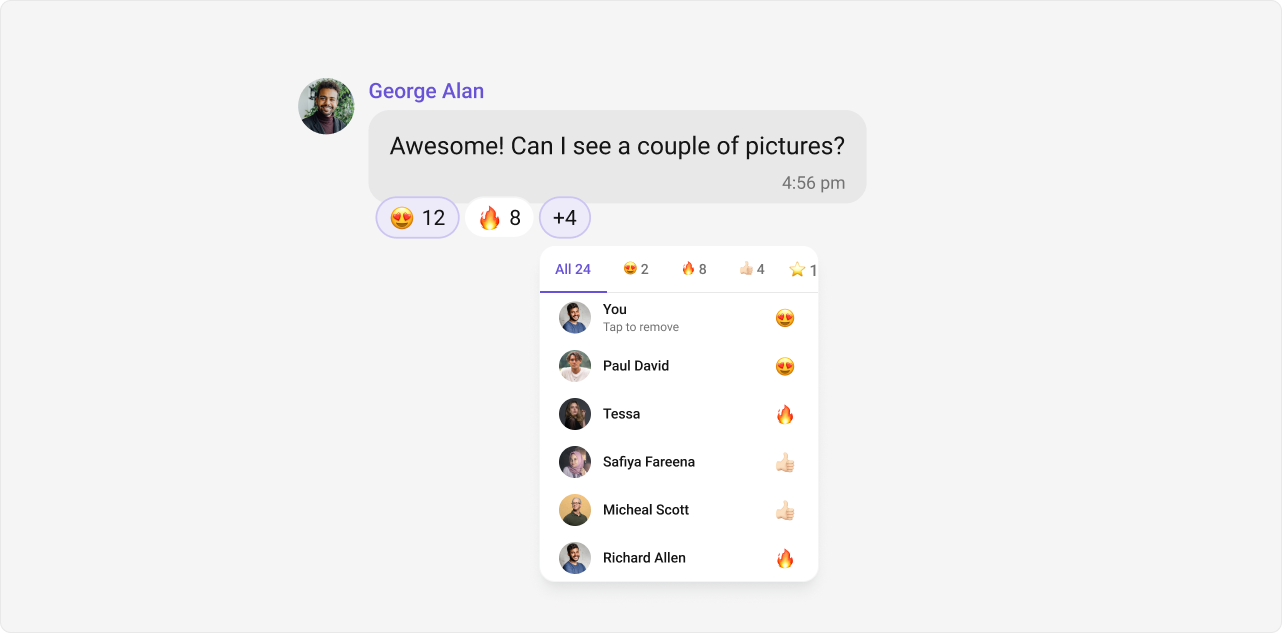
| Component | Functionality |
|---|---|
| cometchat-message-list | Renders reaction indicators on message bubbles and provides the reaction picker action. |
| cometchat-reactions | Displays the reaction bar beneath a message bubble showing all reactions and their counts. |
| cometchat-reaction-list | Shows the full list of users who reacted to a message, grouped by reaction type. |
| cometchat-reaction-info | Displays a tooltip or popover with details about a specific reaction on hover. |
Mentions
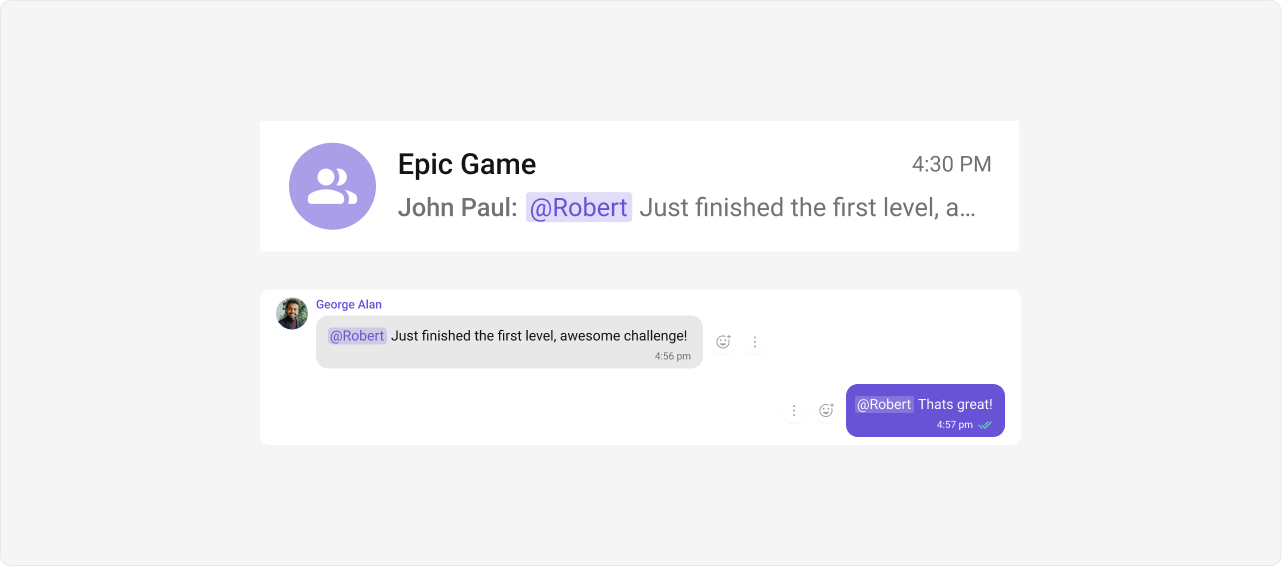
Mentions allow users to directly address specific individuals in a conversation using@username. The feature also supports @all to notify every member in a group chat simultaneously.
| Component | Functionality |
|---|---|
| cometchat-conversations | Shows mention indicators in conversation list items so users can see where they were mentioned. |
| cometchat-message-composer | Provides the mention picker that appears as users type @, allowing them to select a user to mention. |
| cometchat-message-list | Renders mention highlights within message text, making mentioned names visually distinct. |
Threaded Conversations
Threaded Conversations enable users to respond directly to a specific message, keeping discussions organized and maintaining context — especially useful in group chats.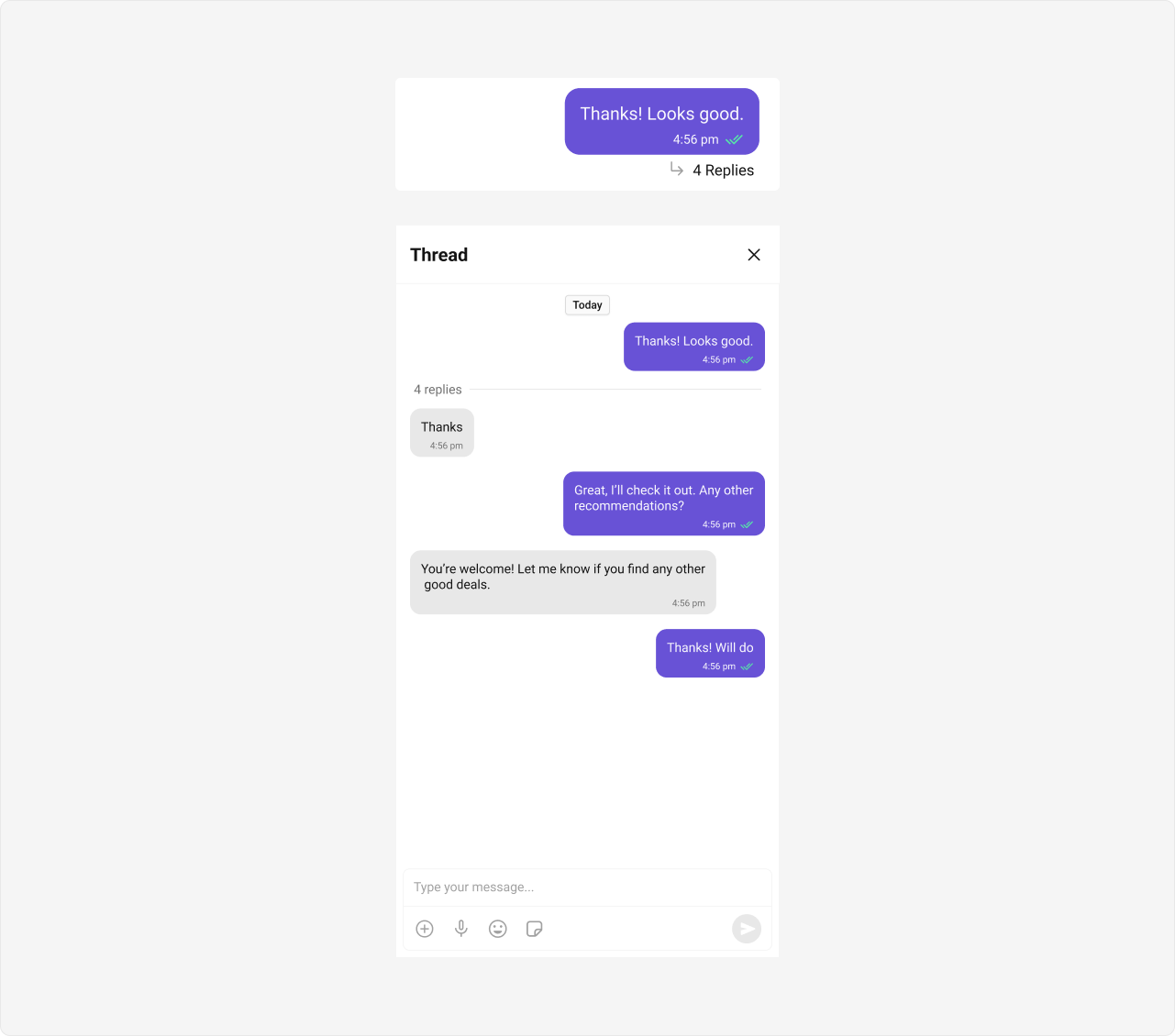
| Component | Functionality |
|---|---|
| cometchat-thread-header | Displays the parent message along with the reply count at the top of a thread view. |
| cometchat-message-list | Renders thread replies when parentMessageId is set. |
| cometchat-message-composer | Sends replies within a thread when parentMessageId is set. |
Group Chat
CometChat facilitates group conversations, allowing multiple participants to communicate simultaneously — ideal for team collaborations, group discussions, and social communities.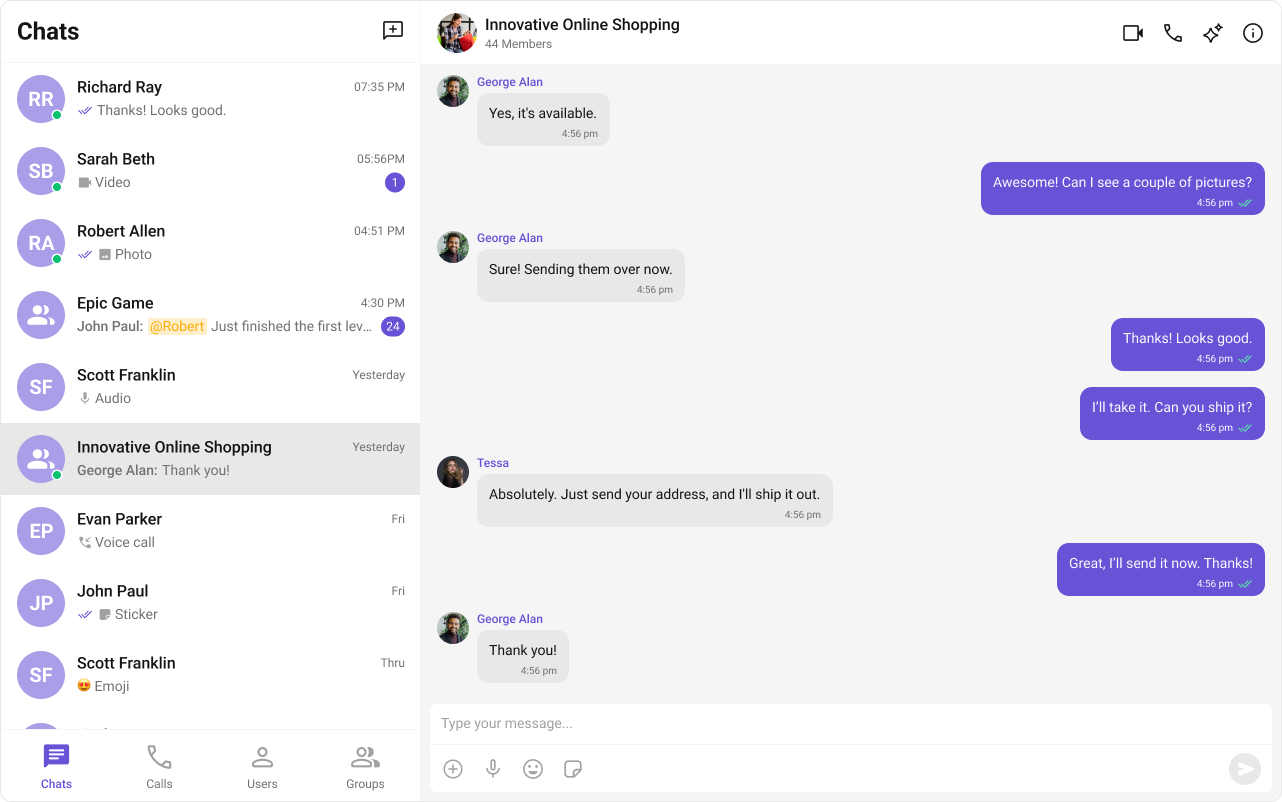
| Component | Functionality |
|---|---|
| cometchat-groups | Renders the list of available groups with search, join, and create capabilities. |
| cometchat-group-members | Displays the members of a group with roles, presence status, and management actions. |
Next Steps
Components Overview
Browse all available Angular UIKit components
Theme
Customize the look and feel of your chat UI
Call Features
Add audio and video calling
AI Smart Chat Features
Explore AI-powered chat capabilities