

Create User
Before you log in a user, the user must exist in CometChat.- For proof of concept / MVPs: Create users via the CometChat Dashboard.
- For production apps: Use the Create User REST API when your user signs up.
Sample UsersCometChat provides 5 pre-created users for testing:
cometchat-uid-1, cometchat-uid-2, cometchat-uid-3, cometchat-uid-4, and cometchat-uid-5.Login using Auth Key
This authentication method is ideal for proof-of-concept development or early-stage apps. For production environments, we recommend using an Auth Token instead of an Auth Key for enhanced security.
Auth Flow
- Blueprint
- C++
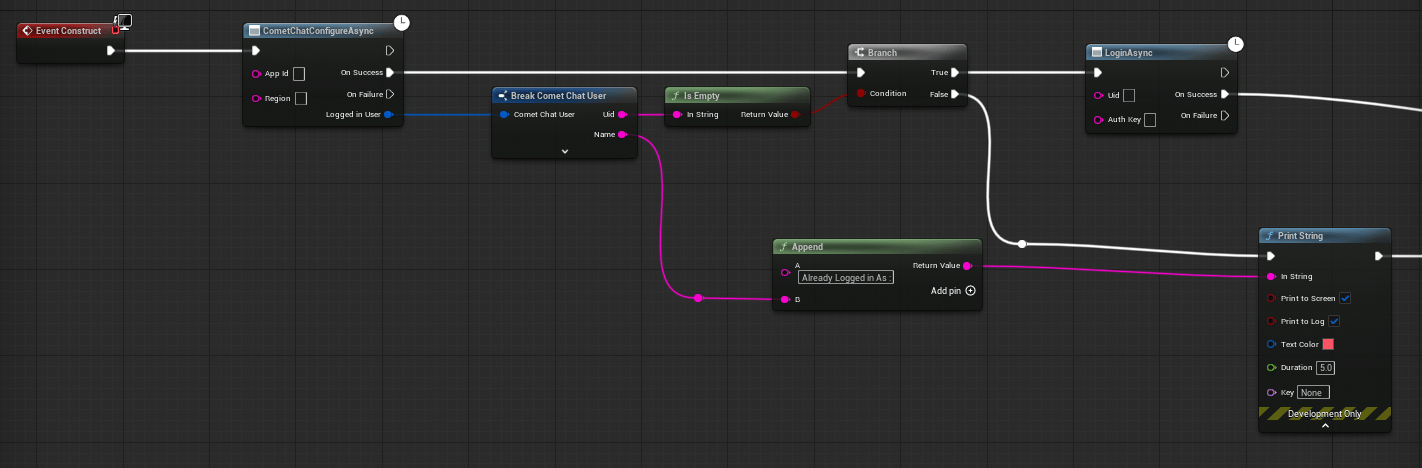
- Get a reference to the CometChat Subsystem
- Call the Login Async node
- Wire the On Success and On Failure pins
Login using Auth Token
This is the recommended authentication method for production apps. Auth Tokens are generated server-side using the CometChat REST API and provide enhanced security since your Auth Key is never exposed on the client.
How Auth Tokens Work
- Your backend calls the Create Auth Token REST API with the user’s UID
- The API returns an Auth Token
- Your backend sends the token to the Unreal client
- The client calls
LoginWithAuthTokenAsyncwith the token
- Blueprint
- C++
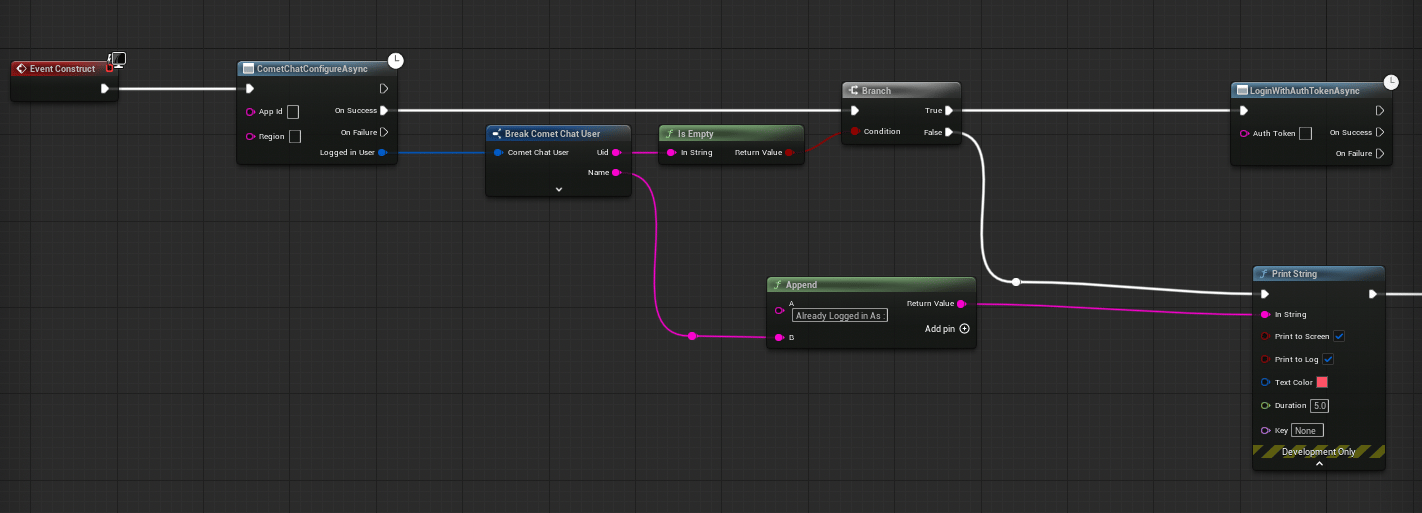
- Get a reference to the CometChat Subsystem
- Call the Login With Auth Token Async node
- Wire the On Success and On Failure pins
Check Login State
Before performing operations, you can check whether a user is currently logged in.- Blueprint
- C++
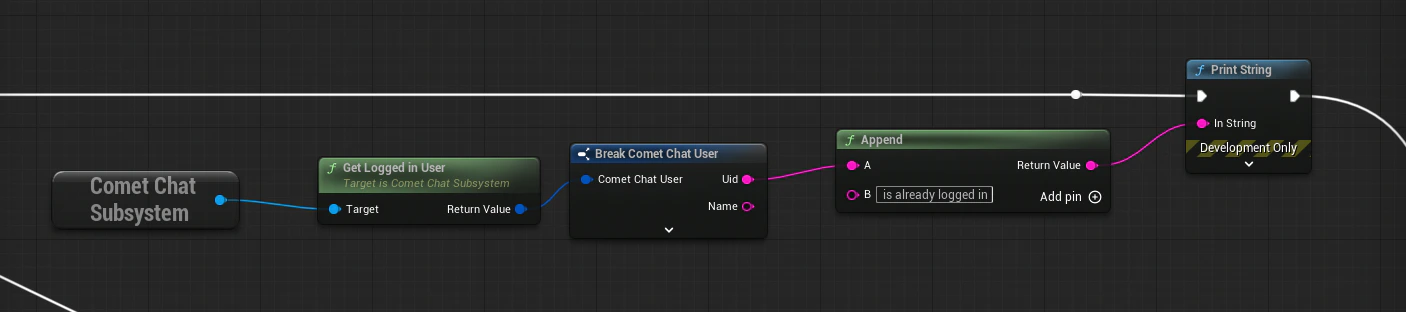
FCometChatUser — if the Uid is empty, no user is logged in.Logout
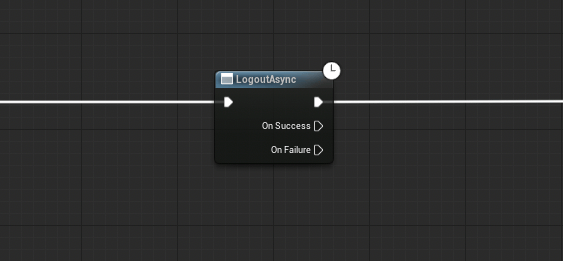
Logs the current user out and disconnects the real-time WebSocket.- Blueprint
- C++
Shutdown
To fully tear down the SDK (e.g., when your game is closing), call Shutdown on the Subsystem. This releases all resources and closes connections.- Blueprint
- C++
Call the Shutdown node on the CometChat Subsystem.
You typically don’t need to call Shutdown manually — the Subsystem’s
Deinitialize handles cleanup when the game instance is destroyed.Next Steps
Overview
Return to the SDK overview and architecture.
Send a Message
Send your first text message after logging in.
Real-Time Events
Listen for incoming messages and presence updates.