CometChat generates pre-signed URLs for all media files, including images, audio, video, and documents shared in chat. A pre-signed URL embeds a cryptographic signature and an expiry timestamp directly in the URL, so files are accessible only within a defined time window without requiring API credentials on the client side.
This feature is enabled by default for all newly created apps. Existing apps can opt in from the CometChat dashboard.
How It Works
When a media file is sent or retrieved, CometChat returns a pre-signed URL in the following format:
https://media-<REGION>.cometchat.io/<APP_ID>/media/<filename>?Expires=<unix_timestamp>&Signature=<signature>&Key-Pair-Id=<key_pair_id>
| Parameter | Description |
|---|
Expires | Unix timestamp after which the URL is no longer valid |
Signature | Cryptographic signature that validates the URL integrity |
Key-Pair-Id | Identifier for the signing key pair used by CometChat |
Pre-signed URLs are returned across all surfaces - SDK responses, REST API, and webhook payloads.
Configuring the TTL
The TTL (Time-to-Live) controls how long a generated pre-signed URL remains valid.
| Setting | Value |
|---|
| Minimum | 15 minutes |
| Maximum | 1 month |
| Default | 1 day |
To configure the TTL:
- Go to the CometChat Dashboard.
- Select your app and navigate to Chat & Messaging → Settings.
- Under Pre-Signed URLs, set your desired TTL value.
- Save your changes.
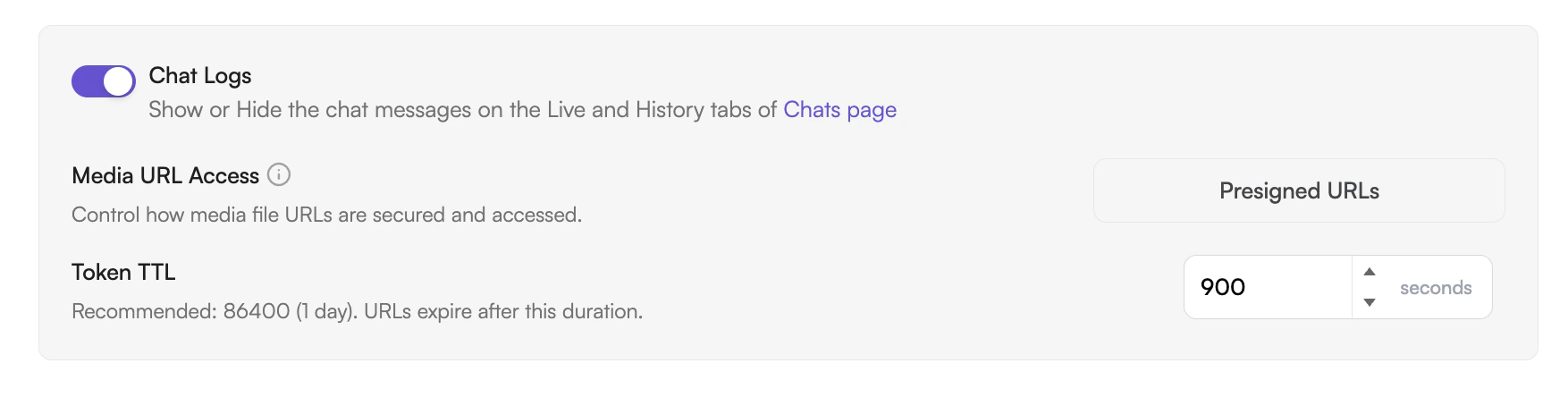
TTL configuration is available on all plans. Changes take effect for all new pre-signed URLs generated after saving; existing URLs retain their original expiry.