

textFormatters requires @cometchat/chat-uikit-react-native 5.5.1 or later. It does not exist in 5.5.0. Everything else on this page works on either version.Overview
TheCometChatSearch component is a powerful and customizable search interface that allows users to search across conversations and messages in real time. It supports a wide variety of filters, scopes, and customization options. CometChatSearch helps users find messages, conversations, media, and more through an intuitive and filterable search experience. It can be embedded in multiple contexts — as part of the conversation list, message header, or as a full-screen search experience.
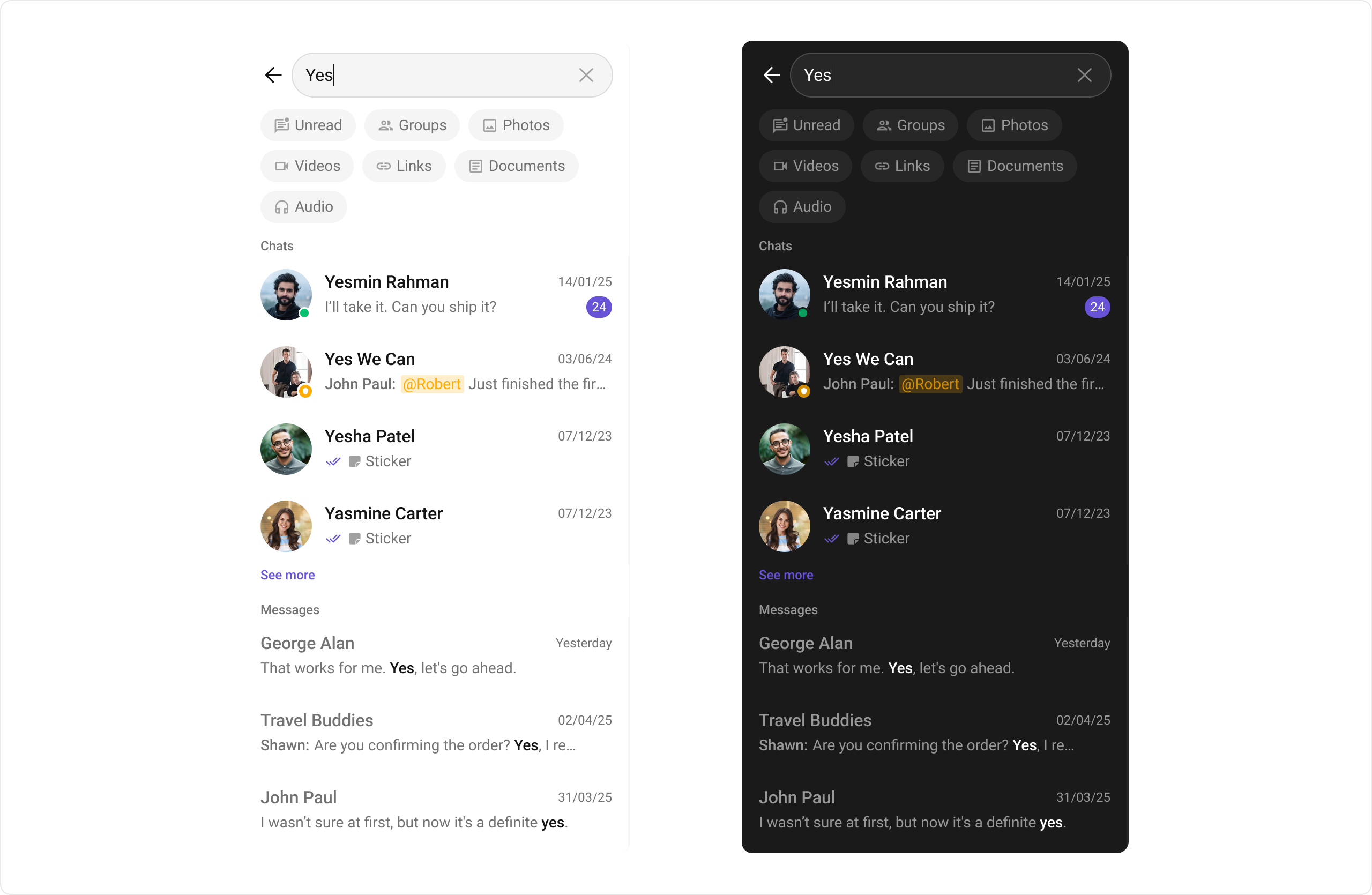
Usage
Integration
- SearchDemo.tsx
- App.tsx
Actions
Actions dictate how a component functions. They are divided into two types: Predefined and User-defined. You can override either type, allowing you to tailor the behavior of the component to fit your specific needs.1. onConversationClicked
onConversationClicked is triggered when you click on a Conversation from the search result. The onConversationClicked action doesn’t have a predefined behavior. You can override this action using the following code snippet.
- SearchDemo.tsx
2. onMessageClicked
onMessageClicked is triggered when you click on a Message from the search result. The onMessageClicked action doesn’t have a predefined behavior. You can override this action using the following code snippet.
- SearchDemo.tsx
3. OnBack
OnBack is triggered when you click on the back button of the Message Header component. You can override this action using the following code snippet.
- SearchDemo.tsx
4. onError
This action doesn’t change the behavior of the component but rather listens for any errors that occur in the Conversations component.- SearchDemo.tsx
Filters
1. ConversationsRequestBuilder
You can set theConversationsRequestBuilder in the Search Component to filter the search result. You can modify the builder as per your specific requirements with multiple options available to know more refer to ConversationRequestBuilder.
- SearchDemo.tsx
2. MessagesRequestBuilder
You can set theMessagesRequestBuilder in the Search Component to filter the search result. You can modify the builder as per your specific requirements with multiple options available to know more refer to MessagesRequestBuilder.
- SearchDemo.tsx
Events
Events are emitted by aComponent. By using event you can extend existing functionality. Being global events, they can be applied in multiple locations and are capable of being added or removed.
The CometChatSearch component does not produce any events.
Customization
To fit your app’s design requirements, you can customize the appearance of theCometChatSearch component. We provide exposed methods that allow you to modify the experience and behavior according to your specific needs.
Style
To customize the appearance, you can pass a customstyle prop to CometChatSearch. The style prop accepts a DeepPartial<SearchStyle> object that allows you to override various style properties.
Example
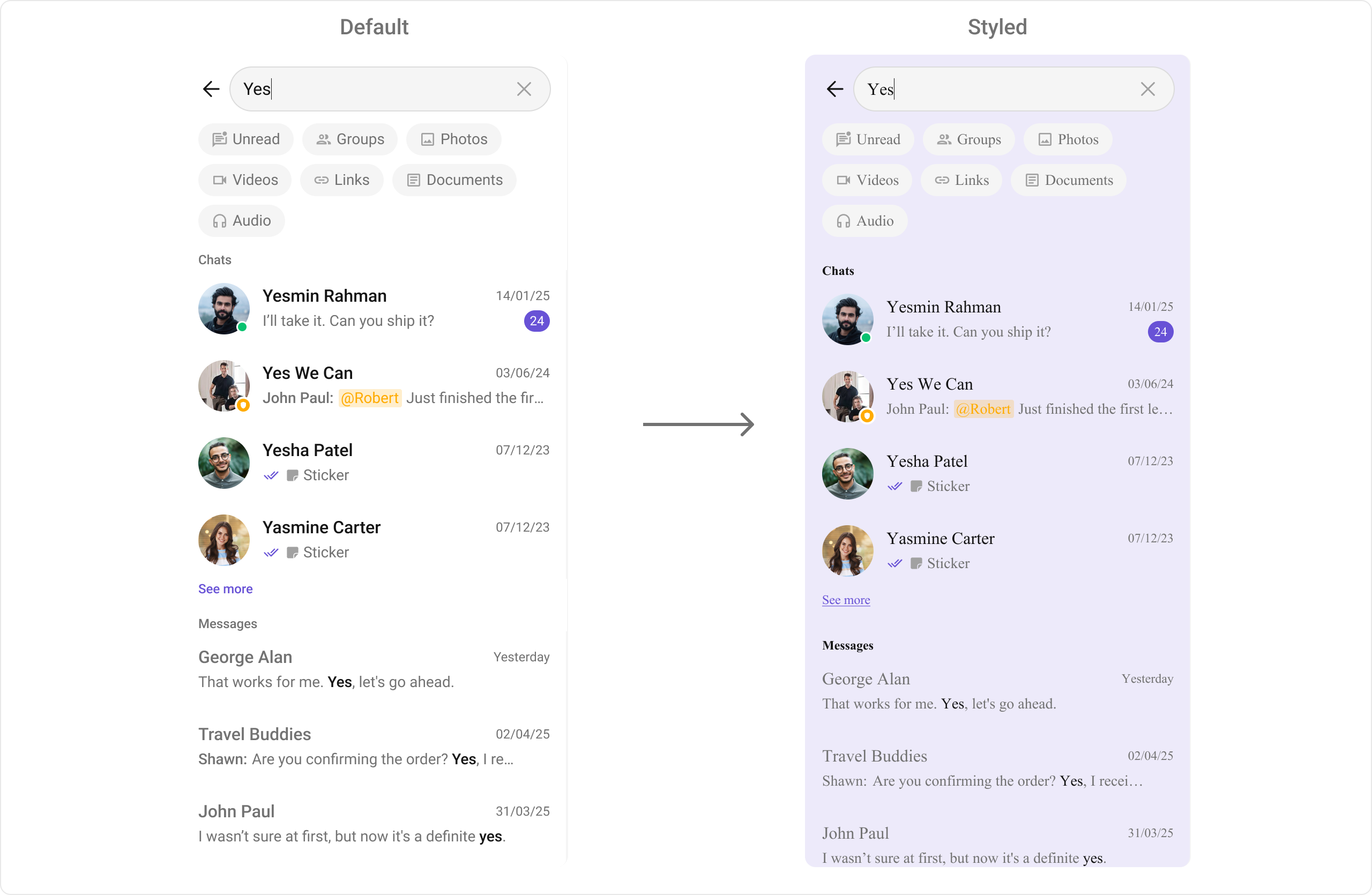
- SearchDemo.tsx
Functionality
These are a set of small functional customizations that allow you to fine-tune the overall experience of the component. With these, you can change text, set custom icons, and toggle the visibility of UI elements. Here is a code snippet demonstrating how you can customize the functionality of the Search component.- SearchDemo.tsx
Advanced
For advanced-level customization, you can set custom views to the component. This lets you tailor each aspect of the component to fit your exact needs and application aesthetics. You can create and define your views, layouts, and UI elements and then incorporate those into the component.ConversationItemView
With this function, you can assign a custom list item view to a conversation in the search result. Example- TypeScript
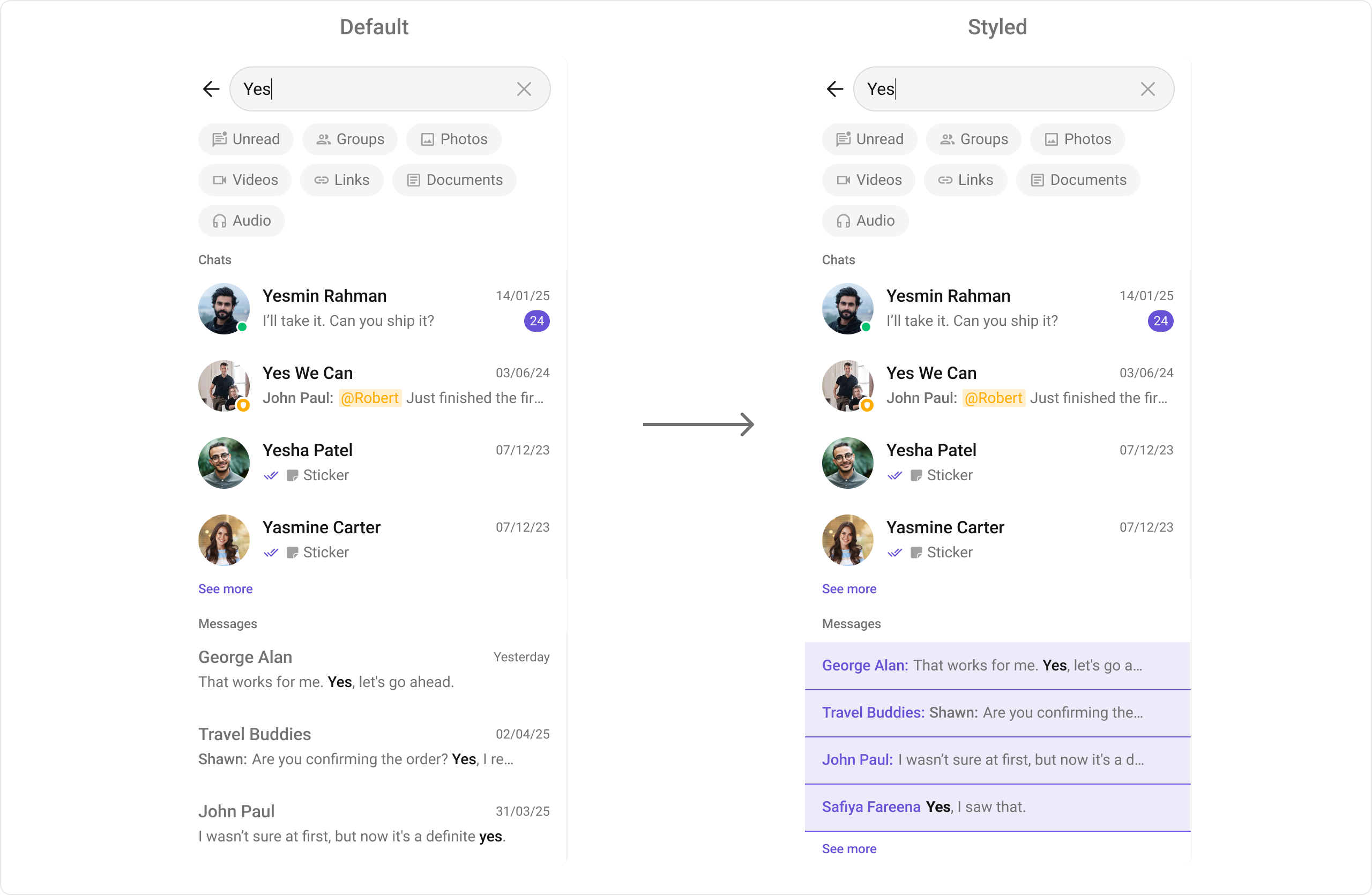
TextMessageItemView
With this function, you can assign a custom view for text messages in the search result. Example- TypeScript
ImageMessageItemView
With this function, you can assign a custom view for image messages in the search result. Example- TypeScript
VideoMessageItemView
With this function, you can assign a custom view for video messages in the search result. Example- TypeScript
AudioMessageItemView
With this function, you can assign a custom view for audio messages in the search result. Example- TypeScript
DocumentMessageItemView
With this function, you can assign a custom view for document/file messages in the search result. Example- TypeScript
LinkMessageItemView
With this function, you can assign a custom view for link messages (text messages with link previews) in the search result. Example- TypeScript
Below is a summary table of all message item view customization functions:
Assigns the list of text formatters. If the provided list is not null, it sets the list. Otherwise, it assigns the default text formatters retrieved from the data source.