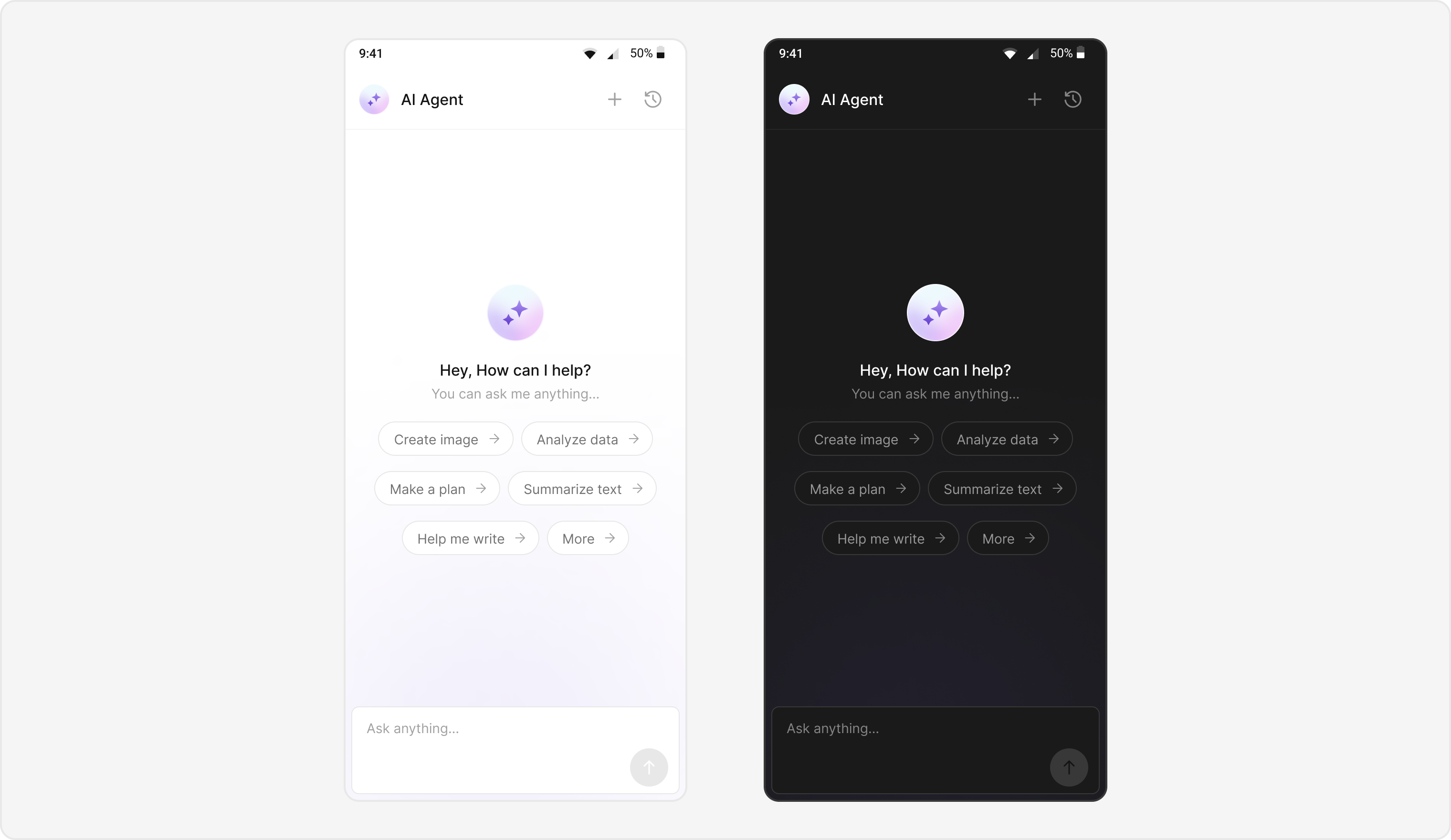
Enable intelligent conversational AI capabilities in your Android app using CometChat UIKit v6 with AI Agent integration:
AI Assistant Chat History
Chat History Management
Contextual Responses
Agent Detection
Seamless Handoffs
Transform your chat experience with AI-powered assistance that provides intelligent responses and seamless integration with your existing chat infrastructure.
1:1 and group conversations. AI Agents work in both one-on-one and group conversations. In a 1:1 chat, the end user talks directly with the agent user. In a group, the agent participates as a member — its messages (including cards) are rendered and attributed like any other member’s message.
Users can interact with AI agents through a dedicated chat interface that:
Provides intelligent responses based on conversation context.
Maintains chat history for continuity.
Seamlessly integrates with your existing user chat system.
The AI Agent chat interface provides a familiar messaging experience enhanced with AI capabilities, accessible through your main chat flow or as a standalone feature.
Initialize click listeners to handle new chat creation and chat history access.
Kotlin (XML Views)
Jetpack Compose
AIAssistantChatActivity.kt
private fun initClickListeners() { // New chat creation binding.messageHeader.setNewChatButtonClick { Utils.hideKeyBoard(this@AIAssistantChatActivity, binding.root) val intent = Intent(this@AIAssistantChatActivity, AIAssistantChatActivity::class.java) intent.putExtra(getString(R.string.app_user), user.toJson().toString()) startActivity(intent) finish() } // Chat history access binding.messageHeader.setChatHistoryButtonClick { val intent = Intent(this@AIAssistantChatActivity, AIAssistantChatHistoryActivity::class.java) intent.putExtra(getString(R.string.app_user), user.toJson().toString()) startActivity(intent) }}
AIAssistantChatScreen.kt
// In Jetpack Compose, pass callbacks as lambda parameters:AIAssistantChatScreen( user = aiUser, onNewChatClick = { // Navigate to a fresh AI chat screen navController.navigate("ai_chat/${Gson().toJson(aiUser)}") }, onChatHistoryClick = { // Navigate to chat history screen navController.navigate("ai_chat_history/${Gson().toJson(aiUser)}") })
fun launchAIAssistantChat(aiUser: User) { val intent = Intent(this, AIAssistantChatActivity::class.java) intent.putExtra(getString(R.string.app_user), aiUser.toJson().toString()) startActivity(intent)}
// In your NavHost setup:composable("ai_chat/{userJson}") { backStackEntry -> val userJson = backStackEntry.arguments?.getString("userJson") val user = Gson().fromJson(userJson, User::class.java) AIAssistantChatScreen(user = user)}composable("ai_chat_history/{userJson}") { backStackEntry -> val userJson = backStackEntry.arguments?.getString("userJson") val user = Gson().fromJson(userJson, User::class.java) AIAssistantChatHistoryScreen(user = user, navController = navController)}
Custom AI Assistant Empty Chat View: Customize the empty state view using setAIAssistantEmptyChatGreetingView() (XML Views) or the emptyView composable slot (Compose).
Streaming Speed: Adjust AI response streaming speed via setStreamingSpeed().
AI Assistant Suggested Messages: Create custom list of suggested messages using setAIAssistantSuggestedMessages().
AI Assistant Tools: Set tools for the AI agent using setAIAssistantTools().