

What to customize
- Body text for 1:1 and group SMS (default vs privacy-friendly).
- Preview and counts from
messages[]plussenderDetails/groupDetails. - Link back to your app (add in your template).
Payload shapes
Field meanings:to: recipient identifier and phone number.messages[]: unread messages that triggered the SMS; use for counts and previews.senderDetails: most recent sender; helpful for subject-style copy.groupDetails: present for group conversations.smsContent: an optional, ready-to-send string if you want to use it directly.
One-on-one
Group
Template examples
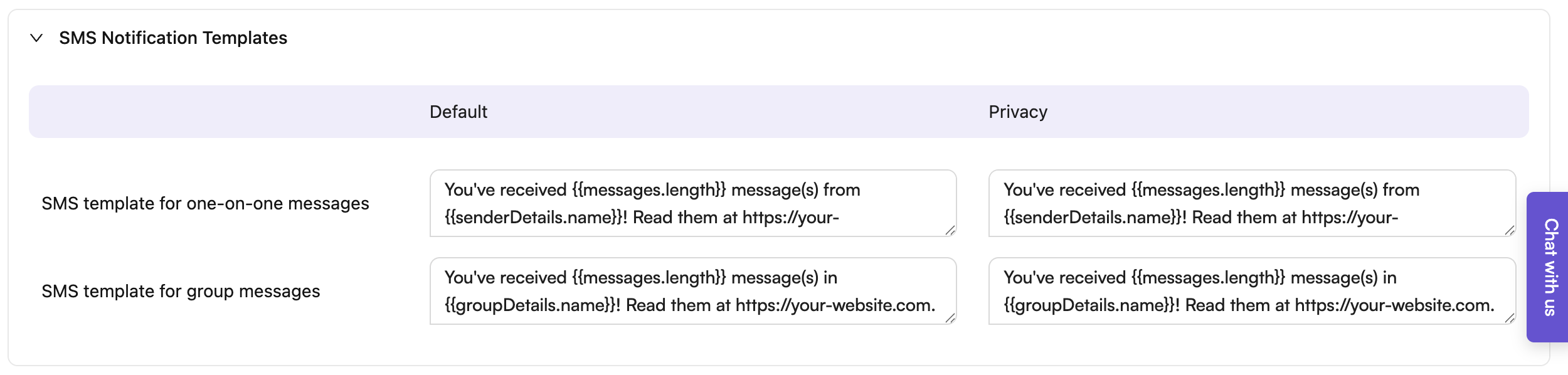
You can use the providedsmsContent field or build your own using senderDetails, groupDetails, and messages.length. Here are default and privacy-focused templates:
Tips
- Keep bodies short to respect SMS length/carrier rules; consider removing URLs in privacy mode.
- Use
messages.lengthfor counts andsenderDetails.name/groupDetails.namefor context. - Add your app link in the template; ensure it is trackable and domain-verified per provider.