

What to customize
- Subjects and bodies for 1:1 and group emails (default vs privacy-friendly).
- Preview content from
messages[](unread list) andsenderDetails/groupDetails. - Deep links back to the conversation (add in your provider template).
Payload shapes
Field meanings:to: recipient identifiers and optional email.messages[]: the unread messages that triggered the notification (use for counts and previews).senderDetails: most recent sender; map to subjects or hero text.groupDetails: only present for group conversations.subject: ready-to-use subject if you do not build it in the provider.
One-on-one
Group
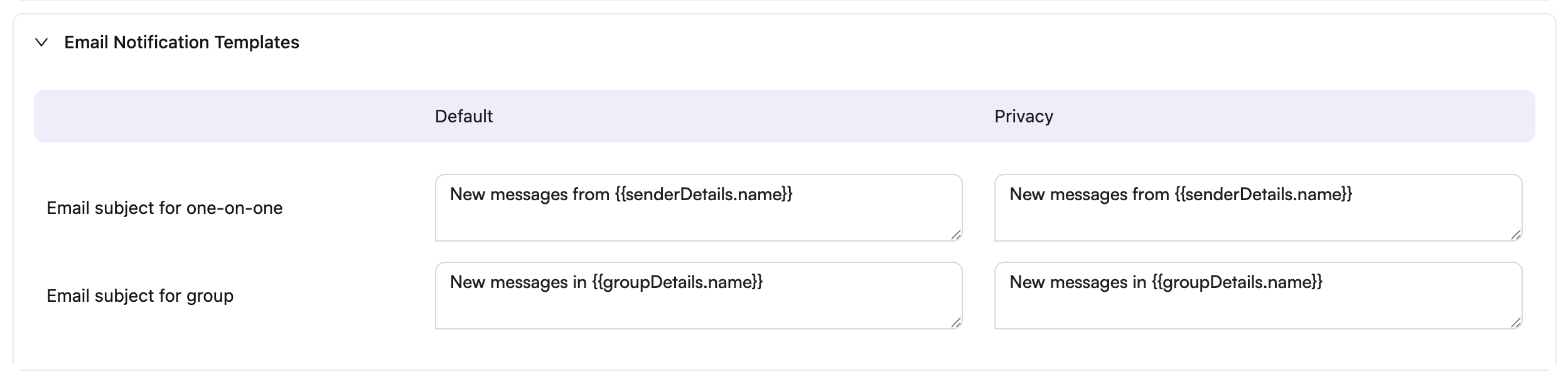
Subject examples
You can use the providedsubject field or build your own using senderDetails.name and groupDetails.name. Here are default and privacy-focused subject templates:
Tips
- Keep privacy variants generic to avoid leaking message content.
- Use
messages[0].messagefor a short preview; use the length for unread counts. - If you use SendGrid Dynamic Templates, map the payload into
dynamic_template_data(subject, recipient name, sender name, unread count, preview, and themessagesarray).