

Flagged messages remain visible to users until a moderator reviews and takes action.
Quick Start
Review flagged messages in under 2 minutes:1
Open Flagged Messages
Login to CometChat Dashboard → Select your app → Moderation → Flagged Messages
2
Review a Message
Click on a flagged message to see details, context, and the reason it was flagged
3
Take Action
Click Approve (message stays visible) or Block (message is hidden)
How It Works
Flagging Methods
- Manual Flagging
- Automatic Flagging
End users can manually flag messages they find inappropriate by selecting from a predefined list of reasons.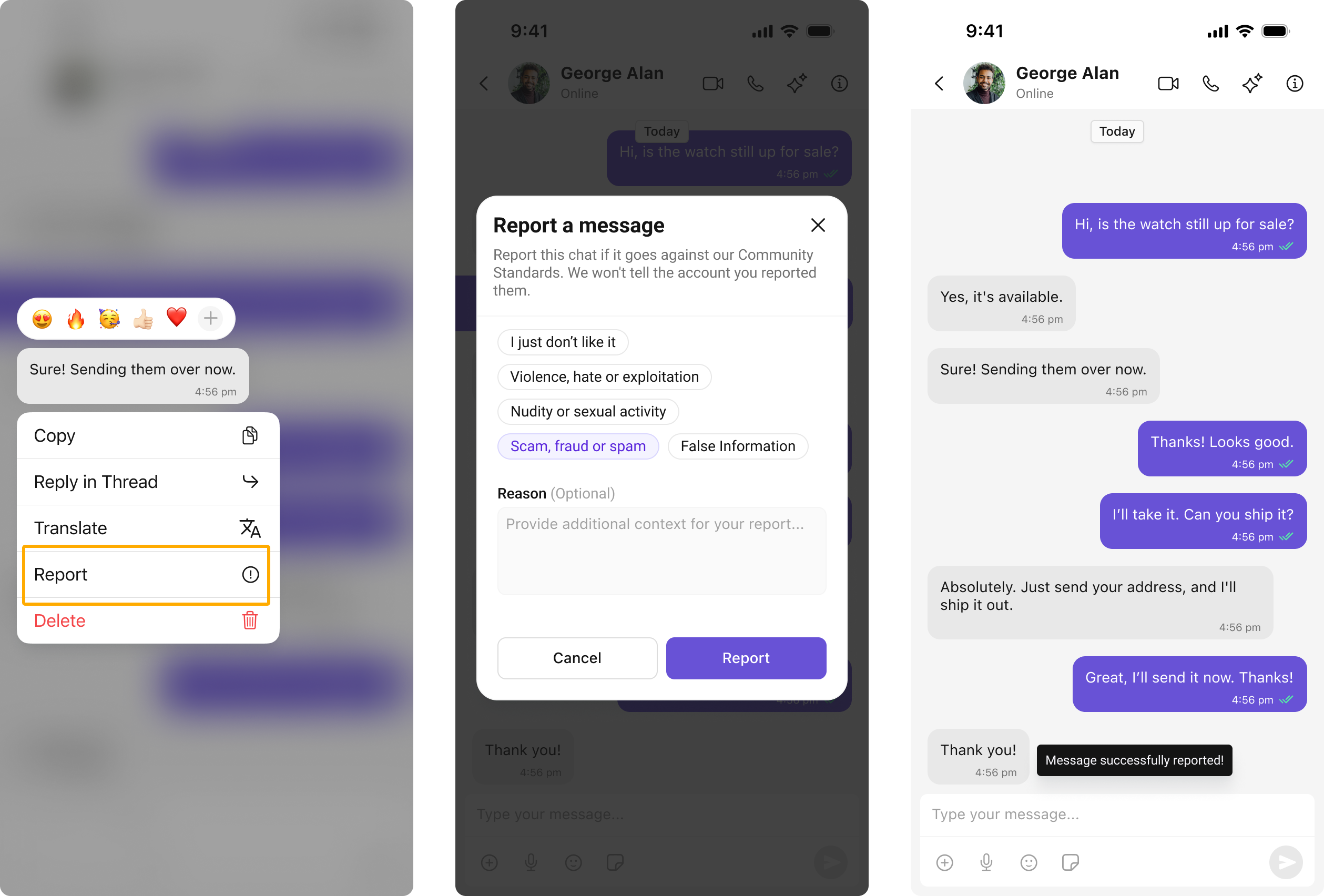
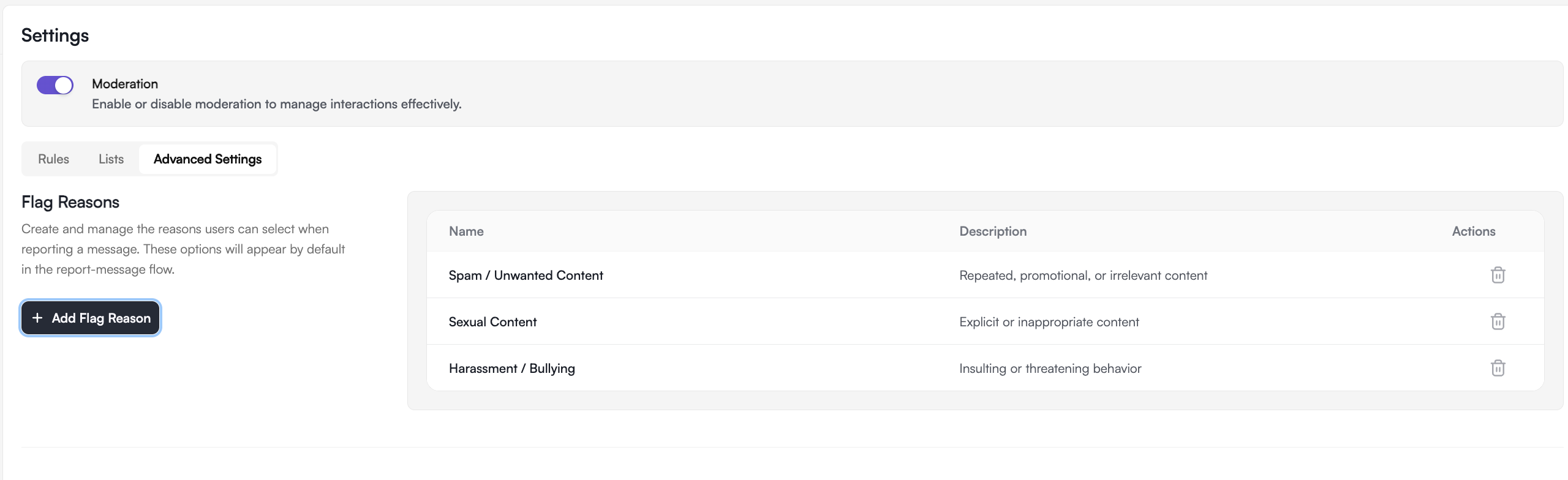
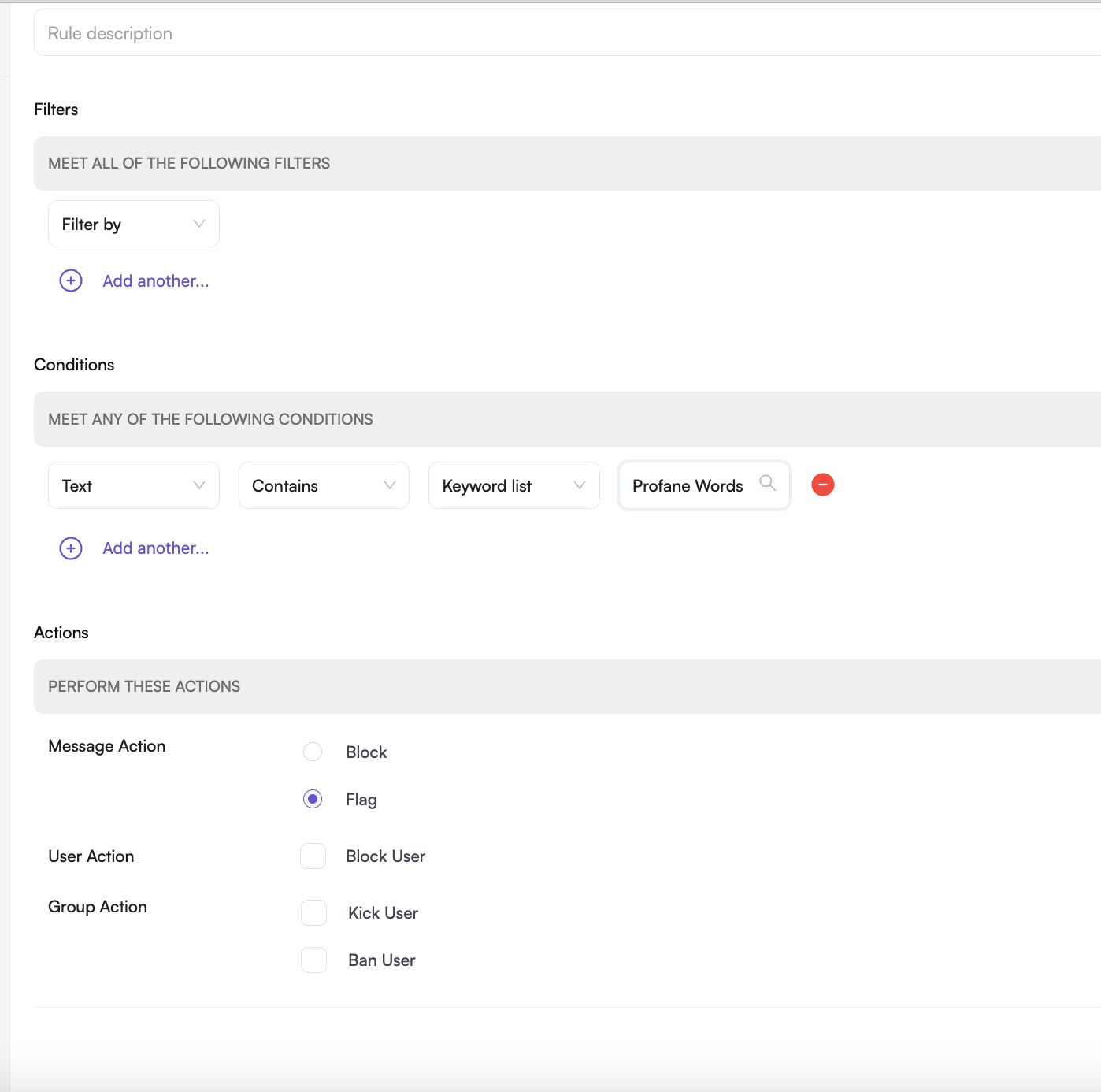
Enable Flagging in Your App
UI Kits
UI Kits
The Report Message feature is available in CometChat UI Kits. Users can report messages directly from the message actions menu:

React
React Native

Android

iOS

Flutter

Angular

Vue
Chat SDKs
Chat SDKs
Implement message flagging directly using CometChat Chat SDKs:

JavaScript
React Native
Android
iOS
Flutter
Managing Flagged Messages
List Flagged Messages
View all messages pending review in the Flagged Messages tab.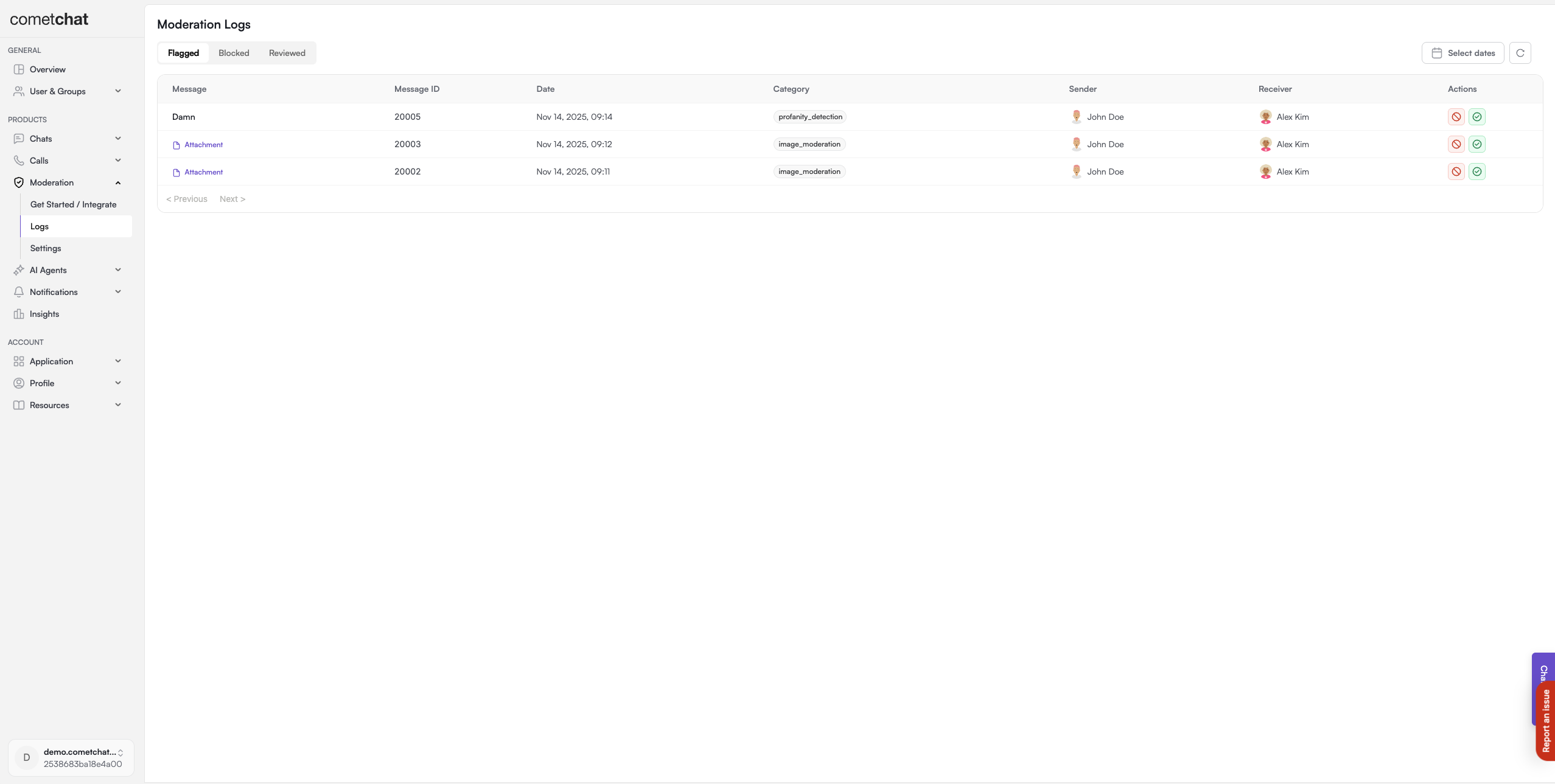
Approve Message
Approving indicates the message is acceptable. It remains visible to all users and moves to the Reviewed list.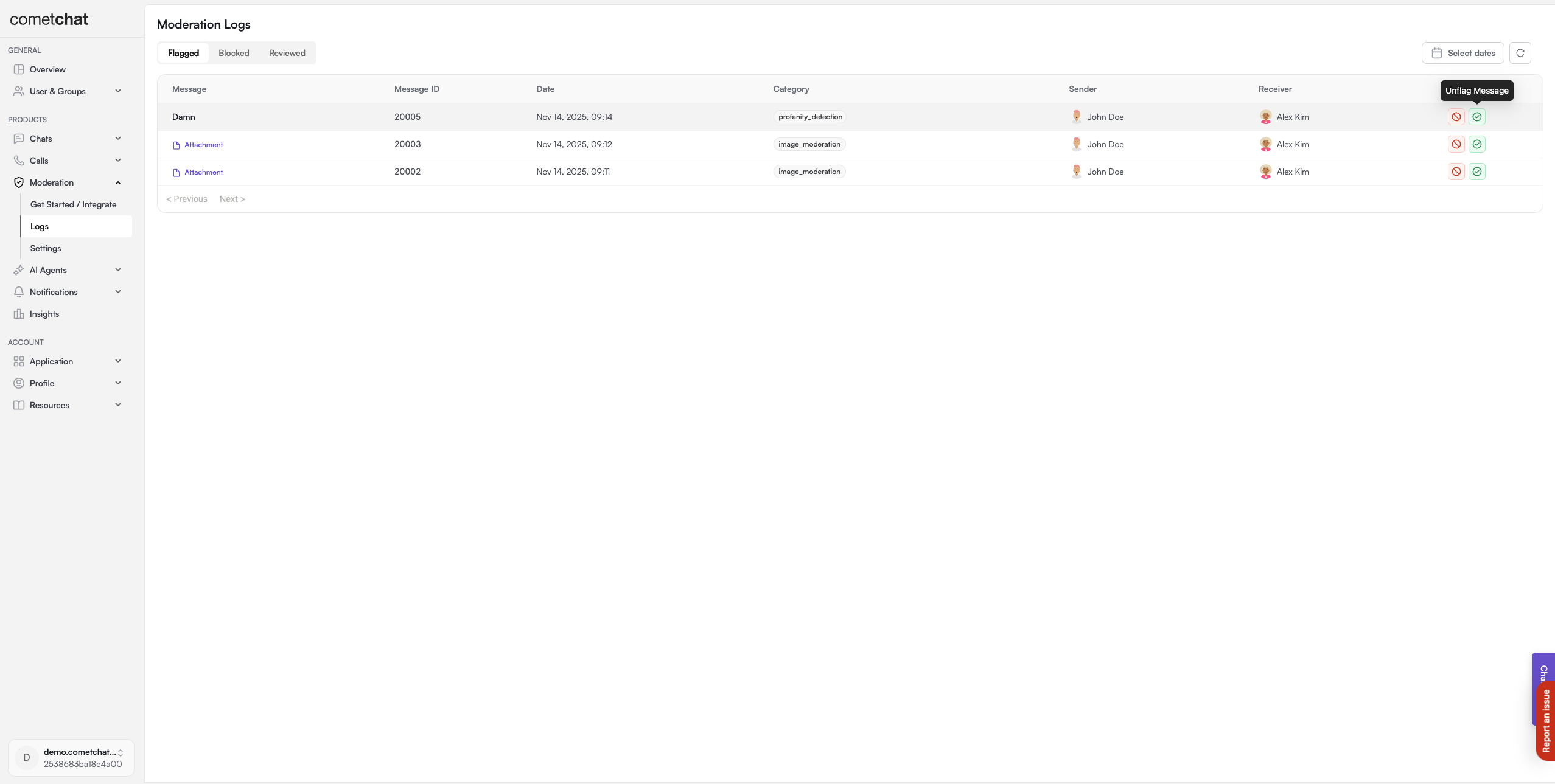
Block Message
Blocking marks the message as disapproved. It’s hidden from the conversation and moves to the Reviewed list.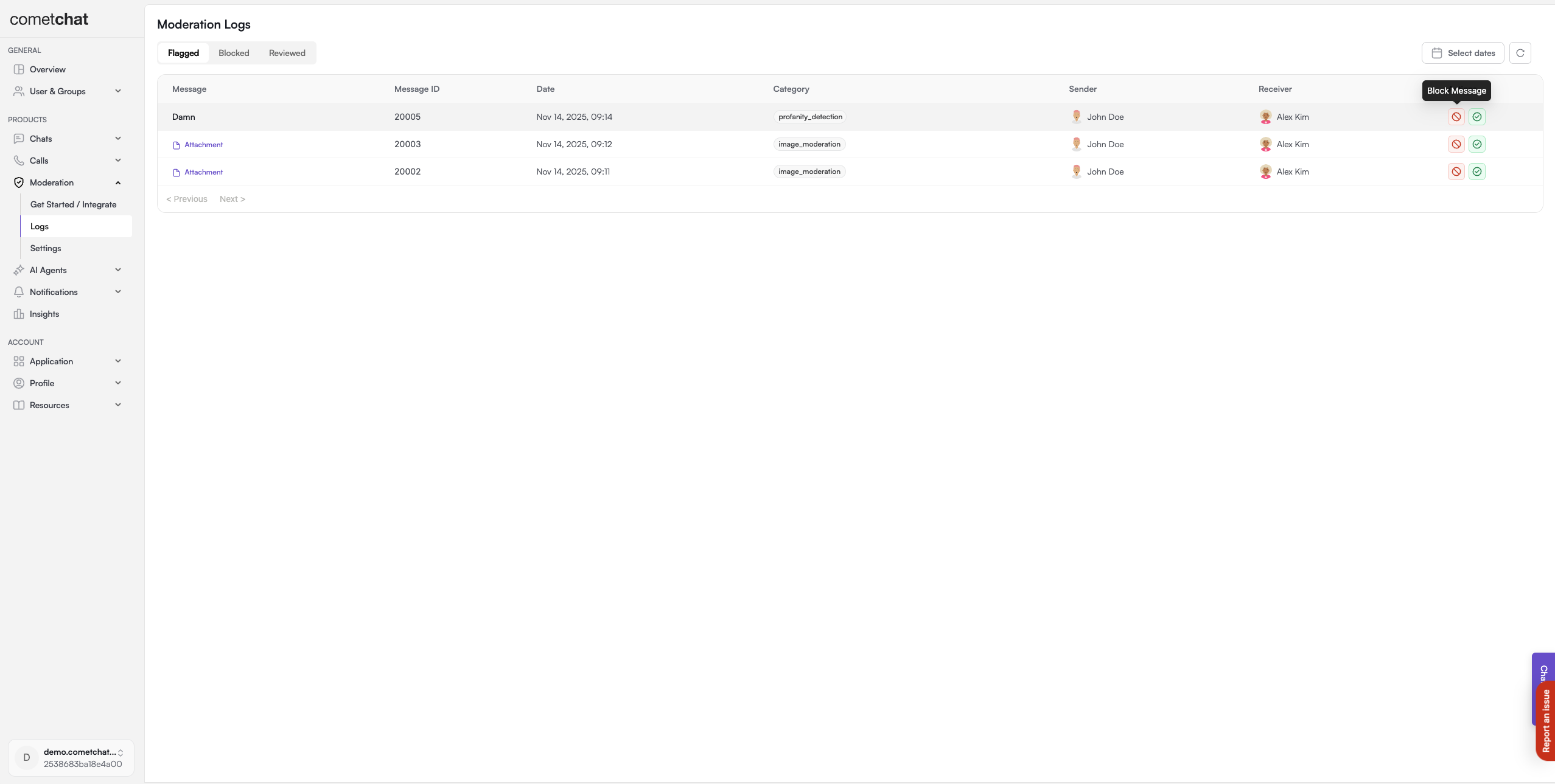
FAQ
What happens to blocked messages?
What happens to blocked messages?
Blocked messages are hidden from the conversation and no longer visible to users. The message is marked as disapproved and moved to the Reviewed list.
Can users see if their message was blocked?
Can users see if their message was blocked?
By default, users are not notified when their message is blocked. The message simply becomes hidden from the conversation.
Can I bulk approve or block messages?
Can I bulk approve or block messages?
Yes, the Dashboard supports bulk actions. Select multiple flagged messages and approve or block them in a single action.
What's the difference between flagged and blocked messages?
What's the difference between flagged and blocked messages?
Flagged messages are pending review and remain visible until a moderator takes action. Blocked messages are immediately hidden and don’t require review.
Related Resources
Rules Management
Configure rules to auto-flag messages
Blocked Messages
View immediately blocked content
Lists Management
Create keyword lists for flagging
Moderation Overview
Learn about the moderation system