

- Configure chat and calling features
- Apply theming and layout options
- Export an Angular-ready codebase
What You Can Configure
Toggle these features on or off directly in the UI Kit Builder. For a full reference of each setting, see UI Kit Builder Settings.Chat Features
Call Features
Layout
Theming
How to Use UI Kit Builder
1. Design
Configure your chat layout, toggle features, and pick a theme using the UI Kit Builder.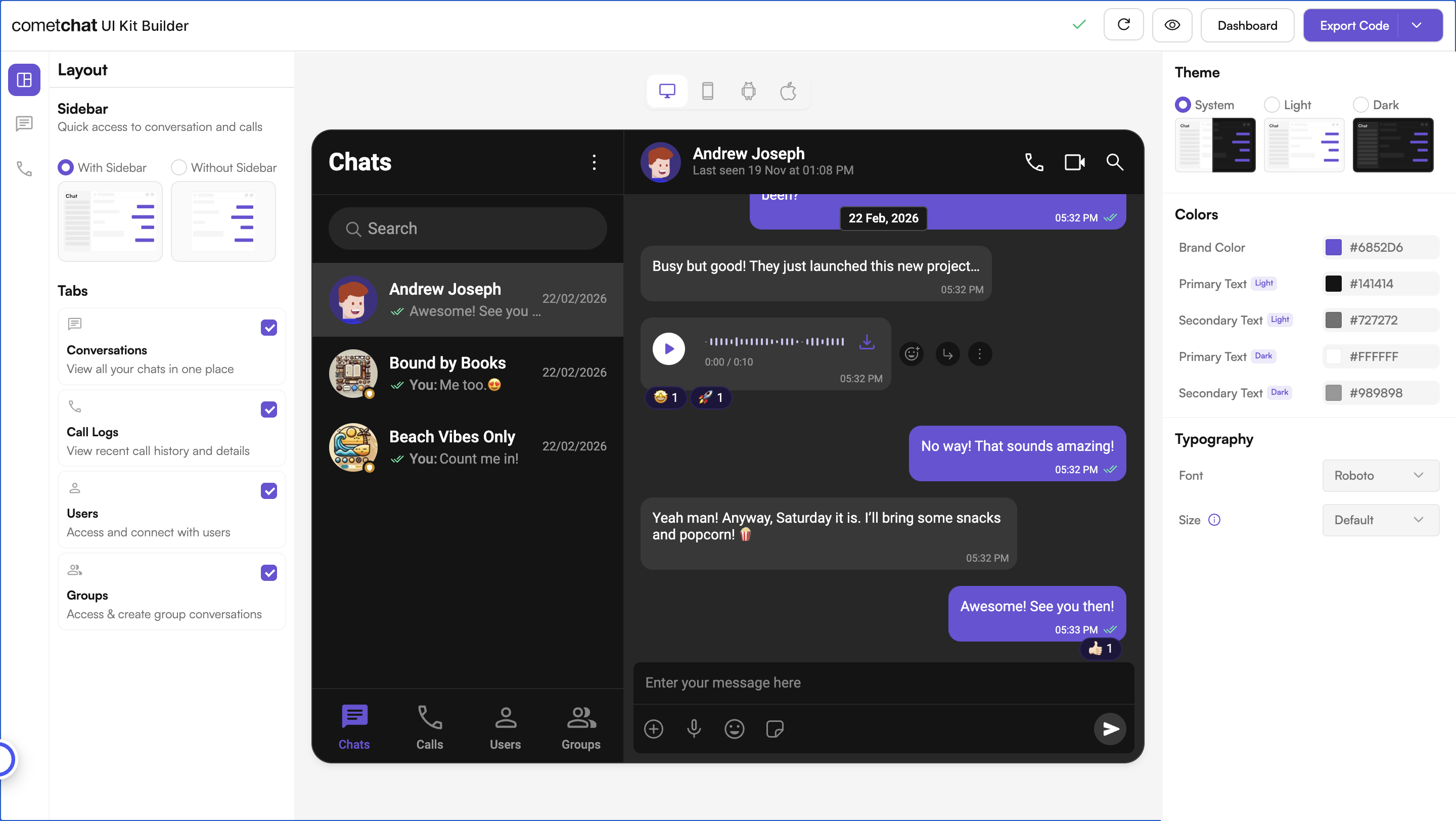
2. Export
Click Export to generate a complete, standalone Angular application based on your configuration.3. Integrate
Run the export as its own app, or drop the<cometchat-app /> component into an Angular project you already have. See the Integration Guide for full steps.
What You Get
The export is a complete Angular application, not a fragment. Your App ID, region and feature choices are already written into it, so it runs as-is. That gives you two ways in, and you do not have to choose up front:The export requires Node.js 20.19+, 22.12+ or 24+ (Angular 21’s supported ranges) and ships with Angular 21 in its
package.json. A package-lock.json is included — use npm ci to install the exact tree the app was built and type-checked against.