

AI Integration Quick Reference
AI Integration Quick Reference
| Field | Value |
|---|---|
| Package | @cometchat/chat-uikit-react |
| Framework | React.js |
| Components | CometChatConversations, CometChatCallLogs, CometChatUsers, CometChatMessageHeader, CometChatMessageList, CometChatMessageComposer |
| Layout | Tabbed sidebar (Chat, Calls, Users) + message view |
| Prerequisite | Complete React.js Integration first |
| Pattern | Full-featured messaging app with multiple sections |
What You’re Building
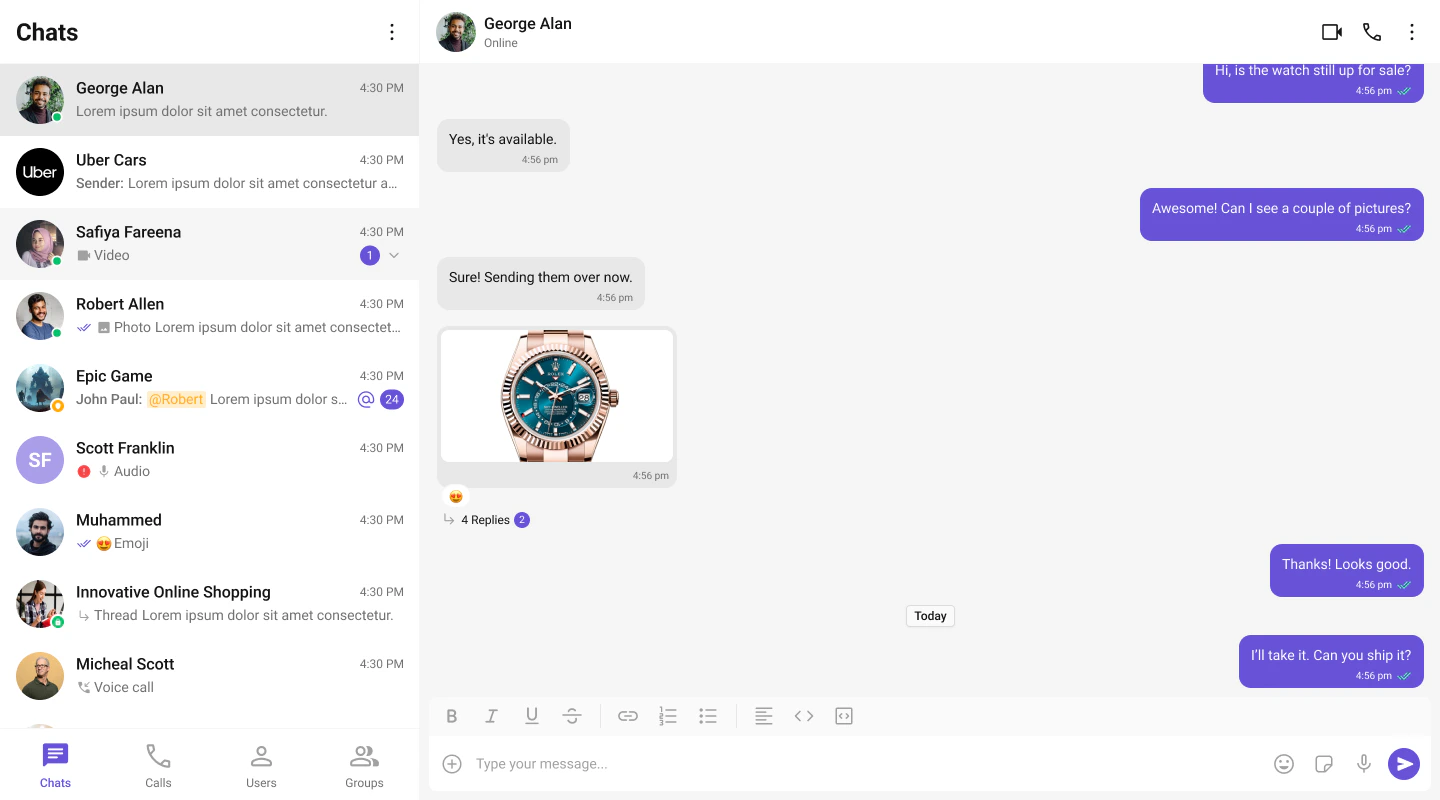
Three sections working together:- Tab bar — switches between Chat, Calls, and Users
- Sidebar — renders the list for the active tab
- Message view — header + messages + composer for the selected item
Full Code
Replace yoursrc/App.tsx with the following. This assumes init() and login() already happen in src/main.tsx (as shown in the integration guide).
src/App.tsx
src/App.css
How It Works
- Tab state —
activeTabcontrols which list component renders in the sidebar. - Conditional rendering — only the active tab’s component mounts. Switching tabs unmounts the previous list and mounts the new one.
- Unified selection — all three tabs feed into the same
selectedUser/selectedGroupstate. Clicking any item (conversation, call log, or user) updates the message panel. - Call log handling — when a call log is clicked, the receiver (user or group) is extracted and passed to the message components.
Adding More Tabs
To add a Groups tab, importCometChatGroups and add another tab button + conditional render:
Run
http://localhost:5173. You should see the tab bar at the top of the sidebar. Switch between Chats, Calls, and Users — clicking any item loads the message view on the right.
Next Steps
Conversation List + Messages
Two-panel layout without tabs
Components Overview
Browse all prebuilt UI components
Theming
Customize colors, fonts, and styles