

AI Integration Quick Reference
AI Integration Quick Reference
| Field | Value |
|---|---|
| Package | @cometchat/chat-uikit-react |
| Framework | React Router |
| Components | CometChatConversations, CometChatMessageHeader, CometChatMessageList, CometChatMessageComposer |
| Layout | Two-panel — conversation list (left) + message view (right) |
| Prerequisite | Complete React Router Integration first |
| SSR | N/A — client-side SPA by default |
| Pattern | WhatsApp Web, Slack, Microsoft Teams |
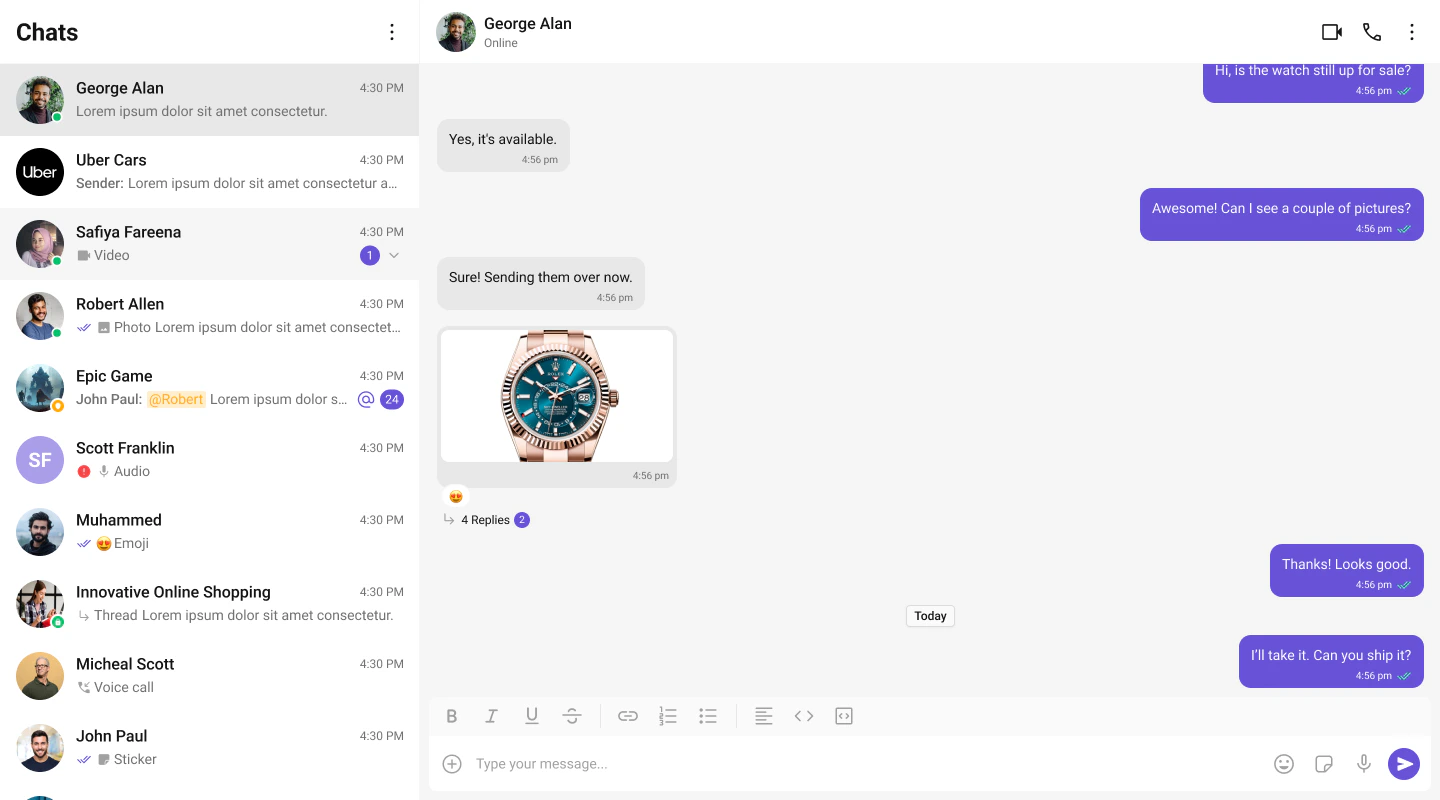
What You’re Building
Three sections working together:- Sidebar (conversation list) — shows all active conversations (users and groups)
- Message view — displays chat messages for the selected conversation in real time
- Message composer — text input with support for media, emojis, and reactions
Full Code
Create a chat route component. This assumesinit() and login() already happen in src/main.tsx (as shown in the integration guide).
src/pages/ChatPage.tsx
src/pages/ChatPage.css
App.tsx:
src/App.tsx
How It Works
- CometChatProvider wraps the entire tree — it supplies theme, locale, and event context to all CometChat components.
- CometChatConversations renders the sidebar list. When a user clicks a conversation,
onItemClickfires with theConversationobject. - handleConversationClick extracts the
UserorGroupfrom the conversation and stores it in state. - Message components (
MessageHeader,MessageList,MessageComposer) receive eitheruserorgroupas a prop — never both at the same time. - When the user switches conversations, state updates and the message panel re-renders with the new chat.
- React Router handles navigation — the chat page is a route component at
/chat.
Run
http://localhost:5173/chat. You should see the conversation list on the left. Click any conversation to load messages on the right.
Next Steps
One-to-One / Group Chat
Single chat window without a sidebar
Tab-Based Chat
Tabbed navigation with Chats, Calls, Users
Components Overview
Browse all prebuilt UI components
Theming
Customize colors, fonts, and styles