

AI Integration Quick Reference
AI Integration Quick Reference
init() when a session exists, and handles reconnection on network drops. This page covers how to disable that and manage the connection yourself.
You’d want manual control when you need to conserve resources by connecting only when the user is actively chatting, or when you need precise control over when real-time events start flowing.
Default Behavior (Auto Mode)
WhenautoEstablishSocketConnection is true (the default):
CometChat.login()logs the user in, saves their session locally, and opens a WebSocket connection- On app restart,
CometChat.init()automatically reconnects using the saved session - The user immediately starts receiving real-time messages, presence updates, and call events
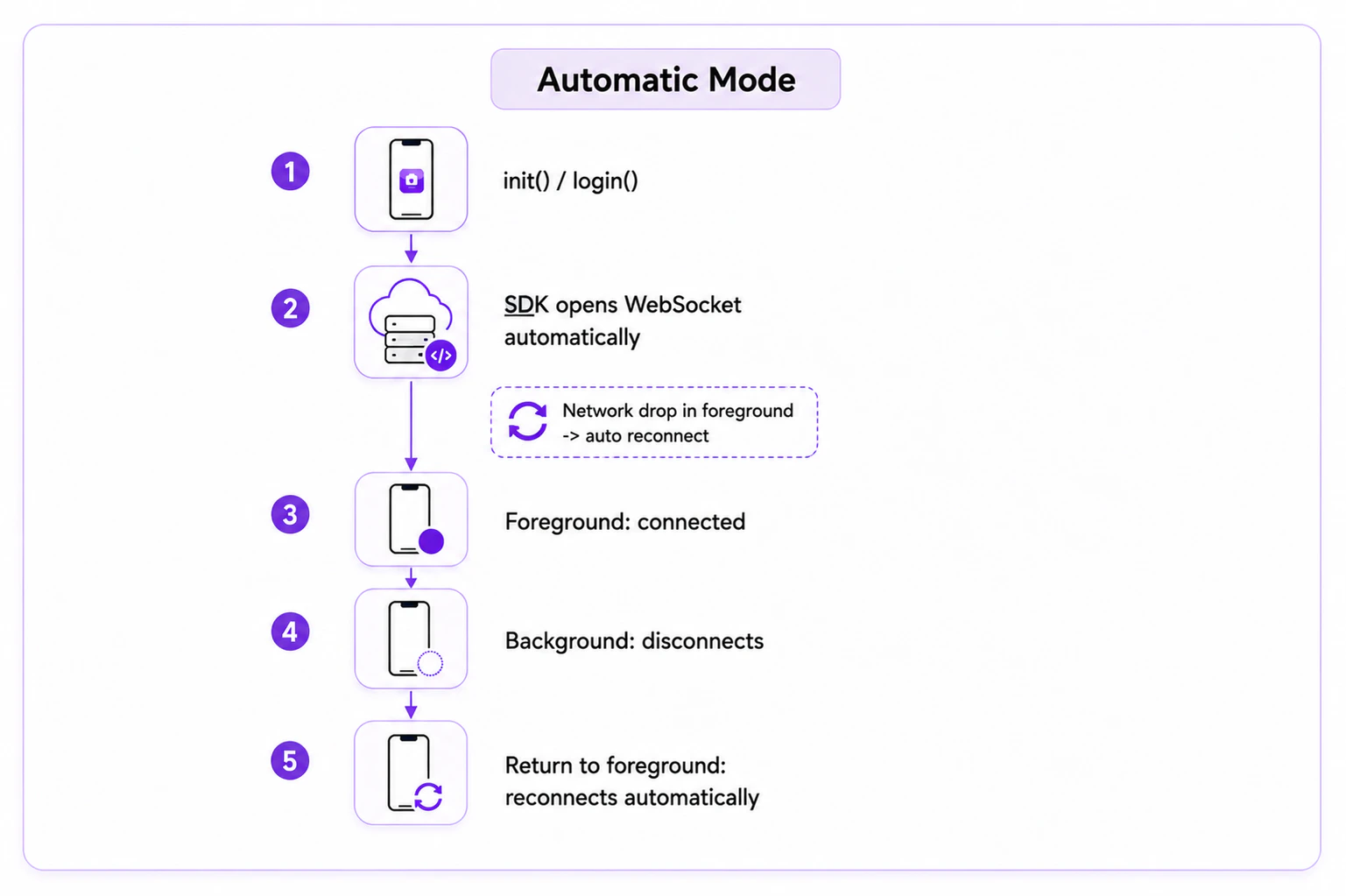
If the app is in the foreground and there is no internet connection, the SDK will handle the reconnection of the WebSocket automatically in auto mode.
Manual Connection Management
To take control of the WebSocket connection, setautoEstablishSocketConnection(false) during initialization:
- TypeScript
- JavaScript
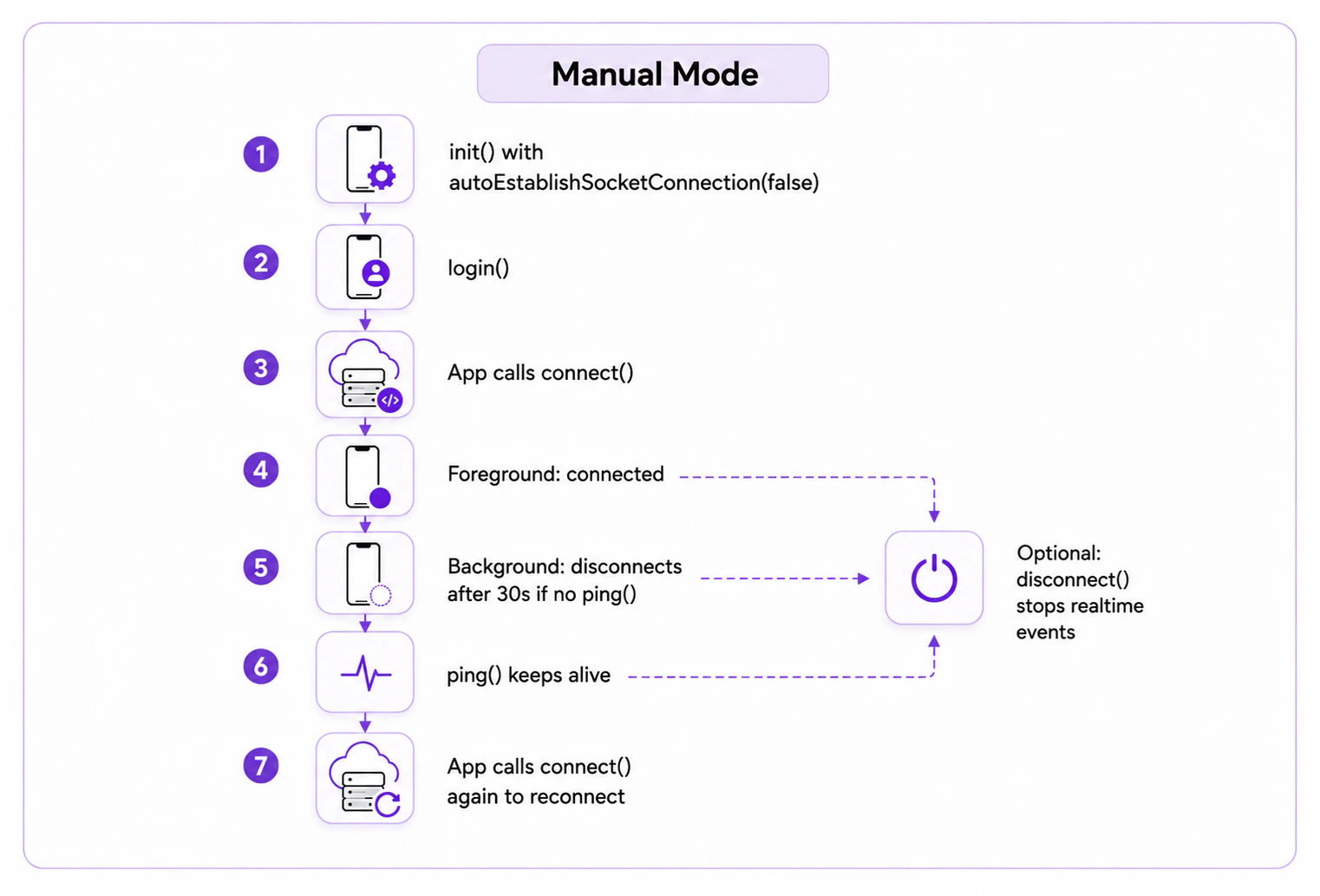
Once initialized with manual mode, use
connect(), disconnect(), and ping() to control the WebSocket connection.
Connect
Establishes the WebSocket connection. The user must be logged in first (check withCometChat.getLoggedinUser()). Once connected, real-time events start flowing.
- TypeScript
- JavaScript
Disconnect
Breaks the WebSocket connection. Real-time events stop until you callconnect() again.
- TypeScript
- JavaScript
Ping (Background Keep-Alive)
To keep the WebSocket connection alive when your app is in the background, callCometChat.ping() within 30 seconds of your app entering the background or after the previous ping() call.
- TypeScript
- JavaScript
To ensure the WebSocket connection stays alive, you can create a background service that calls
CometChat.ping() in a loop every 25 seconds (under the 30-second timeout).Reconnection
If manual mode is enabled and the app is in the foreground, the SDK will automatically reconnect the WebSocket if the internet connection is lost. However, if the app is in the background and the WebSocket is disconnected or you calledCometChat.disconnect(), you will need to call CometChat.connect() to create a new WebSocket connection.
Next Steps
Connection Status
Monitor the SDK connection state in real time
All Real-Time Listeners
Complete reference for all SDK event listeners
Setup SDK
SDK installation and initialization guide
Key Concepts
Review the fundamental building blocks of CometChat