> ## Documentation Index
> Fetch the complete documentation index at: https://www.cometchat.com/docs/llms.txt
> Use this file to discover all available pages before exploring further.
# Extensions
> Overview of CometChat extensions for React UI Kit, including engagement, collaboration, security, support, and smart chat features.
| Field | Value |
| -------------------- | ---------------------------------------------------------------------------------------------------------------------------------------------------------------------------------------------------------------------------------------------------------- |
| Package | `@cometchat/chat-uikit-react` |
| Required setup | Wrap app in `CometChatProvider` with valid credentials + Extensions enabled in [CometChat Dashboard](/fundamentals/extensions-overview) |
| Extension categories | User Experience, User Engagement, Collaboration, Security, Customer Support, Smart Chat Features |
| Key components | `CometChatMessageComposer` → [Message Composer](/ui-kit/react/components/message-composer) (Stickers, Polls, Whiteboard, Document), `CometChatMessageList` → [Message List](/ui-kit/react/components/message-list) (Translation, Link Preview, Thumbnails) |
| Activation | Enable each extension from the CometChat Dashboard — UI Kit auto-integrates them, no additional code required |
## Overview
CometChat UI Kit includes built-in support for extensions that add interactive, secure, and efficient features to chat. Extensions are activated from the [CometChat Dashboard](https://app.cometchat.com/) and auto-integrate into UI Kit components.
Ensure your app is wrapped in `CometChatProvider` with valid credentials. Extensions must be activated from the [CometChat Dashboard](/fundamentals/extensions-overview).
## Built-in Extensions
The grouping below mirrors the CometChat Dashboard.
### User Experience
#### Bitly
Shortens long URLs in text messages using Bitly. See [Bitly Extension](/fundamentals/bitly).
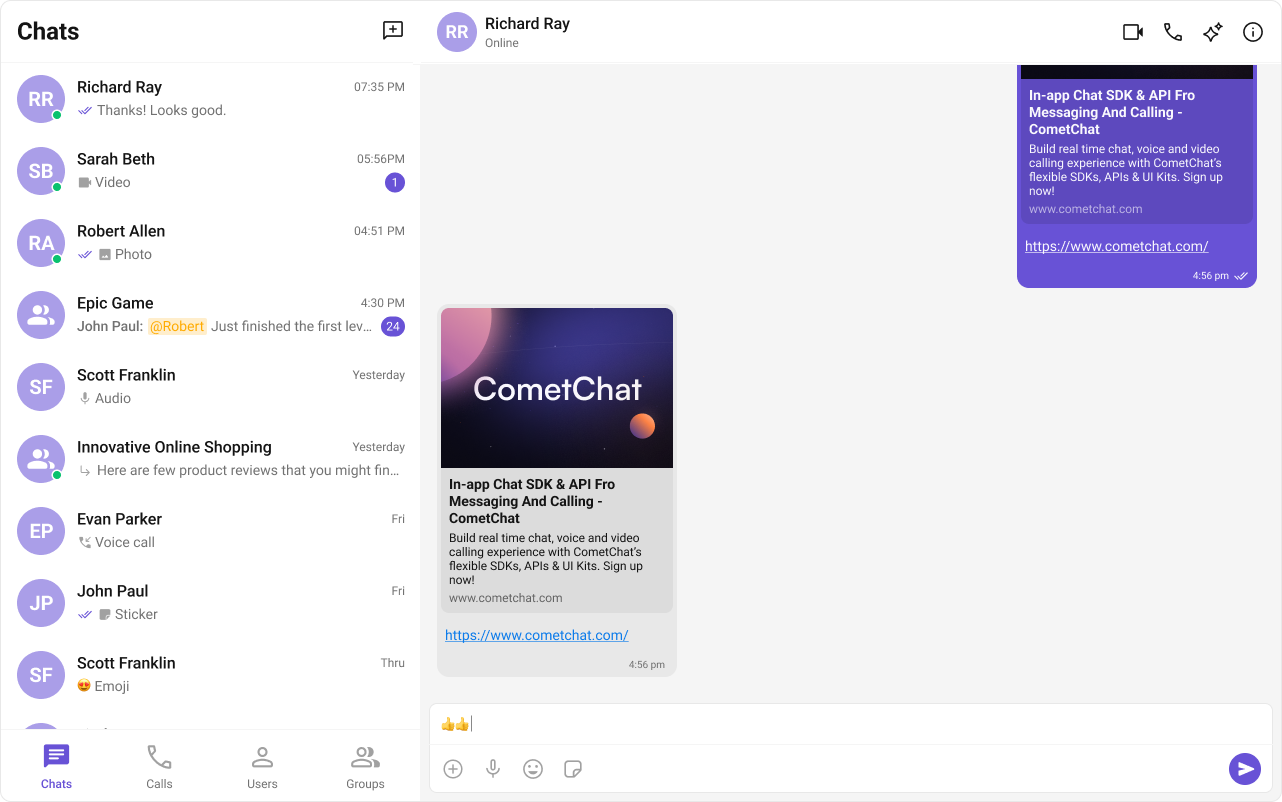
#### Link Preview
Displays a summary (title, description, thumbnail) for URLs shared in chat. See [Link Preview Extension](/fundamentals/link-preview).
Auto-integrates into the Message Bubble of [MessageList](/ui-kit/react/components/message-list) when activated.
 #### Message Shortcuts
Sends predefined messages using short codes (e.g., `!hb` expands to `Happy birthday!`). See [Message Shortcuts Extension](/fundamentals/message-shortcuts).
#### Pin Message
Pins important messages in a conversation for easy access. See [Pin Message Extension](/fundamentals/pin-message).
#### Rich Media Preview
Generates rich preview panels for URLs using iFramely. See [Rich Media Preview Extension](/fundamentals/rich-media-preview).
#### Save Message
Bookmarks messages for later reference. Saved messages are private to the user. See [Save Message Extension](/fundamentals/save-message).
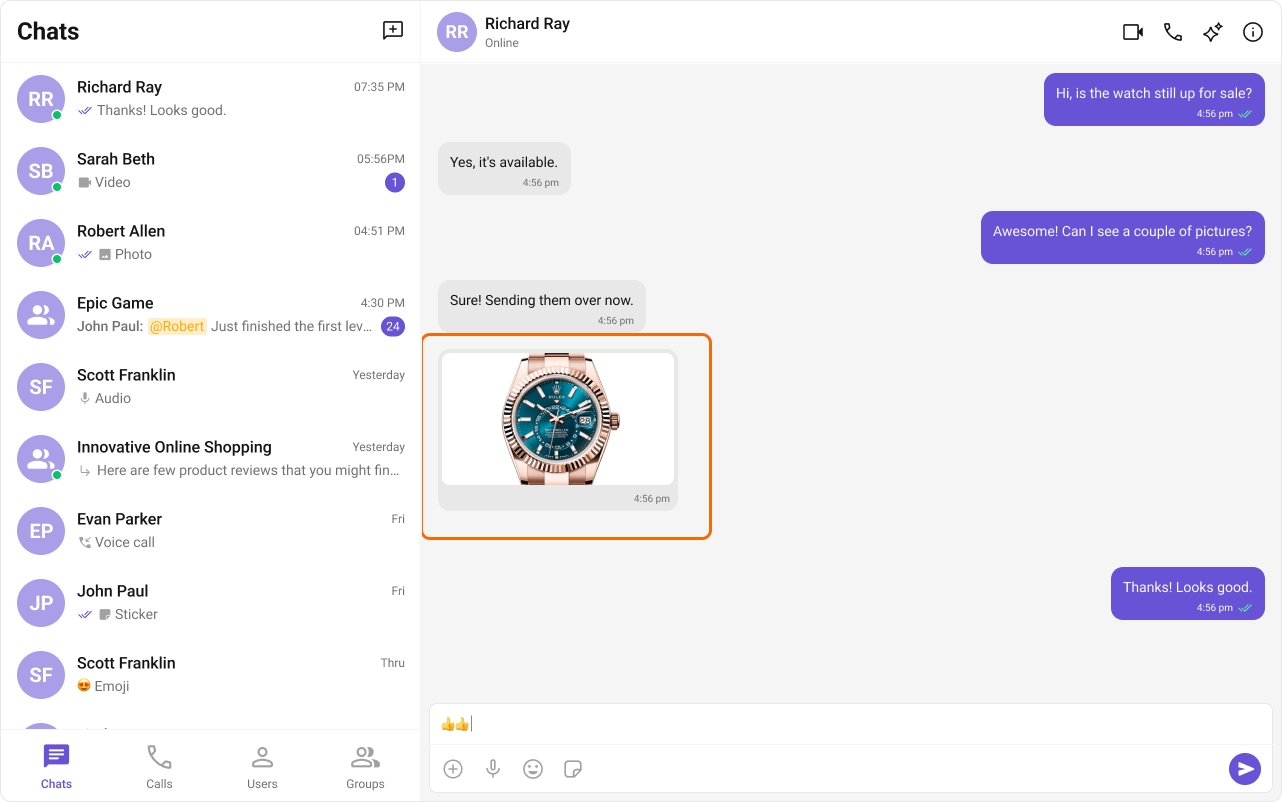
#### Thumbnail Generation
Creates smaller preview images for shared images, reducing bandwidth. See [Thumbnail Generation Extension](/fundamentals/thumbnail-generation).
Auto-integrates into the Message Bubble of [MessageList](/ui-kit/react/components/message-list) when activated.
#### Message Shortcuts
Sends predefined messages using short codes (e.g., `!hb` expands to `Happy birthday!`). See [Message Shortcuts Extension](/fundamentals/message-shortcuts).
#### Pin Message
Pins important messages in a conversation for easy access. See [Pin Message Extension](/fundamentals/pin-message).
#### Rich Media Preview
Generates rich preview panels for URLs using iFramely. See [Rich Media Preview Extension](/fundamentals/rich-media-preview).
#### Save Message
Bookmarks messages for later reference. Saved messages are private to the user. See [Save Message Extension](/fundamentals/save-message).
#### Thumbnail Generation
Creates smaller preview images for shared images, reducing bandwidth. See [Thumbnail Generation Extension](/fundamentals/thumbnail-generation).
Auto-integrates into the Message Bubble of [MessageList](/ui-kit/react/components/message-list) when activated.
 #### TinyURL
URL shortening using TinyURL. See [TinyURL Extension](/fundamentals/tinyurl).
#### Voice Transcription
Converts audio messages to text. See [Voice Transcription Extension](/fundamentals/voice-transcription).
### User Engagement
#### Giphy
Search and share GIFs from Giphy. See [Giphy Extension](/fundamentals/giphy).
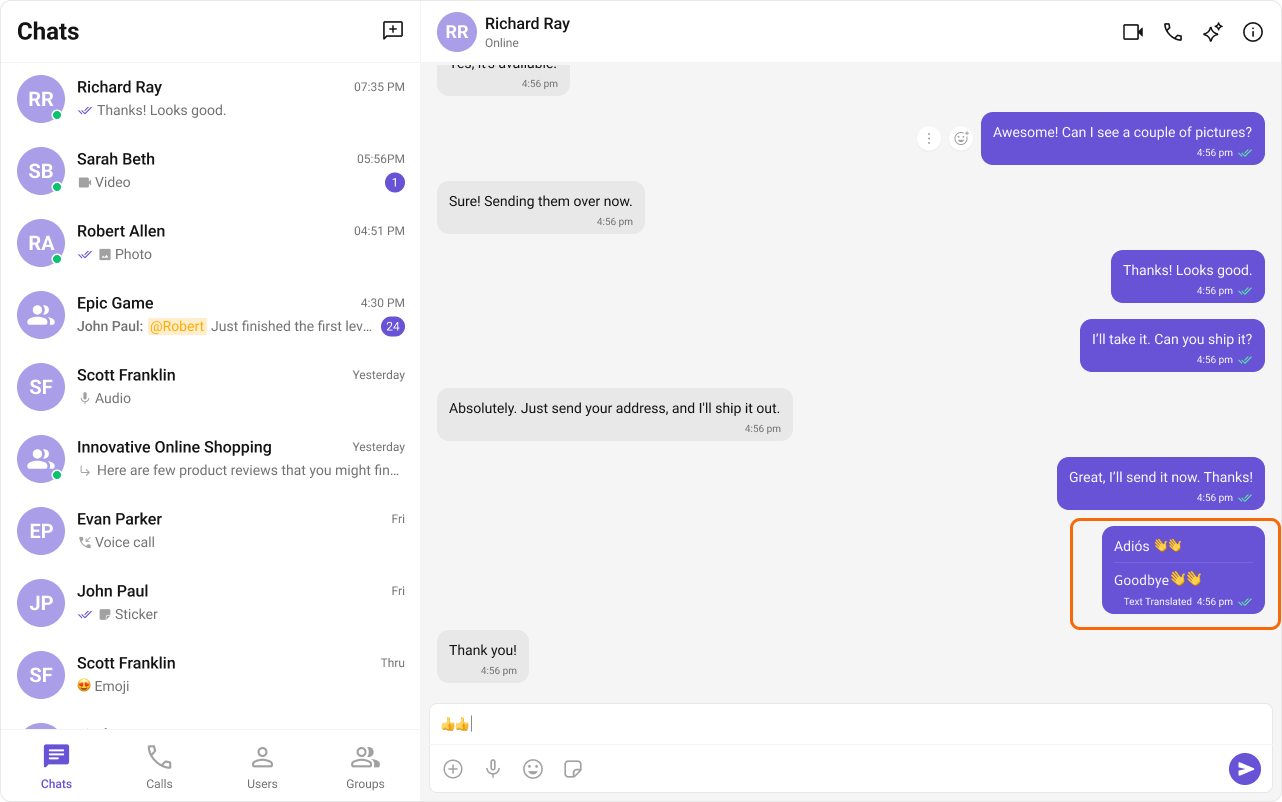
#### Message Translation
Translates messages into the local locale. See [Message Translation Extension](/fundamentals/message-translation).
Auto-integrates into the message options menu of [MessageList](/ui-kit/react/components/message-list) when activated.
#### TinyURL
URL shortening using TinyURL. See [TinyURL Extension](/fundamentals/tinyurl).
#### Voice Transcription
Converts audio messages to text. See [Voice Transcription Extension](/fundamentals/voice-transcription).
### User Engagement
#### Giphy
Search and share GIFs from Giphy. See [Giphy Extension](/fundamentals/giphy).
#### Message Translation
Translates messages into the local locale. See [Message Translation Extension](/fundamentals/message-translation).
Auto-integrates into the message options menu of [MessageList](/ui-kit/react/components/message-list) when activated.
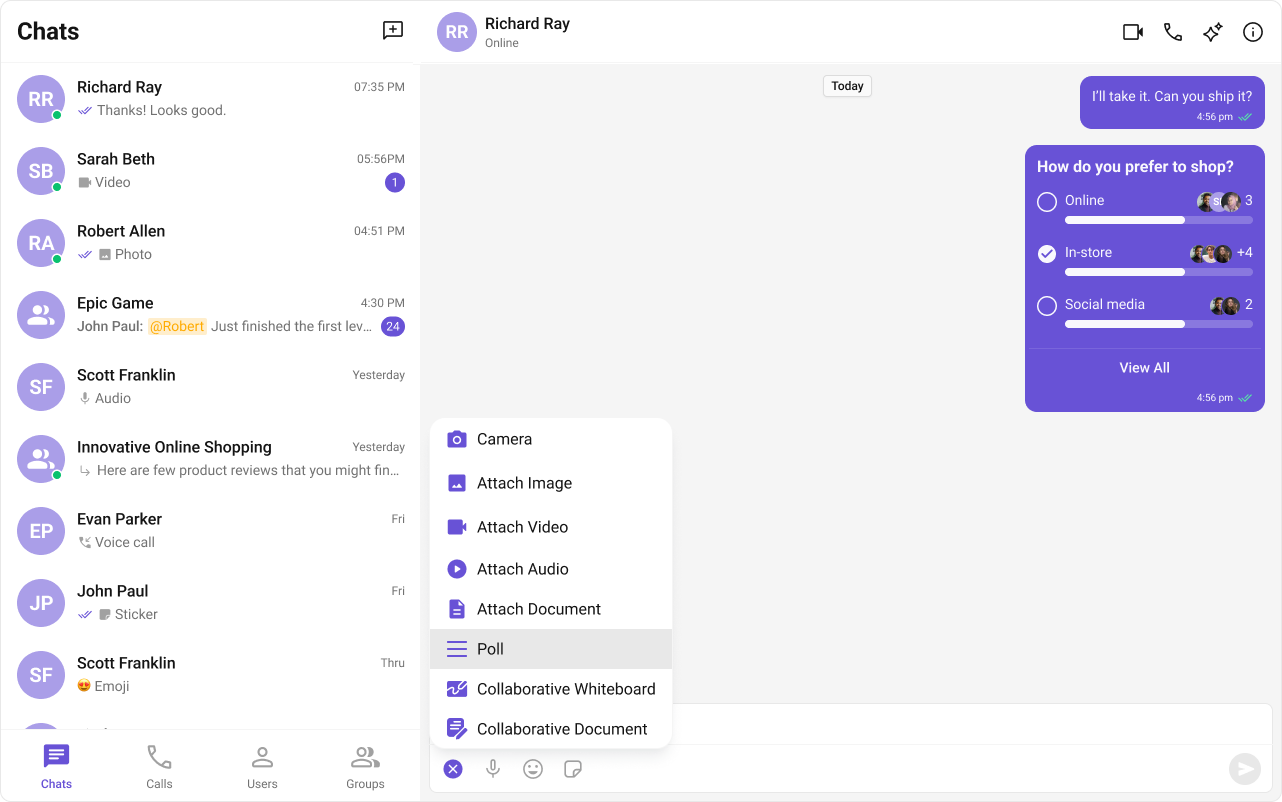
 #### Polls
Creates polls in group discussions with predefined answer options. See [Polls Extension](/fundamentals/polls).
Auto-integrates into the Action Sheet of [Message Composer](/ui-kit/react/components/message-composer) when activated.
#### Polls
Creates polls in group discussions with predefined answer options. See [Polls Extension](/fundamentals/polls).
Auto-integrates into the Action Sheet of [Message Composer](/ui-kit/react/components/message-composer) when activated.
 #### Reminders
Sets reminders for messages or creates personal reminders. A bot sends a notification when due. See [Reminders Extension](/fundamentals/reminders).
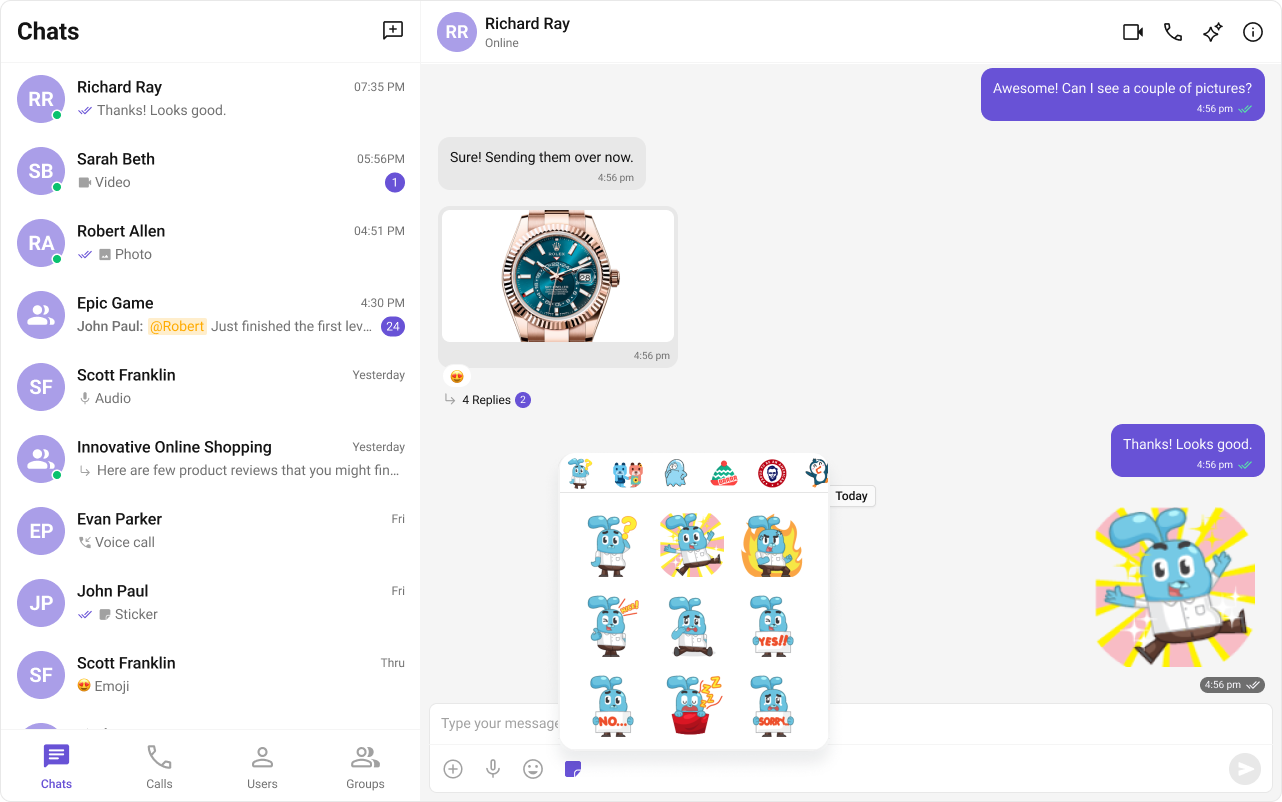
#### Stickers
Sends pre-designed stickers in chat. See [Sticker Extension](/fundamentals/stickers).
Auto-integrates into [Message Composer](/ui-kit/react/components/message-composer) when activated.
#### Reminders
Sets reminders for messages or creates personal reminders. A bot sends a notification when due. See [Reminders Extension](/fundamentals/reminders).
#### Stickers
Sends pre-designed stickers in chat. See [Sticker Extension](/fundamentals/stickers).
Auto-integrates into [Message Composer](/ui-kit/react/components/message-composer) when activated.
 #### Stipop
Integrates Stipop's sticker library. See [Stipop Extension](/fundamentals/stickers-stipop).
#### Tenor
Search and share GIFs from Tenor. See [Tenor Extension](/fundamentals/tenor).
### Collaboration
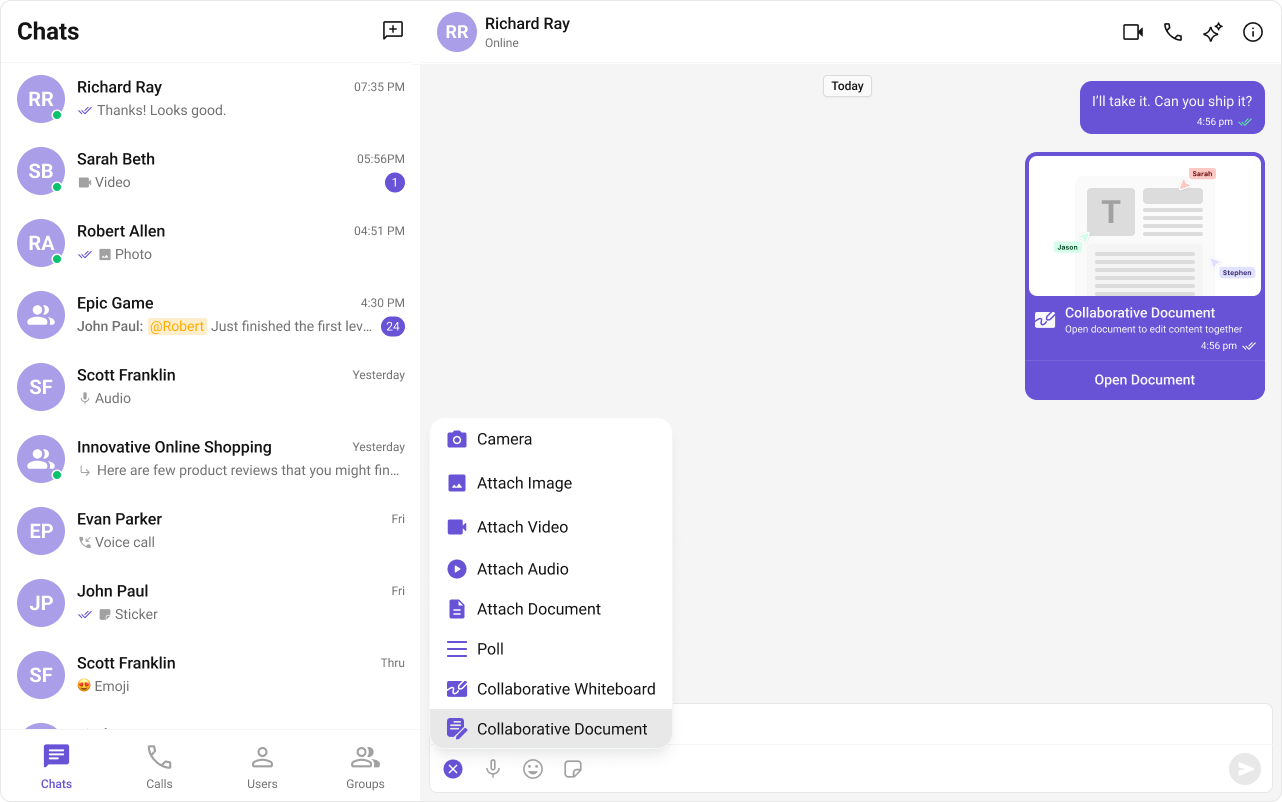
#### Collaborative Document
Shared document editing for real-time collaboration. See [Collaborative Document Extension](/fundamentals/collaborative-document).
Auto-integrates into the Action Sheet of [Message Composer](/ui-kit/react/components/message-composer) when activated.
#### Stipop
Integrates Stipop's sticker library. See [Stipop Extension](/fundamentals/stickers-stipop).
#### Tenor
Search and share GIFs from Tenor. See [Tenor Extension](/fundamentals/tenor).
### Collaboration
#### Collaborative Document
Shared document editing for real-time collaboration. See [Collaborative Document Extension](/fundamentals/collaborative-document).
Auto-integrates into the Action Sheet of [Message Composer](/ui-kit/react/components/message-composer) when activated.
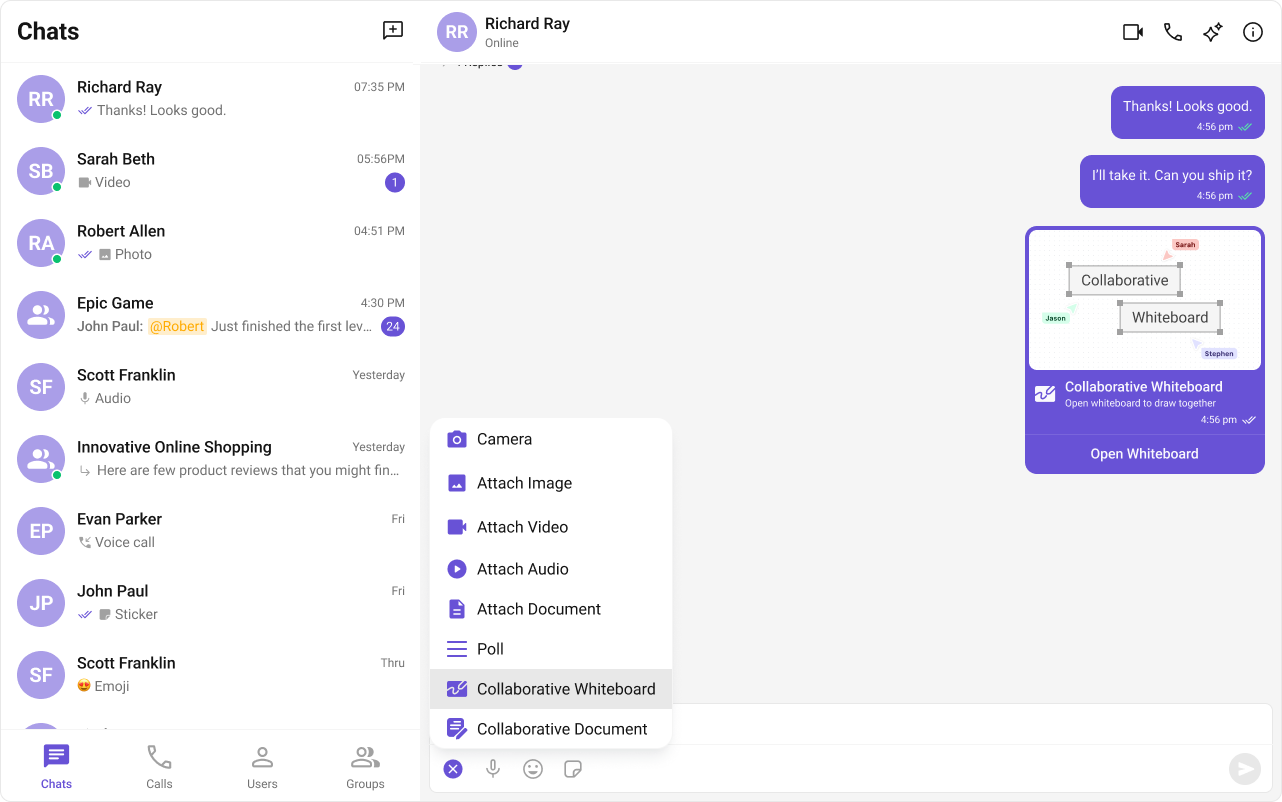
 #### Collaborative Whiteboard
Real-time shared whiteboard for drawing and brainstorming. See [Collaborative Whiteboard Extension](/fundamentals/collaborative-whiteboard).
Auto-integrates into the Action Sheet of [Message Composer](/ui-kit/react/components/message-composer) when activated.
#### Collaborative Whiteboard
Real-time shared whiteboard for drawing and brainstorming. See [Collaborative Whiteboard Extension](/fundamentals/collaborative-whiteboard).
Auto-integrates into the Action Sheet of [Message Composer](/ui-kit/react/components/message-composer) when activated.
 ### Security
#### Disappearing Messages
Messages auto-delete after a specified interval. Works for 1:1 and group messages. See [Disappearing Messages Extension](/fundamentals/disappearing-messages).
### Customer Support
#### Chatwoot
Routes user messages to Chatwoot for customer support. See [Chatwoot Extension](/fundamentals/chatwoot).
#### Intercom
Integrates Intercom for in-app customer support. See [Intercom Extension](/fundamentals/intercom).
### Smart Chat Features
#### Conversation Starter
AI-generated opening messages for new chats. See [Conversation Starter](/fundamentals/ai-user-copilot/conversation-starter) and [AI Features](/ui-kit/react/ai-features).
#### Smart Replies
AI-generated response suggestions based on conversation context. See [Smart Replies](/fundamentals/ai-user-copilot/smart-replies) and [AI Features](/ui-kit/react/ai-features).
#### Conversation Summary
AI-generated recap of long conversations. See [Conversation Summary](/fundamentals/ai-user-copilot/conversation-summary) and [AI Features](/ui-kit/react/ai-features).
***
## Next Steps
Customize the composer where most extensions appear
Customize the message list for extension-rendered content
Core chat features like messaging and reactions
AI-powered chat capabilities
### Security
#### Disappearing Messages
Messages auto-delete after a specified interval. Works for 1:1 and group messages. See [Disappearing Messages Extension](/fundamentals/disappearing-messages).
### Customer Support
#### Chatwoot
Routes user messages to Chatwoot for customer support. See [Chatwoot Extension](/fundamentals/chatwoot).
#### Intercom
Integrates Intercom for in-app customer support. See [Intercom Extension](/fundamentals/intercom).
### Smart Chat Features
#### Conversation Starter
AI-generated opening messages for new chats. See [Conversation Starter](/fundamentals/ai-user-copilot/conversation-starter) and [AI Features](/ui-kit/react/ai-features).
#### Smart Replies
AI-generated response suggestions based on conversation context. See [Smart Replies](/fundamentals/ai-user-copilot/smart-replies) and [AI Features](/ui-kit/react/ai-features).
#### Conversation Summary
AI-generated recap of long conversations. See [Conversation Summary](/fundamentals/ai-user-copilot/conversation-summary) and [AI Features](/ui-kit/react/ai-features).
***
## Next Steps
Customize the composer where most extensions appear
Customize the message list for extension-rendered content
Core chat features like messaging and reactions
AI-powered chat capabilities