> ## Documentation Index
> Fetch the complete documentation index at: https://www.cometchat.com/docs/llms.txt
> Use this file to discover all available pages before exploring further.
# CometChat UI Kit For iOS
> Integrate chat functionality into iOS applications with prebuilt, modular, and customizable UI components
```json theme={null}
{
"platform": "iOS UI Kit",
"package": "CometChatUIKitSwift",
"version": "5.1.9",
"description": "Pre-built UI components for iOS chat applications using SwiftUI",
"metadata": {
"peerDependencies": {
"CometChatSDK": ">= 4.0.0"
},
"supportedPlatforms": ["iOS 13.0+", "iPadOS 13.0+", "Mac Catalyst 13.0+"],
"language": "Swift 5.0+",
"license": "MIT"
},
"quickLinks": {
"documentation": "https://www.cometchat.com/docs/ui-kit/ios/overview",
"repository": "https://github.com/cometchat/cometchat-uikit-ios",
"demo": "https://demo.cometchat.com"
}
}
```
| Property | Value |
| ----------------- | ------------------------------------------------------------------------------------- |
| Package | CometChatUIKitSwift |
| Version | 5.1.9 |
| Peer Dependencies | CometChatSDK >= 4.0.0 |
| Platforms | iOS 13.0+, iPadOS 13.0+, Mac Catalyst 13.0+ |
| Language | Swift 5.0+ |
| AI Skills | `npx @cometchat/skills add` — [GitHub](https://github.com/cometchat/cometchat-skills) |
| License | MIT |
***
## Introduction
The CometChat UI Kit for iOS provides a seamless solution to integrate chat functionality into your iOS applications. With prebuilt, modular, and customizable UI components, it accelerates development and ensures your chat application is robust, scalable, and tailored to your needs.
### Key Features
* Effortless Integration: Ready-to-use SwiftUI components for rapid implementation
* Highly Customizable: Adapt UI components to match your brand and user experience requirements
* Built on Core SDK: Leverages the powerful [CometChat iOS SDK](/sdk/ios/overview) for reliable performance
* Scalable & Reliable: Optimized for enterprise-grade applications
***
## Integrate with AI Coding Agents
Use [CometChat Skills](https://github.com/cometchat/cometchat-skills) to add chat to any iOS project through your AI coding agent. The skill takes an AI-first approach — your agent has a short conversation with you to understand your project and chat requirements, then writes production-grade integration code tailored to the files you already have.
Works with Claude Code, Cursor, Codex, VS Code Copilot, Windsurf, Cline, Kiro, and [30+ more agents](https://github.com/cometchat/cometchat-skills).
```bash theme={null}
npx @cometchat/skills add
```
Use `--ide ` to target a specific IDE (e.g. `--ide cursor`), or `--ide all` to install for all supported IDEs.
Then in your IDE:
```
/cometchat add chat to my app
```
The skill detects your iOS project structure, navigation pattern, and existing auth system. It onboards you to CometChat directly in the terminal — signup, login, and app creation all via the CLI. It reads your view controllers, navigation, and components before proposing a placement, shows the plan (which files it will create, modify, and leave untouched), and waits for your approval before writing code. Credentials are saved via `Secrets.swift` or `.xcconfig`.
After the first integration, re-run `/cometchat` anytime to pick from the iteration menu:
* **Customize look & feel** — theme presets (slack / whatsapp / imessage / discord / notion) or your own brand color
* **Add a feature** — 40+ features including calls, reactions, polls, AI smart replies, file sharing, presence
* **Customize a component** — custom message bubbles, headers, composer actions, empty/loading states
* **Set up production auth** — replace the dev Auth Key with a server-side token endpoint
* **Set up user management** — server endpoints for creating/updating/deleting CometChat users
* **Run diagnostics** — verify, drift detection, symptom-to-cause lookup
***
## Try It
Experience the UI Kit in action with our interactive demo
Explore the complete source code on GitHub
***
## Get Started
Before integrating the CometChat UI Kit, familiarize yourself with the key concepts and features offered by CometChat's platform:
* Review the [Key Concepts](/fundamentals/key-concepts) to understand essential terminology and features
* Follow the [Getting Started Guide](/ui-kit/ios/getting-started) for detailed steps on initial setup and integration
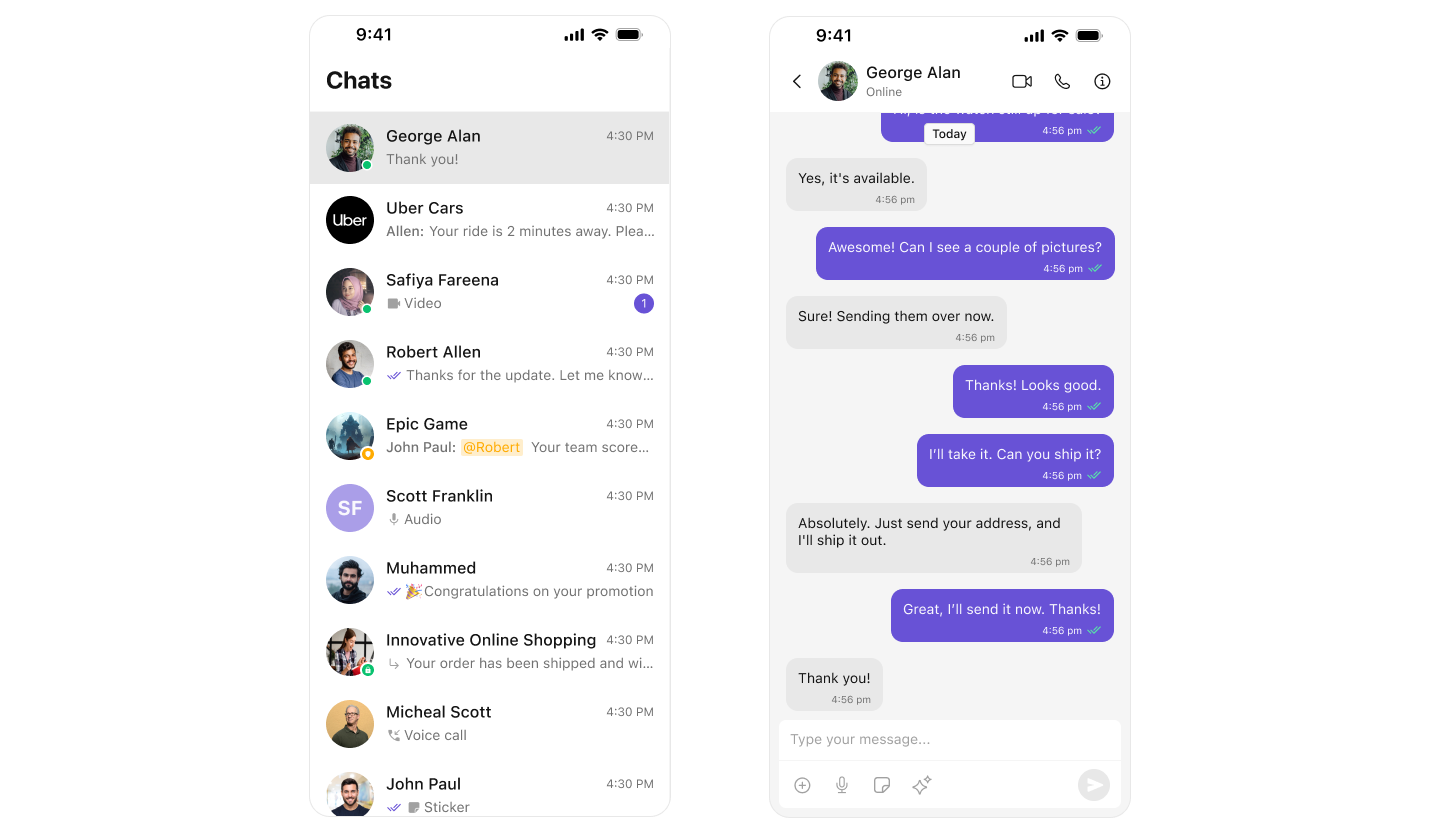 ***
## Explore
Pre-built UI components for conversations, messages, users, and groups
Core messaging, calling, and AI-powered features
Customize colors, typography, and styling to match your brand
Step-by-step guides for integrating the UI Kit
Complete SDK documentation and API details
Tutorials and how-to guides for common use cases
***
## Resources
Try the interactive demo on your iOS device
Complete sample application source code
Step-by-step integration tutorials
Browse all available UI components
Explore messaging, calling, and AI features
Customize the look and feel
Common issues and solutions
Get help from our support team
***
***
## Explore
Pre-built UI components for conversations, messages, users, and groups
Core messaging, calling, and AI-powered features
Customize colors, typography, and styling to match your brand
Step-by-step guides for integrating the UI Kit
Complete SDK documentation and API details
Tutorials and how-to guides for common use cases
***
## Resources
Try the interactive demo on your iOS device
Complete sample application source code
Step-by-step integration tutorials
Browse all available UI components
Explore messaging, calling, and AI features
Customize the look and feel
Common issues and solutions
Get help from our support team
***