> ## Documentation Index
> Fetch the complete documentation index at: https://www.cometchat.com/docs/llms.txt
> Use this file to discover all available pages before exploring further.
# Blocked Messages
> Review CometChat blocked messages, inspect triggered rules, approve false positives, and track automatically blocked content.
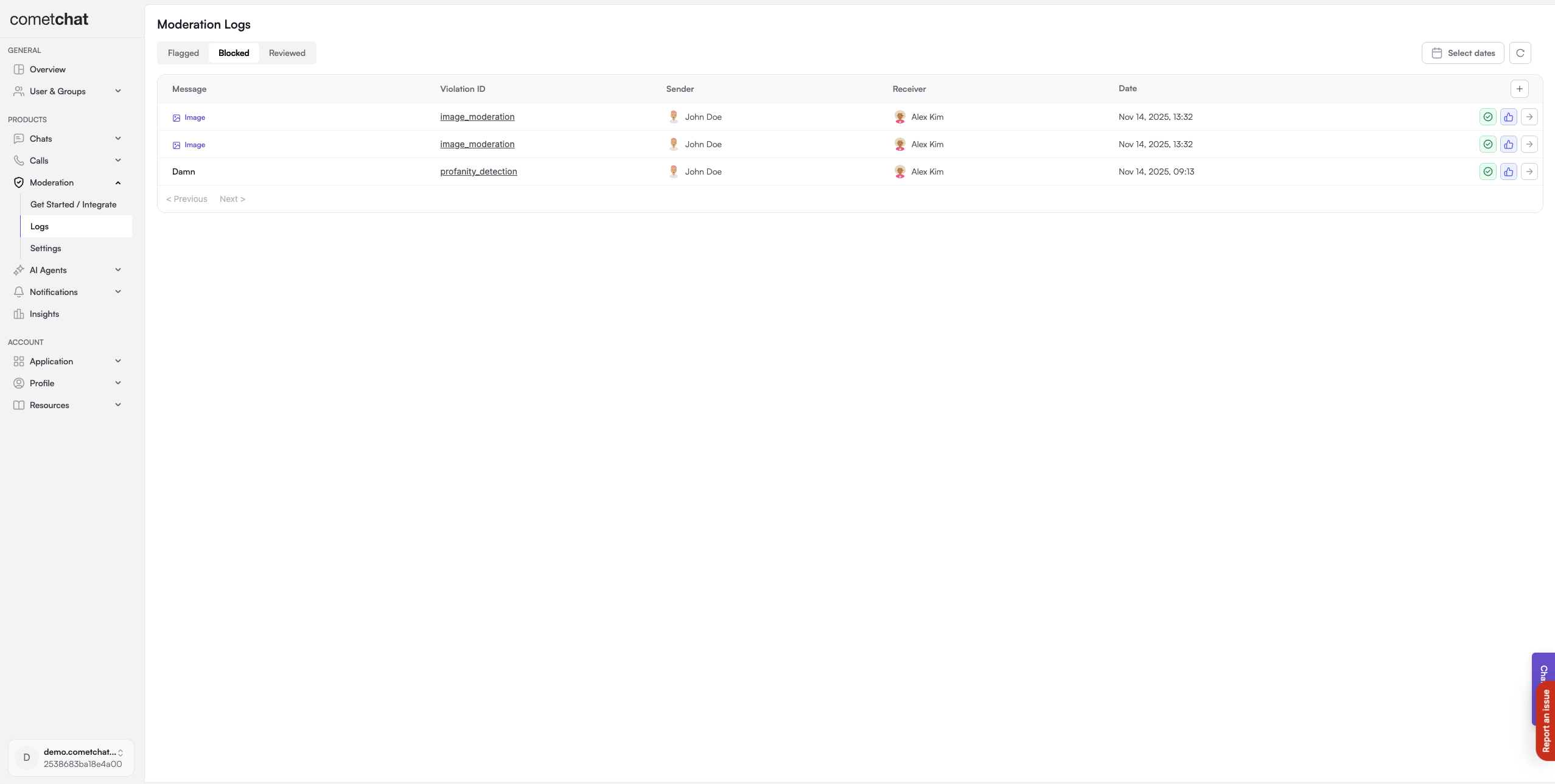
Blocked Messages provides a centralized view of all messages that have been automatically blocked by your moderation rules. Review blocked content to identify false positives, refine your rules, and optionally approve messages that were incorrectly blocked.
**Blocked messages are hidden immediately.** Unlike flagged messages which wait for review, blocked messages are never delivered to recipients. Use this dashboard to monitor what's being blocked and catch false positives.
***
## Quick Start
Review blocked messages in under 2 minutes:
Login to [CometChat Dashboard](https://app.cometchat.com) → Select your app → **Moderation** → **Blocked Messages**
Click on a blocked message to see the content, sender, rule that triggered the block, and timestamp
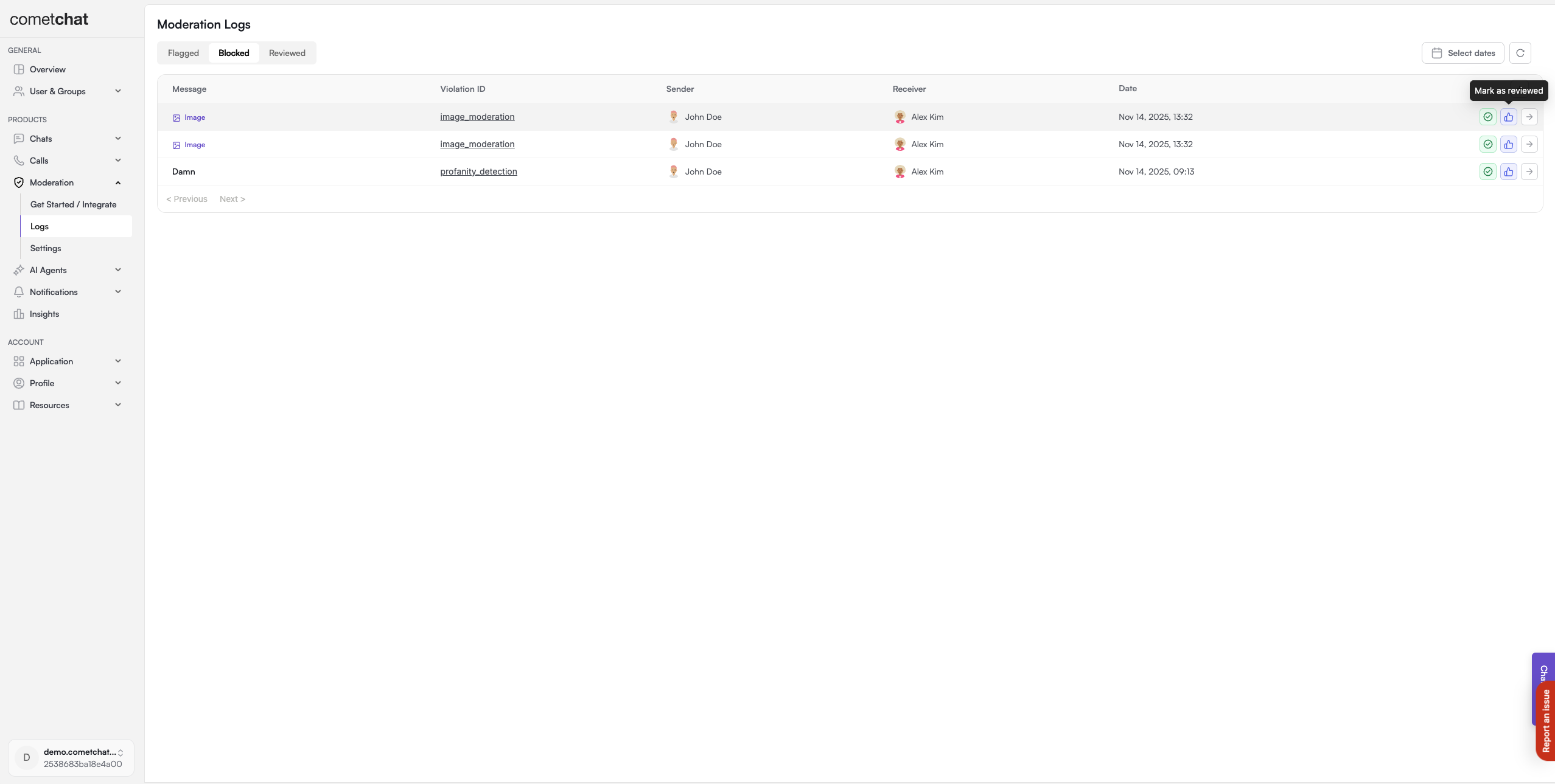
Click **Approve** to unblock a false positive, or **Mark as Reviewed** to acknowledge without approving
 ***
## How It Works
```mermaid theme={null}
flowchart LR
A[Message Sent] --> B{Rule Check}
B -->|Matches Rule| C[Message Blocked]
B -->|No Match| D[Message Delivered]
C --> E[Blocked Messages Dashboard]
E --> F{Moderator Review}
F --> G[Approve - Unblock]
F --> H[Mark as Reviewed]
F --> I[No Action]
```
| Status | Description |
| ------------ | ----------------------------------------------- |
| **Blocked** | Message matched a rule and was not delivered |
| **Approved** | Moderator reviewed and unblocked the message |
| **Reviewed** | Moderator acknowledged but kept message blocked |
***
## Managing Blocked Messages
### List Blocked Messages
View all blocked messages with filtering options:
* **Date range**: Filter by when messages were blocked
* **Rule**: Filter by which rule triggered the block
* **Sender**: Search by sender UID
### Approve Blocked Message
Approving a blocked message:
1. Unblocks the message (makes it visible to recipients)
2. Marks it as reviewed
3. Helps identify false positives in your rules
***
## How It Works
```mermaid theme={null}
flowchart LR
A[Message Sent] --> B{Rule Check}
B -->|Matches Rule| C[Message Blocked]
B -->|No Match| D[Message Delivered]
C --> E[Blocked Messages Dashboard]
E --> F{Moderator Review}
F --> G[Approve - Unblock]
F --> H[Mark as Reviewed]
F --> I[No Action]
```
| Status | Description |
| ------------ | ----------------------------------------------- |
| **Blocked** | Message matched a rule and was not delivered |
| **Approved** | Moderator reviewed and unblocked the message |
| **Reviewed** | Moderator acknowledged but kept message blocked |
***
## Managing Blocked Messages
### List Blocked Messages
View all blocked messages with filtering options:
* **Date range**: Filter by when messages were blocked
* **Rule**: Filter by which rule triggered the block
* **Sender**: Search by sender UID
### Approve Blocked Message
Approving a blocked message:
1. Unblocks the message (makes it visible to recipients)
2. Marks it as reviewed
3. Helps identify false positives in your rules
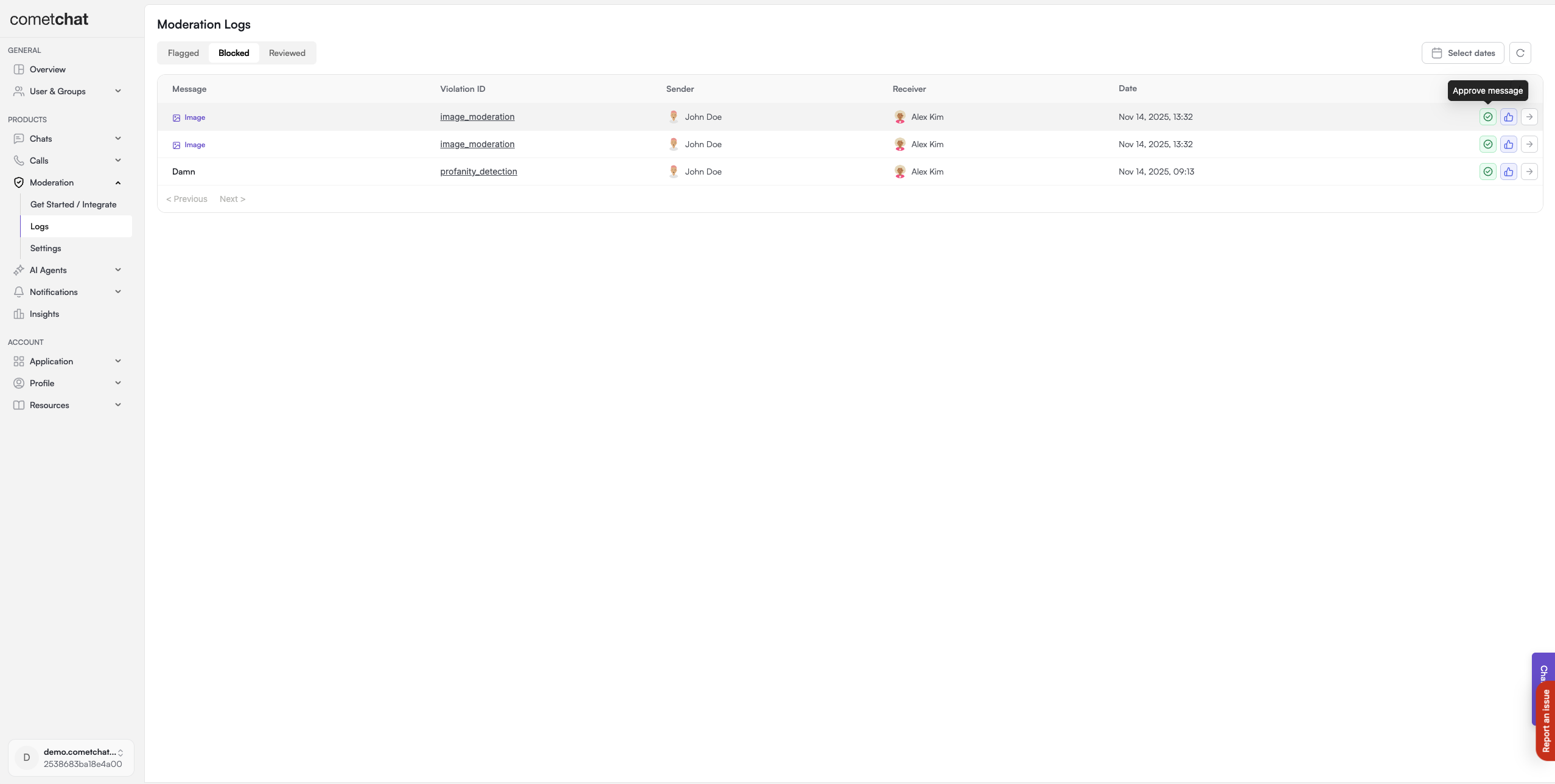 Approving a message will deliver it to the recipient. Only approve if you're certain the message doesn't violate your guidelines.
### Mark as Reviewed
Mark a message as reviewed without approving it:
* Message stays blocked
* Indicates a moderator has seen it
* Useful for tracking review progress
Approving a message will deliver it to the recipient. Only approve if you're certain the message doesn't violate your guidelines.
### Mark as Reviewed
Mark a message as reviewed without approving it:
* Message stays blocked
* Indicates a moderator has seen it
* Useful for tracking review progress
 ***
## Best Practices
| Practice | Description |
| -------------------- | -------------------------------------------------------------------------------------------------------------- |
| **Review Regularly** | Check blocked messages weekly to catch false positives and refine rules. |
| **Track Patterns** | Look for patterns in blocked content to identify if rules need adjustment. |
| **Use Date Filters** | Filter by date range to focus on recent blocks or investigate specific incidents. |
| **Refine Rules** | If you see many false positives, adjust confidence levels in [Rules Management](/moderation/rules-management). |
***
## FAQ
Yes. When you approve a blocked message, it becomes visible to the recipient. However, depending on how much time has passed, the message may appear out of context in the conversation.
Blocked messages are immediately hidden and never delivered. Flagged messages are delivered but marked for moderator review. Use "Block" for clear violations and "Flag" for borderline content.
1. Increase confidence thresholds in your rules
2. Add exceptions to your keyword lists
3. Use more specific patterns instead of broad keywords
Yes, select multiple messages and use the bulk approve action.
***
## Related Resources
Configure rules that block messages
Review messages pending moderation
Manage keyword lists used by rules
Learn about the moderation system
***
## Best Practices
| Practice | Description |
| -------------------- | -------------------------------------------------------------------------------------------------------------- |
| **Review Regularly** | Check blocked messages weekly to catch false positives and refine rules. |
| **Track Patterns** | Look for patterns in blocked content to identify if rules need adjustment. |
| **Use Date Filters** | Filter by date range to focus on recent blocks or investigate specific incidents. |
| **Refine Rules** | If you see many false positives, adjust confidence levels in [Rules Management](/moderation/rules-management). |
***
## FAQ
Yes. When you approve a blocked message, it becomes visible to the recipient. However, depending on how much time has passed, the message may appear out of context in the conversation.
Blocked messages are immediately hidden and never delivered. Flagged messages are delivered but marked for moderator review. Use "Block" for clear violations and "Flag" for borderline content.
1. Increase confidence thresholds in your rules
2. Add exceptions to your keyword lists
3. Use more specific patterns instead of broad keywords
Yes, select multiple messages and use the bulk approve action.
***
## Related Resources
Configure rules that block messages
Review messages pending moderation
Manage keyword lists used by rules
Learn about the moderation system