> ## Documentation Index
> Fetch the complete documentation index at: https://www.cometchat.com/docs/llms.txt
> Use this file to discover all available pages before exploring further.

# Chat & Messaging

> Add real-time chat, voice & video calling to your apps in minutes. Choose your path: UI Kits, SDKs, or Widgets.

<style>
  {`
    .hero-skills-code pre,
    .hero-skills-code div {
      background-color: #000 !important;
      max-width: fit-content !important;
    }
    `}
</style>

<div className="relative w-full flex items-center justify-center h-96 overflow-hidden">
  <div className="absolute inset-0 bg-primary dark:bg-primary-light opacity-[0.05] pointer-events-none" />

  <div className="max-w-[70rem] mx-auto px-5">
    <Columns cols={2} className="items-center gap-x-12">
      <div className="flex flex-col justify-center h-full text-center md:text-left">
        <h1 className="text-gray-700 dark:text-white text-[2.2rem] font-semibold">Chat & Messaging</h1>

        <p className="text-lg text-gray-600">
          Production-ready messaging for web and mobile, ready to drop into your stack.
        </p>

        <p className="text-sm text-gray-600 dark:text-gray-400 mt-5 mb-2"><strong>Building with an AI agent?</strong> Install this skill and start building instantly.</p>

        <div className="hero-skills-code">
          ```bash theme={null}
          npx @cometchat/skills add
          ```
        </div>
      </div>

      <div className="flex flex-col items-center justify-center h-full">
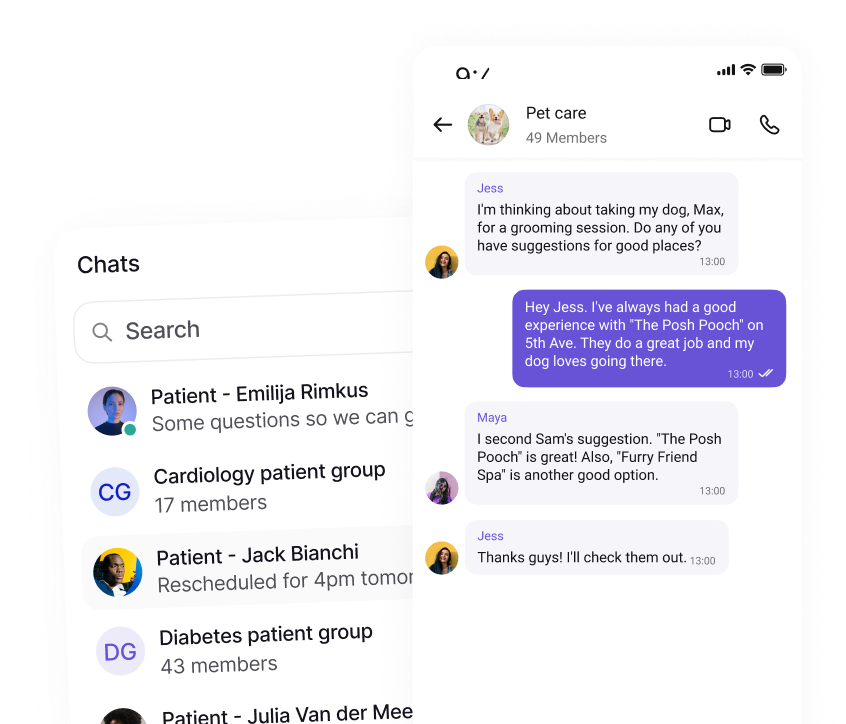
        <img src="https://mintcdn.com/cometchat-22654f5b/ZVrNPtjLuJpowp3W/images/chat-messaging-banner.png?fit=max&auto=format&n=ZVrNPtjLuJpowp3W&q=85&s=56d6dc8b352bc23a94affeff827d1459" alt="Chat & Messaging UI Preview" className="w-full max-w-[380px]" width="846" height="724" data-path="images/chat-messaging-banner.png" />
      </div>
    </Columns>
  </div>
</div>

<div className="mt-8 mb-8 max-w-[70rem] mx-auto px-5">
  <h3 className="text-2xl font-semibold mb-6 mt-8">
    <span className="inline-flex items-center px-4 py-1.5 rounded-full bg-emerald-100 text-emerald-700 dark:bg-emerald-900/30 dark:text-emerald-300 uppercase tracking-wide text-sm">Step 1</span>
  </h3>

  <div className="mb-12">
    <h2 className="text-gray-700 dark:text-white text-2xl font-semibold">Add CometChat to Your Frontend</h2>
    <p className="text-gray-600 dark:text-gray-300">Use our pre-built UI kits or SDKs to add chat to your website or mobile app instantly.</p>
  </div>

  <div className="mb-12">
    <div className="flex items-center mb-4">
      <h3 className="text-xl font-semibold text-gray-700 dark:text-white">
        UI Kit Builder
      </h3>

      <span>  </span>
      <span className="bg-green-500 text-white px-3 py-1 rounded-full text-sm font-semibold mr-3">RECOMMENDED</span>
    </div>

    <p className="text-gray-600 mb-4">
      Get a fully functional chat interface in minutes. Configure via our ui kit builder — no complex setup required.
    </p>

    {/* <Accordion title="Get a fully functional chat interface in minutes. Configure via our UI Kit builder—no complex setup required."> */}

    <AccordionGroup>
      <Accordion title="How It Works">
        <Steps>
          <Step title="Configure visually">
            Toggle mentions, reactions, media sharing, and more through our visual interface.
          </Step>

          <Step title="Export React code">
            Get production-ready React code that plugs directly into your existing app.
          </Step>

          <Step title="Customize anytime">
            It's based on our UI Kits—edit layouts, styles, or workflows as needed.
          </Step>
        </Steps>
      </Accordion>

      <Accordion title="Why It's Great">
        <Steps>
          <Step title="Fastest setup">No manual component wiring required.</Step>
          <Step title="Extra features">User/group info, moderation, and more included by default.</Step>
          <Step title="No compromise on customization">Same powerful UI Kits under the hood.</Step>
        </Steps>
      </Accordion>
    </AccordionGroup>

    <CardGroup cols={4}>
      <Card title="React" icon={<img src="/docs/images/icons/react.svg" alt="React" />} href="/chat-builder/react/overview" horizontal />

      <Card title="Next.js" icon={<img src="/docs/images/icons/nextjs.svg" alt="Next.js" />} href="/chat-builder/nextjs/overview" horizontal />

      <Card title="React Router" icon={<img src="/docs/images/icons/react-router.svg" alt="React Router" />} href="/chat-builder/react-router/overview" horizontal />

      <Card title="iOS Swift" icon={<img src="/docs/images/icons/swift.svg" alt="iOS Swift" />} href="/chat-builder/ios/overview" horizontal />

      {/* <Card title="Android Kotlin" icon={<img src="/docs/images/icons/kotlin.svg" alt="Android Kotlin" />} href="/chat-builder/android/overview" horizontal /> */}

      <Card title="Android Java" icon={<img src="/docs/images/icons/android.svg" alt="Android Java" />} href="/chat-builder/android/overview" horizontal />

      <Card title="React Native" icon={<img src="/docs/images/icons/react.svg" alt="React Native" />} href="/ui-kit/react-native/overview" horizontal />

      <Card title="Flutter" icon={<img src="/docs/images/icons/flutter.svg" alt="Flutter" />} href="/chat-builder/flutter/overview" horizontal />
    </CardGroup>
  </div>

  <div className="mb-12">
    <h3 className="text-xl font-semibold text-gray-700 dark:text-white mb-4">
      UI Kits - Components
    </h3>

    <p className="text-gray-600 mb-4">
      Build your own chat interface using individual components. Each component includes built-in chat logic.
    </p>

    {/* <Accordion title="Build your own chat interface using individual components. Each component includes built-in chat logic."> */}

    <AccordionGroup>
      <Accordion title="How It Works">
        <Steps>
          <Step title="Select components">
            Choose only what you need from the comprehensive UI Kit.
          </Step>

          <Step title="Arrange & theme">
            Compose your desired layout; apply custom styling or theming.
          </Step>

          <Step title="Ship without plumbing">
            Each component includes its own chat logic—no SDK wiring per part.
          </Step>
        </Steps>
      </Accordion>

      <Accordion title="Why It's Great">
        <Steps>
          <Step title="Fastest setup">No manual component wiring required.</Step>
          <Step title="Extra features">User/group info, moderation, and more included by default.</Step>
          <Step title="No compromise on customization">Same powerful UI Kits under the hood.</Step>
        </Steps>
      </Accordion>
    </AccordionGroup>

    <CardGroup cols={4}>
      <Card title="React" icon={<img src="/docs/images/icons/react.svg" alt="React" />} href="/ui-kit/react/react-js-integration" horizontal />

      <Card title="Next.js" icon={<img src="/docs/images/icons/nextjs.svg" alt="Next.js" />} href="/ui-kit/react/next-js-integration" horizontal />

      <Card title="React Router" icon={<img src="/docs/images/icons/react-router.svg" alt="React Router" />} href="/ui-kit/react/react-router-integration" horizontal />

      <Card title="Astro" icon={<img src="/docs/images/icons/astro.svg" alt="Astro" />} href="/ui-kit/react/astro-integration" horizontal />

      <Card title="Angular" icon={<img src="/docs/images/icons/angular.svg" alt="Angular" />} href="/ui-kit/angular/overview" horizontal />

      <Card title="Vue" icon={<img src="/docs/images/icons/vuejs.svg" alt="Vue" />} href="/ui-kit/vue/overview" horizontal />

      <Card title="iOS Swift" icon={<img src="/docs/images/icons/swift.svg" alt="iOS Swift" />} href="/ui-kit/ios/overview" horizontal />

      <Card title="Android Kotlin" icon={<img src="/docs/images/icons/kotlin.svg" alt="Android Kotlin" />} href="/ui-kit/android/overview" horizontal />

      <Card title="Android Java" icon={<img src="/docs/images/icons/android.svg" alt="Android Java" />} href="/ui-kit/android/overview" horizontal />

      <Card title="React Native" icon={<img src="/docs/images/icons/react.svg" alt="React Native" />} href="/ui-kit/react-native/overview" horizontal />

      <Card title="Flutter" icon={<img src="/docs/images/icons/flutter.svg" alt="Flutter" />} href="/ui-kit/flutter/overview" horizontal />
    </CardGroup>
  </div>

  <div className="mb-12">
    <h3 className="text-xl font-semibold text-gray-700 dark:text-white mb-4">
      SDKs
    </h3>

    <p className="text-gray-600 mb-4">
      Build your own UI from scratch with our complete SDK feature set.
    </p>

    {/* <Accordion title="Build your own UI from scratch with our complete SDK feature set."> */}

    <AccordionGroup>
      <Accordion title="How It Works">
        <Steps>
          <Step title="Integrate the SDK">
            Initialize and connect to CometChat in your frontend application.
          </Step>

          <Step title="Build every screen">
            Create UI and flows from the ground up—exactly how you want them.
          </Step>

          <Step title="Customize everything">
            Full control over every aspect of the chat experience.
          </Step>
        </Steps>
      </Accordion>

      <Accordion title="Why It's Great">
        <Steps>
          <Step title="Fastest time‑to‑value">Live in minutes, not days.</Step>
          <Step title="Works anywhere">No framework lock‑in or build steps.</Step>
          <Step title="Easy to customize">Configure without code; theme when needed.</Step>
        </Steps>
      </Accordion>
    </AccordionGroup>

    <CardGroup cols={4}>
      <Card title="JavaScript" icon={<img src="/docs/images/icons/js.svg" alt="JavaScript" />} href="/sdk/javascript/overview" horizontal />

      <Card title="React Native" icon={<img src="/docs/images/icons/react.svg" alt="React Native" />} href="/sdk/react-native/overview" horizontal />

      <Card title="iOS" icon={<img src="/docs/images/icons/swift.svg" alt="iOS" />} href="/sdk/ios/overview" horizontal />

      <Card title="Android" icon={<img src="/docs/images/icons/android.svg" alt="Android" />} href="/sdk/android/overview" horizontal />

      <Card title="Flutter" icon={<img src="/docs/images/icons/flutter.svg" alt="Flutter" />} href="/sdk/flutter/overview" horizontal />

      <Card title="Ionic" icon={<img src="/docs/images/icons/ionic.svg" alt="Ionic" />} href="/sdk/ionic/overview" horizontal />

      <Card title="Unreal Engine" icon={<img src="/docs/images/icons/unreal.svg" alt="Unreal Engine" />} href="/sdk/unreal/overview" horizontal />
    </CardGroup>
  </div>

  <div className="mb-12">
    <h3 className="text-xl font-semibold text-gray-700 dark:text-white mb-4">
      Chat Widgets
    </h3>

    <p className="text-gray-600 mb-4">
      Add chat to any website with a simple script tag. Perfect for customer support and community chat.
    </p>

    {/* <Accordion title="Add chat to any website with a simple script tag. Perfect for customer support and community chat."> */}

    <AccordionGroup>
      <Accordion title="How It Works">
        <Steps>
          <Step title="Add a script tag">
            Paste a single script into your site or CMS.
          </Step>

          <Step title="Configure in dashboard">
            Toggle features, colors, and behavior from CometChat.
          </Step>

          <Step title="Launch">
            The widget appears instantly across your pages.
          </Step>
        </Steps>
      </Accordion>

      <Accordion title="Why It's Great">
        <Steps>
          <Step title="Fastest time‑to‑value">Live in minutes, not days.</Step>
          <Step title="Works anywhere">No framework lock‑in or build steps.</Step>
          <Step title="Easy to customize">Configure without code; theme when needed.</Step>
        </Steps>
      </Accordion>
    </AccordionGroup>

    <CardGroup cols={2}>
      <Card title="HTML / Bootstrap / jQuery" icon={<img src="/docs/images/icons/html5.svg" alt="HTML / Bootstrap / jQuery" />} href="/widget/html/integration" horizontal />

      <Card title="WordPress" icon={<img src="/docs/images/icons/wordpress.svg" alt="WordPress" />} href="/widget/wordpress/integration" horizontal />

      <Card title="Shopify" icon={<img src="/docs/images/icons/shopify.svg" alt="Shopify" />} href="/widget/shopify/integration" horizontal />

      <Card title="Squarespace" icon={<img src="/docs/images/icons/squarespace.svg" alt="Squarespace" />} href="/widget/squarespace/integration" horizontal />

      <Card title="Wix" icon={<img src="/docs/images/icons/wix.svg" alt="Wix" />} href="/widget/wix/integration" horizontal />

      <Card title="Webflow" icon={<img src="/docs/images/icons/webflow.svg" alt="Webflow" />} href="/widget/webflow/integration" horizontal />
    </CardGroup>
  </div>

  <h3 className="text-2xl font-semibold mb-6 mt-8">
    <span className="inline-flex items-center px-4 py-1.5 rounded-full bg-emerald-100 text-emerald-700 dark:bg-emerald-900/30 dark:text-emerald-300 uppercase tracking-wide text-sm">Step 2</span>
  </h3>

  <div className="mb-12">
    <h2 className="text-gray-700 dark:text-white text-2xl font-semibold mb-6 mt-8">
      Sync Your Users
    </h2>

    <p className="text-gray-600 mb-4">
      Sync your user database with CometChat for a seamless experience.
    </p>

    <Columns cols={2}>
      <Card title="CometChat Dashboard" href="https://app.cometchat.com/">
        <ul className="list-disc ml-4">
          * Add users directly from the CometChat Dashboard.
          * Ideal for quick testing or small teams.
        </ul>
      </Card>

      <Card title="SDK (In-App Provisioning)" href="/sdk/javascript/user-management">
        <ul className="list-disc ml-4">
          * Create users via the SDK methods.
          * Perfect for auto-provisioning during sign-up or login.
        </ul>
      </Card>

      <Card title="REST API (Backend)" href="/rest-api/users/create">
        <ul className="list-disc ml-4">
          * Create users using the REST API.
          * Best for batch imports or admin workflows.
        </ul>
      </Card>
    </Columns>
  </div>

  <div className="mb-12">
    <h2 className="text-gray-700 dark:text-white text-2xl font-semibold mb-4">
      Sample Apps & Demos
    </h2>

    <p className="text-gray-600 dark:text-gray-300 mb-6">
      See CometChat in action. Clone these sample apps to get started quickly.
    </p>

    <CardGroup cols={4}>
      <Card title="React Chat App" href="https://github.com/cometchat/cometchat-uikit-react/tree/v6/sample-app" cta="Clone on GitHub" horizontal />

      <Card title="React Native Chat App" href="https://github.com/cometchat/cometchat-uikit-react-native/tree/v5/examples" cta="Clone on GitHub" horizontal />

      <Card title="iOS Chat App (Swift)" href="https://github.com/cometchat/cometchat-sample-app-ios" cta="Clone on GitHub" horizontal />

      <Card title="Android Chat App (Java)" href="https://github.com/cometchat/cometchat-sample-app-android-java" cta="Clone on GitHub" horizontal />

      <Card title="Android Chat App (Kotlin)" href="https://github.com/cometchat/cometchat-uikit-android/tree/v5/sample-app-kotlin" cta="Clone on GitHub" horizontal />

      <Card title="Flutter Chat App" href="https://github.com/cometchat/cometchat-uikit-flutter/tree/v5/sample_app" cta="Clone on GitHub" horizontal />

      <Card title="Angular Chat App" href="https://github.com/cometchat/cometchat-sample-app-angular" cta="Clone on GitHub" horizontal />

      <Card title="Vue Chat App" href="https://github.com/cometchat/cometchat-sample-app-vue" cta="Clone on GitHub" horizontal />
    </CardGroup>
  </div>
</div>

<div className="flex flex-col w-full mt-8 bg-black -mb-24">
  <div className="bg-black text-gray-400 py-6 px-8 flex flex-col md:flex-row justify-between items-center rounded-t-xl">
    <div className="mb-4 md:mb-0">
      2026 © CometChat
    </div>

    <div className="flex space-x-6 items-center">
      <a href="https://www.linkedin.com/company/cometchat" target="_blank" className="flex items-center space-x-1 hover:text-white transition-colors">
        <svg xmlns="http://www.w3.org/2000/svg" className="h-5 w-5" fill="currentColor" viewBox="0 0 24 24">
          <path d="M19 0h-14c-2.761 0-5 2.239-5 5v14c0 2.762 2.239 5 5 5h14c2.762 0 5-2.238 5-5v-14c0-2.761-2.238-5-5-5zm-11 19h-3v-10h3v10zm-1.5-11.268c-.966 0-1.75-.784-1.75-1.75s.784-1.75 1.75-1.75 1.75.784 1.75 1.75-.784 1.75-1.75 1.75zm13.5 11.268h-3v-5.604c0-1.337-.026-3.059-1.865-3.059-1.865 0-2.15 1.455-2.15 2.96v5.703h-3v-10h2.881v1.367h.041c.402-.76 1.384-1.561 2.847-1.561 3.044 0 3.606 2.003 3.606 4.609v5.585z" />
        </svg>

        <span>LinkedIn</span>
      </a>

      <a href="https://x.com/cometchat" target="_blank" className="flex items-center space-x-1 hover:text-white transition-colors">
        <svg xmlns="http://www.w3.org/2000/svg" className="h-5 w-5" fill="currentColor" viewBox="0 0 24 24">
          <path d="M22.162 5.656c-.793.352-1.645.589-2.54.696a4.468 4.468 0 0 0 1.958-2.46 9.043 9.043 0 0 1-2.845 1.088 4.496 4.496 0 0 0-7.664 4.1 12.758 12.758 0 0 1-9.272-4.7 4.493 4.493 0 0 0 1.393 6.002 4.46 4.46 0 0 1-2.035-.562v.057a4.497 4.497 0 0 0 3.606 4.41 4.503 4.503 0 0 1-2.029.077 4.502 4.502 0 0 0 4.198 3.12 9.01 9.01 0 0 1-5.575 1.922c-.362 0-.721-.021-1.077-.063a12.73 12.73 0 0 0 6.901 2.021c8.282 0 12.808-6.86 12.808-12.808 0-.195-.005-.388-.014-.58a9.152 9.152 0 0 0 2.25-2.336z" />
        </svg>

        <span>Twitter</span>
      </a>

      <a href="https://github.com/cometchat" target="_blank" className="flex items-center space-x-1 hover:text-white transition-colors">
        <svg xmlns="http://www.w3.org/2000/svg" className="h-5 w-5" fill="currentColor" viewBox="0 0 24 24">
          <path d="M12 .297c-6.63 0-12 5.373-12 12 0 5.303 3.438 9.8 8.205 11.387.6.113.82-.258.82-.577v-2.17c-3.338.726-4.033-1.416-4.033-1.416-.546-1.387-1.333-1.756-1.333-1.756-1.089-.744.084-.729.084-.729 1.205.084 1.84 1.236 1.84 1.236 1.07 1.835 2.807 1.305 3.495.997.108-.775.418-1.305.76-1.605-2.665-.3-5.467-1.332-5.467-5.932 0-1.31.467-2.382 1.235-3.222-.123-.303-.535-1.523.117-3.176 0 0 1.008-.322 3.3 1.23a11.5 11.5 0 0 1 3.003-.404 11.5 11.5 0 0 1 3.003.404c2.292-1.552 3.298-1.23 3.298-1.23.653 1.653.241 2.873.118 3.176.77.84 1.233 1.912 1.233 3.222 0 4.61-2.807 5.628-5.48 5.922.429.369.813 1.096.813 2.211v3.281c0 .319.218.694.825.576C20.565 22.092 24 17.592 24 12.297c0-6.627-5.373-12-12-12" />
        </svg>

        <span>GitHub</span>
      </a>
    </div>
  </div>
</div>
