> ## Documentation Index
> Fetch the complete documentation index at: https://www.cometchat.com/docs/llms.txt
> Use this file to discover all available pages before exploring further.
# CometChat UI Kit Builder For iOS
> CometChat UI Kit Builder for iOS provides a pre-built interface to integrate a reliable, fully-featured chat experience.
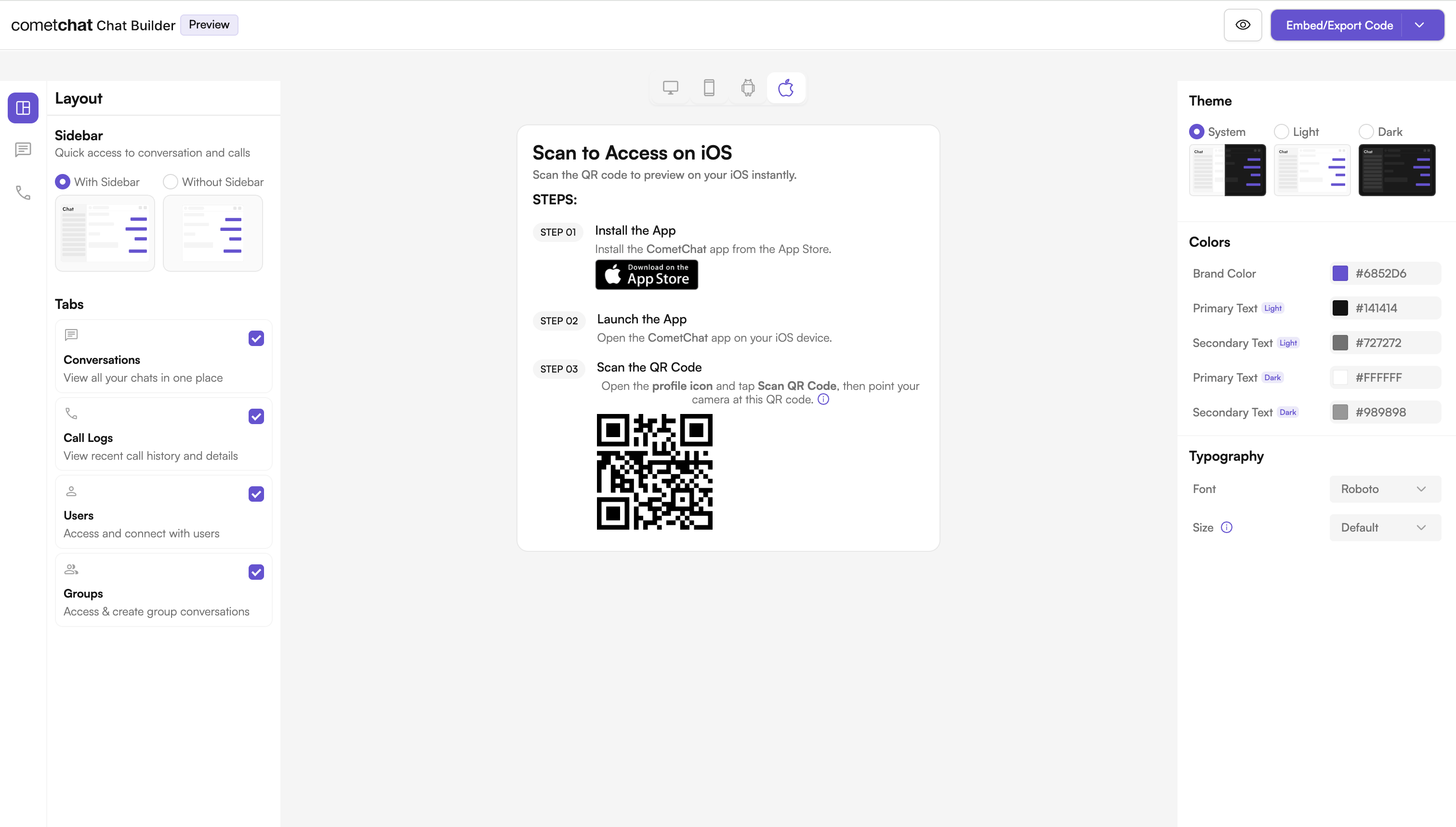
The CometChat iOS UI Kit provides a pre-built user interface that developers can use to quickly integrate a reliable & fully-featured chat experience into an existing or new iOS app using **UI Kit Builder** configuration.
 ***
## What is UI Kit Builder?
UI Kit Builder is CometChat's configuration system that allows you to customize chat features, UI components, and styling through a simple JSON configuration file. The configuration can be loaded into your app using a local JSON file.
***
## Builder Settings Categories
Your Builder configuration supports the following categories:
| Category | Description |
| ------------------------- | --------------------------------------- |
| Core Messaging Experience | Typing, media sharing, replies, etc. |
| Deeper User Engagement | Reactions, mentions, translation, polls |
| AI User Copilot | Smart replies, summaries, starters |
| Group Management | Create/delete group, add members |
| Moderator Controls | Ban/kick/promote members |
| Voice & Video Calling | 1:1 and group calling support |
| Layout & Styling | Theme, typography, layout mode |
***
## Try Live Demo
Experience the CometChat UI Kit Builder in action:
***
## Next Steps
Step-by-step instructions to integrate the UI Kit Builder into your iOS project.
Complete reference of all configuration options available in CometChatBuilderSettings.
Learn how to customize components and styling.
Understand the organization of the exported Builder code.
***
## Helpful Resources
Experience the power of CometChat UI Kit with this interactive app
Explore the complete iOS UI Kit source code
UI design resources for customization and prototyping
Get assistance from our support team with any questions or issues
***
## What is UI Kit Builder?
UI Kit Builder is CometChat's configuration system that allows you to customize chat features, UI components, and styling through a simple JSON configuration file. The configuration can be loaded into your app using a local JSON file.
***
## Builder Settings Categories
Your Builder configuration supports the following categories:
| Category | Description |
| ------------------------- | --------------------------------------- |
| Core Messaging Experience | Typing, media sharing, replies, etc. |
| Deeper User Engagement | Reactions, mentions, translation, polls |
| AI User Copilot | Smart replies, summaries, starters |
| Group Management | Create/delete group, add members |
| Moderator Controls | Ban/kick/promote members |
| Voice & Video Calling | 1:1 and group calling support |
| Layout & Styling | Theme, typography, layout mode |
***
## Try Live Demo
Experience the CometChat UI Kit Builder in action:
***
## Next Steps
Step-by-step instructions to integrate the UI Kit Builder into your iOS project.
Complete reference of all configuration options available in CometChatBuilderSettings.
Learn how to customize components and styling.
Understand the organization of the exported Builder code.
***
## Helpful Resources
Experience the power of CometChat UI Kit with this interactive app
Explore the complete iOS UI Kit source code
UI design resources for customization and prototyping
Get assistance from our support team with any questions or issues