> ## Documentation Index
> Fetch the complete documentation index at: https://www.cometchat.com/docs/llms.txt
> Use this file to discover all available pages before exploring further.

# AI Agents

> Build and ship AI agents in chat: pick a provider, connect your agent, and export UI or embed widgets.

<div className="relative w-full flex items-center justify-center h-80 overflow-hidden">
  <div className="absolute inset-0 bg-primary dark:bg-primary-light opacity-[0.05]" />

  <div className="max-w-[70rem] mx-auto px-5">
    <Columns cols={2} className="items-center gap-x-12">
      <div className="flex flex-col justify-center h-full text-center md:text-left">
        <h1 className="text-gray-700 dark:text-white text-[2.2rem] font-semibold">AI Agents</h1>

        <p className="text-lg text-gray-600">
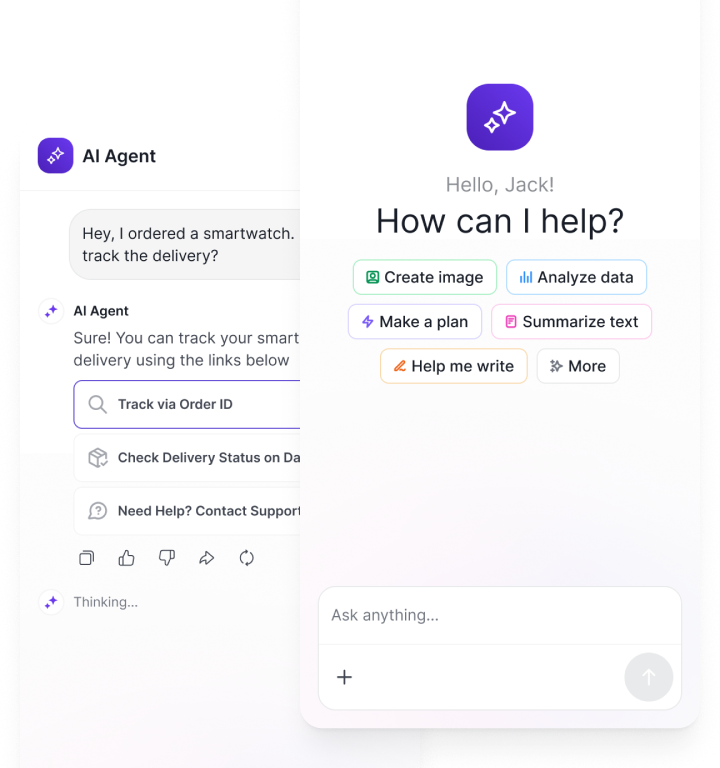
          Plug in your provider, wire actions, and ship chat UI — in minutes, not sprints.
        </p>
      </div>

      <div className="flex flex-col items-center justify-center h-full">
        <img src="https://mintcdn.com/cometchat-22654f5b/2U5tVIzH12dbbFtr/images/ai-agent-banner-1.png?fit=max&auto=format&n=2U5tVIzH12dbbFtr&q=85&s=04c96ff41933a2094c5728d3630d5823" alt="AI Agents" className="w-full max-w-[340px]" width="720" height="768" data-path="images/ai-agent-banner-1.png" />
      </div>
    </Columns>
  </div>
</div>

<div className="mt-8 mb-8 max-w-[70rem] mx-auto px-5">
  <div className="mb-10">
    <h2 className="text-gray-700 dark:text-white text-2xl font-semibold">Overview</h2>

    <p className="text-gray-600 dark:text-gray-300">
      Design, tailor, and ship AI chatbots, copilots, and assistants directly into your product with CometChat AI Agents.

      <br />

      <br />

      They plug into your app’s logic, state, and user context so conversations feel truly native—whether you embed our UI or run everything headless. The platform covers creation, deployment, and monitoring, making intelligent experiences seamless to launch and simple to manage.

      <br />

      <br />

      Because CometChat AI Agents are model-agnostic, you can swap providers or upgrade models whenever you need without interrupting your customer experience.
    </p>
  </div>

  <div className="mb-10">
    <h2 className="text-gray-700 dark:text-white text-2xl font-semibold">Integrate AI Agents</h2>
    <p className="text-gray-600 dark:text-gray-300">Three core steps to get an AI Agent into your product.</p>

    <Steps className="mt-6">
      <Step title="Connect your AI Agent" description="Choose how you want to bring an agent into CometChat.">
        <p className="text-gray-600 dark:text-gray-300">
          Start by setting up your AI agent—this is the first step when integrating CometChat’s AI Agent platform. You can do this in two ways:
        </p>

        <div className="mt-6 space-y-6">
          <div className="rounded-2xl border border-gray-200 dark:border-gray-700 bg-white dark:bg-gray-900 p-6 shadow-sm">
            <span className="text-xs font-semibold tracking-wide text-gray-500 dark:text-gray-400">OPTION 01</span>
            <h3 className="mt-2 text-lg font-semibold text-gray-800 dark:text-white">Create an AI Agent in CometChat</h3>

            <p className="mt-2 text-gray-600 dark:text-gray-300">
              Use our Agent Builder to create and manage your own agents directly within CometChat.
            </p>

            <div className="mt-4 flex flex-wrap gap-3">
              <a href="/docs/ai-agents/agent-builder/overview" className="inline-flex items-center justify-center rounded-full bg-gray-900 text-white px-5 py-2 text-sm font-medium hover:bg-gray-800 transition">
                AI Agent Builder
              </a>
            </div>
          </div>

          <div className="rounded-2xl border border-gray-200 dark:border-gray-700 bg-white dark:bg-gray-900 p-6 shadow-sm">
            <span className="text-xs font-semibold tracking-wide text-gray-500 dark:text-gray-400">OPTION 02</span>
            <h3 className="mt-2 text-lg font-semibold text-gray-800 dark:text-white">Connect a Third-Party Agent</h3>

            <p className="mt-2 text-gray-600 dark:text-gray-300">
              Bring existing agents from platforms like OpenAI, LangGraph, or Mastra via our API integration.
            </p>

            <div className="mt-4 flex flex-wrap gap-3">
              <a href="/docs/ai-agents/ag-ui" className="inline-flex items-center justify-center rounded-full bg-gray-900 text-white px-5 py-2 text-sm font-medium hover:bg-gray-800 transition">
                Connect Third-Party Agent
              </a>
            </div>
          </div>
        </div>
      </Step>

      <Step title="Add to your frontend" description="Choose no‑code widget, prebuilt components, or headless SDK.">
        <p className="text-gray-600 dark:text-gray-300">Customize the agent’s appearance and copy the embed code to integrate it into your app.</p>

        <CardGroup cols={3} className="mt-4">
          <Card title="Widget Builder" icon={<img src="/docs/images/icons/ai-agents.svg" alt="Widget" />} description="No‑code" href="/ai-agents/chat-widget" horizontal />

          <Card title="React UI Kit" icon={<img src="/docs/images/icons/react.svg" alt="React" />} href="https://www.cometchat.com/docs/ui-kit/react/ai-assistant-chat" horizontal>Pre Built UI Components</Card>
          <Card title="JavaScript SDK" icon={<img src="/docs/images/icons/js.svg" alt="JavaScript SDK" />} href="https://www.cometchat.com/docs/sdk/javascript/ai-agents" horizontal>Ready to use SDK Methods</Card>
        </CardGroup>

        <CardGroup cols={3} className="mt-4">
          <Card title="React Native" icon={<img src="/docs/images/icons/react.svg" alt="React Native" />} href="https://www.cometchat.com/docs/ui-kit/react-native/guide-ai-agent" horizontal>Pre Built UI Components</Card>
          <Card title="Android" icon={<img src="/docs/images/icons/android.svg" alt="Android" />} href="https://www.cometchat.com/docs/ui-kit/android/guide-ai-agent" horizontal>Pre Built UI Components</Card>
          <Card title="iOS Swift" icon={<img src="/docs/images/icons/swift.svg" alt="iOS Swift" />} href="https://www.cometchat.com/docs/ui-kit/ios/guide-ai-agent" horizontal>Pre Built UI Components</Card>
        </CardGroup>

        <CardGroup cols={3} className="mt-4">
          <Card title="Flutter" icon={<img src="/docs/images/icons/flutter.svg" alt="Flutter" />} href="https://www.cometchat.com/docs/ui-kit/flutter/guide-message-agentic-flow" horizontal>Pre Built UI Components</Card>
        </CardGroup>
      </Step>
    </Steps>
  </div>
</div>

<div className="flex flex-col w-full mt-8 bg-black -mb-24">
  <div className="bg-black text-gray-400 py-6 px-8 flex flex-col md:flex-row justify-between items-center rounded-t-xl">
    <div className="mb-4 md:mb-0">
      2026 © CometChat
    </div>

    <div className="flex space-x-6 items-center">
      <a href="https://www.linkedin.com/company/cometchat" target="_blank" className="flex items-center space-x-1 hover:text-white transition-colors">
        <svg xmlns="http://www.w3.org/2000/svg" className="h-5 w-5" fill="currentColor" viewBox="0 0 24 24">
          <path d="M19 0h-14c-2.761 0-5 2.239-5 5v14c0 2.762 2.239 5 5 5h14c2.762 0 5-2.238 5-5v-14c0-2.761-2.238-5-5-5zm-11 19h-3v-10h3v10zm-1.5-11.268c-.966 0-1.75-.784-1.75-1.75s.784-1.75 1.75-1.75 1.75.784 1.75 1.75-.784 1.75-1.75 1.75zm13.5 11.268h-3v-5.604c0-1.337-.026-3.059-1.865-3.059-1.865 0-2.15 1.455-2.15 2.96v5.703h-3v-10h2.881v1.367h.041c.402-.76 1.384-1.561 2.847-1.561 3.044 0 3.606 2.003 3.606 4.609v5.585z" />
        </svg>

        <span>LinkedIn</span>
      </a>

      <a href="https://x.com/cometchat" target="_blank" className="flex items-center space-x-1 hover:text-white transition-colors">
        <svg xmlns="http://www.w3.org/2000/svg" className="h-5 w-5" fill="currentColor" viewBox="0 0 24 24">
          <path d="M22.162 5.656c-.793.352-1.645.589-2.54.696a4.468 4.468 0 0 0 1.958-2.46 9.043 9.043 0 0 1-2.845 1.088 4.496 4.496 0 0 0-7.664 4.1 12.758 12.758 0 0 1-9.272-4.7 4.493 4.493 0 0 0 1.393 6.002 4.46 4.46 0 0 1-2.035-.562v.057a4.497 4.497 0 0 0 3.606 4.41 4.503 4.503 0 0 1-2.029.077 4.502 4.502 0 0 0 4.198 3.12 9.01 9.01 0 0 1-5.575 1.922c-.362 0-.721-.021-1.077-.063a12.73 12.73 0 0 0 6.901 2.021c8.282 0 12.808-6.86 12.808-12.808 0-.195-.005-.388-.014-.58a9.152 9.152 0 0 0 2.25-2.336z" />
        </svg>

        <span>Twitter</span>
      </a>

      <a href="https://github.com/cometchat" target="_blank" className="flex items-center space-x-1 hover:text-white transition-colors">
        <svg xmlns="http://www.w3.org/2000/svg" className="h-5 w-5" fill="currentColor" viewBox="0 0 24 24">
          <path d="M12 .297c-6.63 0-12 5.373-12 12 0 5.303 3.438 9.8 8.205 11.387.6.113.82-.258.82-.577v-2.17c-3.338.726-4.033-1.416-4.033-1.416-.546-1.387-1.333-1.756-1.333-1.756-1.089-.744.084-.729.084-.729 1.205.084 1.84 1.236 1.84 1.236 1.07 1.835 2.807 1.305 3.495.997.108-.775.418-1.305.76-1.605-2.665-.3-5.467-1.332-5.467-5.932 0-1.31.467-2.382 1.235-3.222-.123-.303-.535-1.523.117-3.176 0 0 1.008-.322 3.3 1.23a11.5 11.5 0 0 1 3.003-.404 11.5 11.5 0 0 1 3.003.404c2.292-1.552 3.298-1.23 3.298-1.23.653 1.653.241 2.873.118 3.176.77.84 1.233 1.912 1.233 3.222 0 4.61-2.807 5.628-5.48 5.922.429.369.813 1.096.813 2.211v3.281c0 .319.218.694.825.576C20.565 22.092 24 17.592 24 12.297c0-6.627-5.373-12-12-12" />
        </svg>

        <span>GitHub</span>
      </a>
    </div>
  </div>
</div>
